Odoo integration: keep your ERP, sell on every channel
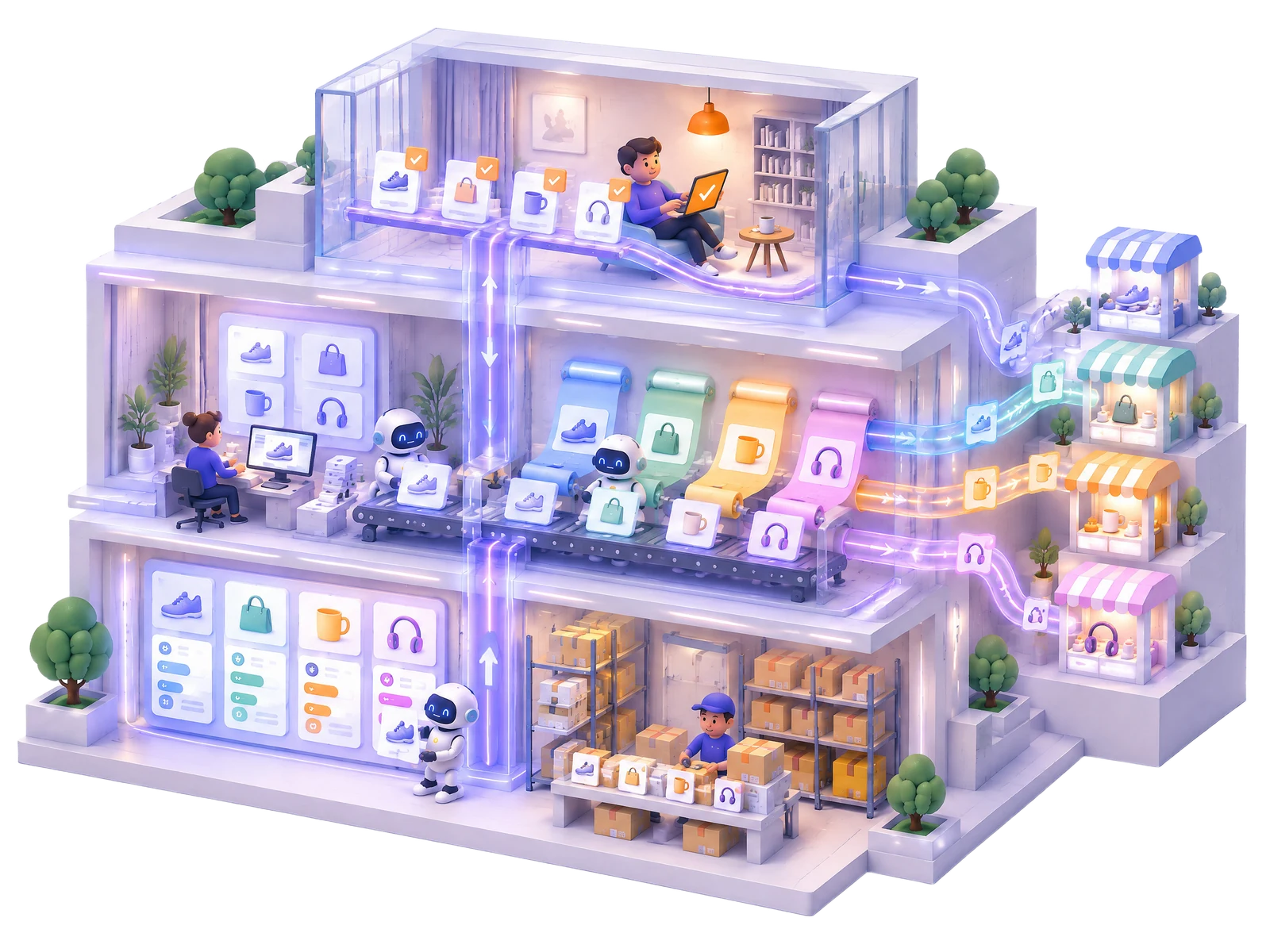
Odoo integration connects your Odoo ERP to one Elbuz catalog through the Odoo API: products, variants, photos and warehouse stock come in, prices, new products and vendor prices go back, and the same catalog sells on Shopify, Amazon and eBay.
Odoo keeps your warehouse and accounting. Elbuz takes the catalog and stock from Odoo, adds supplier price lists and marketplaces, and sends prices and new products back.
Your Odoo catalog in Elbuz
Every product variant comes in with its name, internal reference, barcode, sales price, on-hand quantity, weight and category. Variant axes such as color or size become options, and variants of one product stay linked as a family. With Odoo eCommerce, the website description, SEO fields and photo gallery come in too.
Stock from Odoo warehouses
Each Odoo warehouse becomes a warehouse in Elbuz, and the on-hand quantity is read per warehouse. Odoo stays the owner of stock: a repeat run writes only what changed.
Prices back to Odoo
The export template sends the sales price of linked products to Odoo. Elbuz first reads the current prices and sends only the changed ones. The price can come from your markup rules.
New products into Odoo
Products from supplier price lists that Odoo does not have yet are created there with name, price, reference, barcode, weight, description, category and main photo.
Vendor prices in the Purchase tab
Elbuz writes the supplier links from your price lists into Odoo vendor pricelists: vendor, vendor product code and name, price in the price list currency and delivery lead time.
Sales orders and vendors
Odoo sales orders become customer orders in Elbuz with lines, delivery, buyer and address; after the first run only changed orders are read. Odoo vendors can come in as contractors in the Supplier group.
2
How it works: Odoo as the ERP, Elbuz as the sales hub
Two templates on one Odoo API key: the import brings data from Odoo, the export sends it back. Both run on schedule.
Import from Odooproducts, variants, photos, warehouse stock and sales orders
One catalogOdoo products next to supplier price lists
Export to Odooprices, new products and vendor pricelists
ChannelsShopify, Amazon, eBay and others from the same catalog
Demo: stock comes from Odoo, a supplier cuts the price, and the new price goes back to Odoo and out to every channel.
AI · Integrator
AI · Purchasing
AI · Pricing
AI · Marketplaces
company.odoo.com ⇄ Elbuz ⇄ Shopify, Amazon, eBay
Odoo · Inventory
Manual coffee grinder Mlyn M2
€47.90
On hand12 pcs
VendorKava Trade · €29.80
Elbuz · CatalogOdoo and supplier price lists
Product
Cost
Price
Stock
Mlyn M2
€31.50
€47.90
—
Pour-over kettle
€18.40
€27.90
7 pcs
Price on channels
Shopify€47.90
Amazon€47.90
eBay€47.90
Result: stock comes from Odoo, the new price and the vendor price go back to Odoo, and every channel sells from the same catalog.
3
Odoo connector for Shopify, Amazon and eBay
You do not need a separate Odoo app for each marketplace. The catalog imported from Odoo feeds every channel Elbuz connects, each with its own export template.
Odoo and Shopify
Products and stock from Odoo go to your Shopify store, and Shopify orders arrive in Elbuz by schedule or webhook. See Shopify integration.
Odoo and WooCommerce
The same catalog, prices and stock for a WordPress store, with orders in the same list. See WooCommerce integration.
Odoo and Amazon
Listings from the Odoo catalog, prices and inventory by SKU, and Amazon orders in Elbuz. See Amazon integration.
Odoo and eBay
Listings with item specifics, product families as variations, and eBay orders next to the others. See eBay integration.
Honest limits
Stock is not written to OdooOdoo keeps its own stock
Channel orders stay in Elbuzthey are not created as Odoo sales orders
Attributes stay in Elbuzthey are imported, not exported
Deleted in Odoothe product is not removed in Elbuz
Elbuz works through the external Odoo API. You paste the Odoo address and an API key; Elbuz picks the protocol itself.
Odoo 19 and laterJSON-2 APIthe API key is enough, no login needed
Odoo 14–18JSON-RPCthe user login plus the API key; Elbuz switches to the older protocol on its own
Only changesbatchesprices are compared before writing, and a repeat import does not create duplicates
Odoo Online opens the external API only on the Custom plan. Your Odoo must be reachable from the internet: a server visible only in your office network will not connect.
5
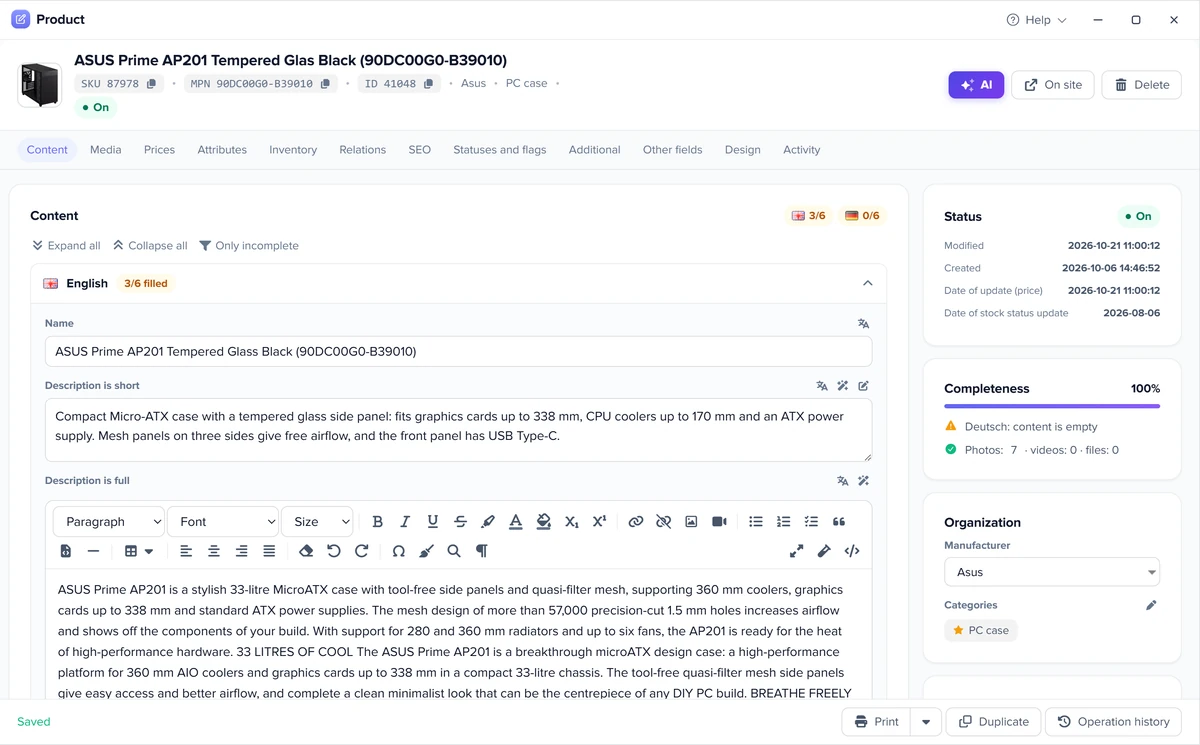
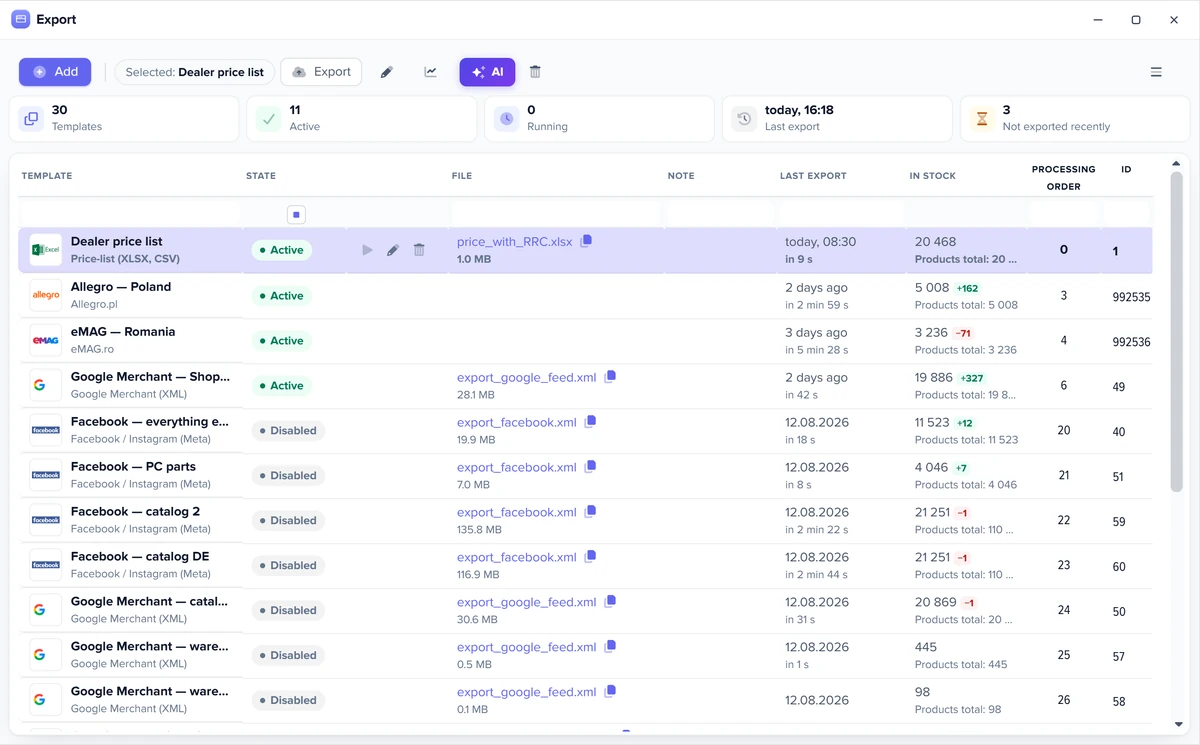
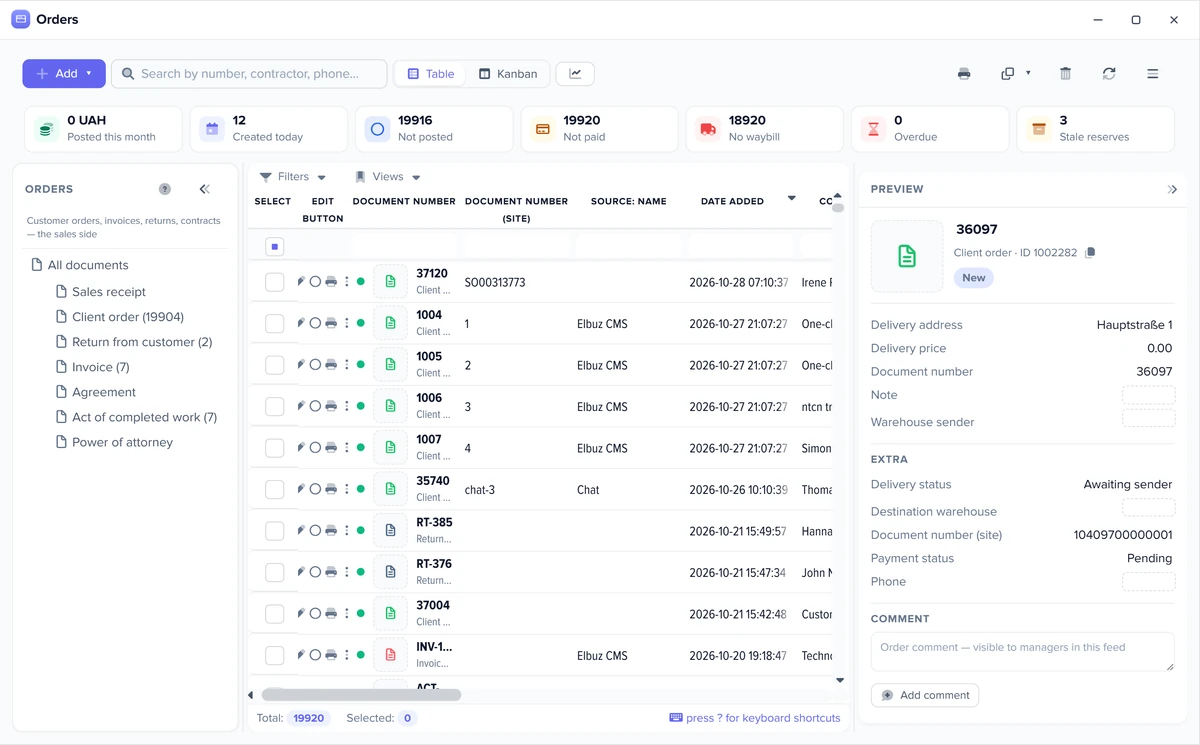
Elbuz screens: catalog, export templates and orders
The same windows run every marketplace: the product card, the export templates and the order list.
One product card feeds every marketplaceExport templates: one per marketplace and feedMarketplace and website orders in one list
6
How to connect Odoo to Elbuz
One API key, two templates, and checkboxes for what goes in each direction.
API keyin Odoo: avatar → My Preferences → Security → Create API Key
Import templateData import → Add → Odoo: URL, key, and login for Odoo 18 or older
Checkthe Test connection button shows your Odoo company
What to loadcategories, products, photos, attributes, orders, warehouses, vendors
Export templatethe same key: products, new products, photos, supplier links, and a schedule for both
Set up the template once: exports and checks then run on their own, and you step in only where a decision is needed.
Check before every export
Before each run Elbuz counts how many products will go out and how many are in stock, and compares that with the previous run. A stock drop over 30%, a product count drop over 50% or an empty selection triggers a warning or stops the export, as you choose, for all templates or for one.
Only changed products
A template option sends only new and updated products: those changed in the card, by a price list or through the API since the last successful send, not the whole catalog every time.
Available stock
If you keep warehouse records, a setting exports available stock: the marketplace gets the quantity minus stock reserved by posted orders and blocked goods. The physical stock in the database does not change.
Schedule and Flows
Each template runs on its own schedule. A process (Flows) chains the steps: load price lists, update the catalog, export to marketplaces and send a notification with the result. Workflow automation.
Automatic rules
A new order, or a change to an order during import, runs a rule: event, condition, action. The customer gets an email or SMS, a manager gets a task, and a document is created on its own. Marketplace orders follow the same rules as website orders.
You can also give these jobs to an AI agent in plain words: load price lists, update the catalog, run an export, fill product cards. AI agents.
8
Odoo integration FAQ
What can Odoo integrate with through Elbuz?
With every channel Elbuz connects: Shopify, WooCommerce, Amazon, eBay and other marketplaces, product feeds and supplier price lists. Elbuz imports the catalog and stock from Odoo once, and each channel gets its own export template, so you do not need a separate Odoo connector per marketplace.
Do I need a developer to connect Odoo?
No. You create an API key in Odoo, paste the Odoo URL and key into an import template and tick what to load. For Odoo 18 and older, the user login is added too. Step by step: How to connect Odoo to Elbuz.
Which Odoo versions are supported?
Odoo 19 and later through the JSON-2 API with an API key, and Odoo 14–18 through JSON-RPC with a login and an API key. Elbuz detects the protocol itself. On Odoo Online the external API is available only on the Custom plan.
Is it an Odoo Shopify connector?
In part. Products and stock from Odoo go to Shopify through Elbuz, and Shopify orders arrive in the Elbuz order list. They are not created as sales orders in Odoo, so if you need every order inside Odoo, a direct Odoo Shopify module fits better. See Shopify integration.
Does Elbuz update stock in Odoo?
No. Odoo stays the owner of stock: Elbuz reads on-hand quantity per Odoo warehouse and sends it to your channels, but does not write stock back. To Odoo it sends prices, new products and vendor prices.
What happens with Odoo variants?
Each variant becomes its own product card in Elbuz, and variants of one product stay linked as a family. Variant axes such as color or size come in as options, so marketplaces that support variations get them grouped.
How much does the Odoo integration cost?
The integration is not sold separately: it is part of the Elbuz plan, which depends on the number of products and users. The first 14 days are free with a positive balance: €50 on your balance after sign-up. See pricing.
The website and marketplaces department joins your AI company along with every other department. €50 on your balance after sign-up and 14 days to test the integration on your own Odoo data.