
Customer emails become tickets, while newsletters and supplier emails are filtered out. Your own outgoing newsletters and SMS run separately — see email and SMS marketing.
Sales and customers department one of the departments in your AI company
Ecommerce helpdesk: customer support automation
A helpdesk is one queue for emails, chats, messengers, calls and marketplace messages. AI answers routine questions on its own, and a manager gets the rest.
- Telegram
- Phone
- Allegro
- SLA
- CSAT

Every customer request in one queue
Your store’s customer support in one window: no request gets lost between email, Instagram DMs and a marketplace seller account.
Chats and messengers
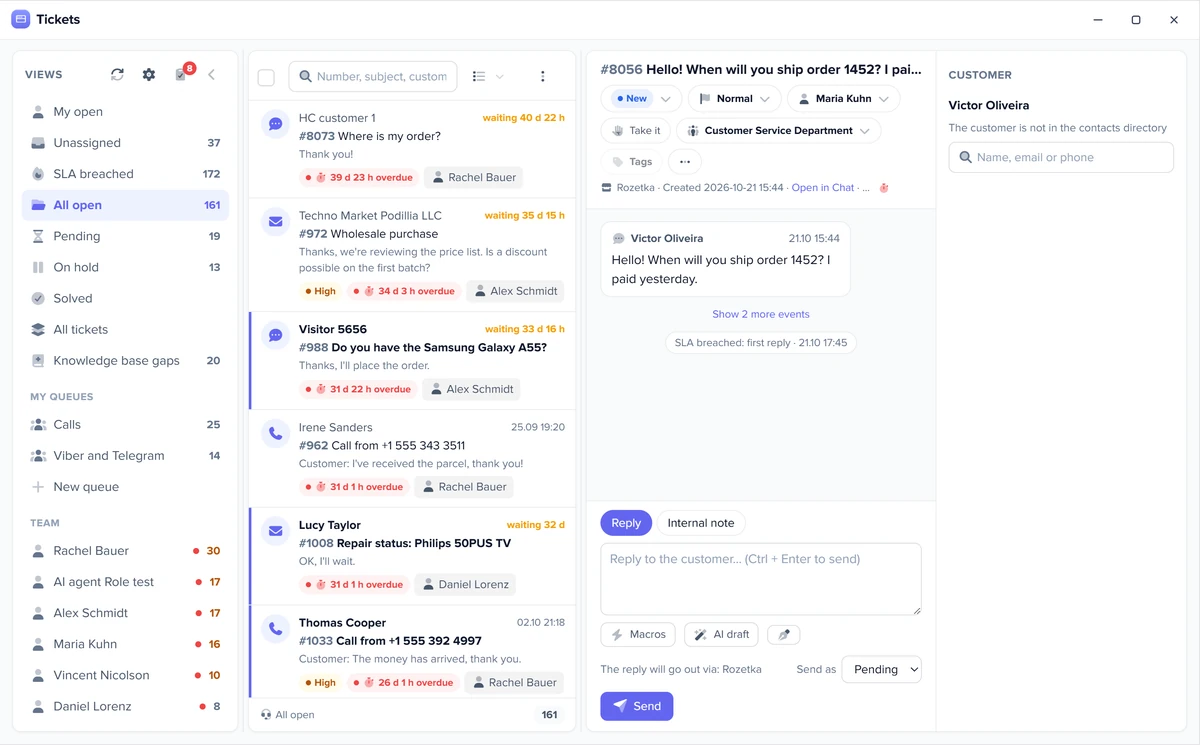
Website chat, Telegram, Viber, WhatsApp: one customer’s channels are merged into one ticket, and the reply goes back through the same channel.
Social media
Facebook and Instagram messages, comments under posts and reviews land in the same queue.
Phone
Calls from your phone system go into tickets, and a missed call becomes a high-priority ticket.
Marketplaces
Allegro buyer messages arrive as tickets, and your reply goes back to the marketplace through its API, without opening the seller account.
AI answers on its own, by your rules
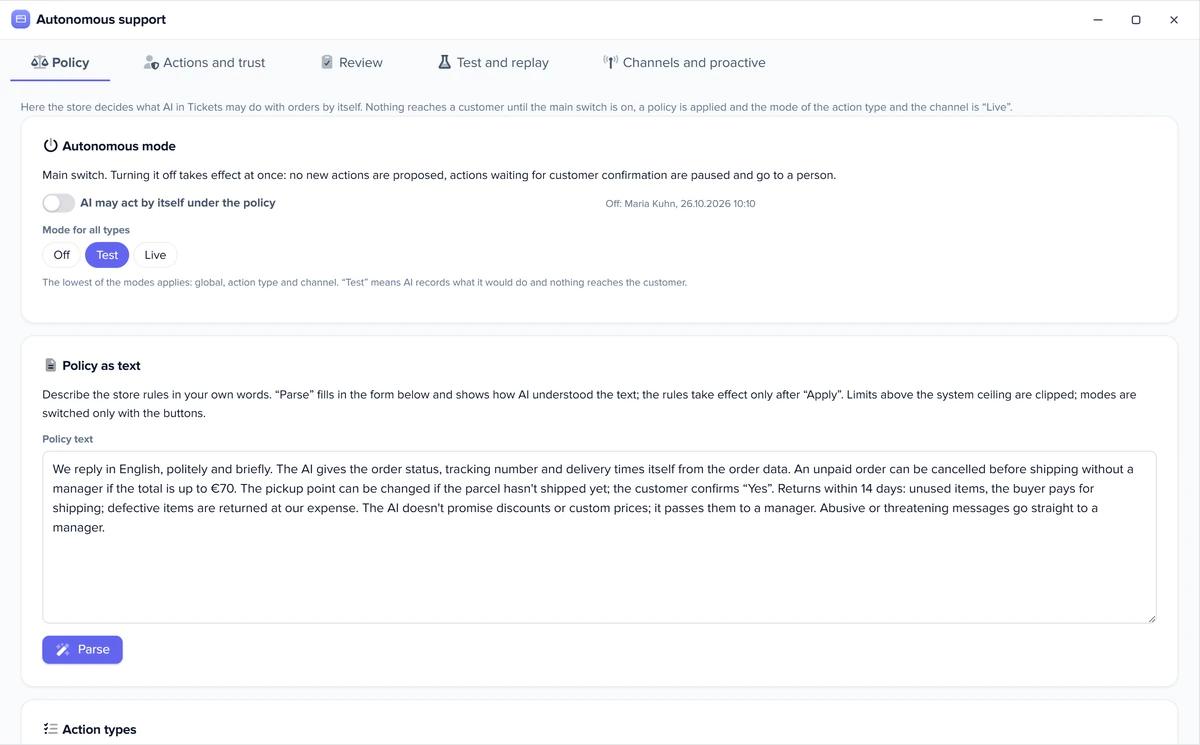
The AI acts only under your store’s applied policy. It never moves money: a refund or the cancellation of a paid order is prepared as a draft for a person.
- Policy appliedyour store rules in your own words, with limits for each kind of action
- Switch on“AI may act on its own under the policy” is set by you
- “Live” modefirst, “Test” mode only records what the AI would have done
What the AI does on its own, by policy
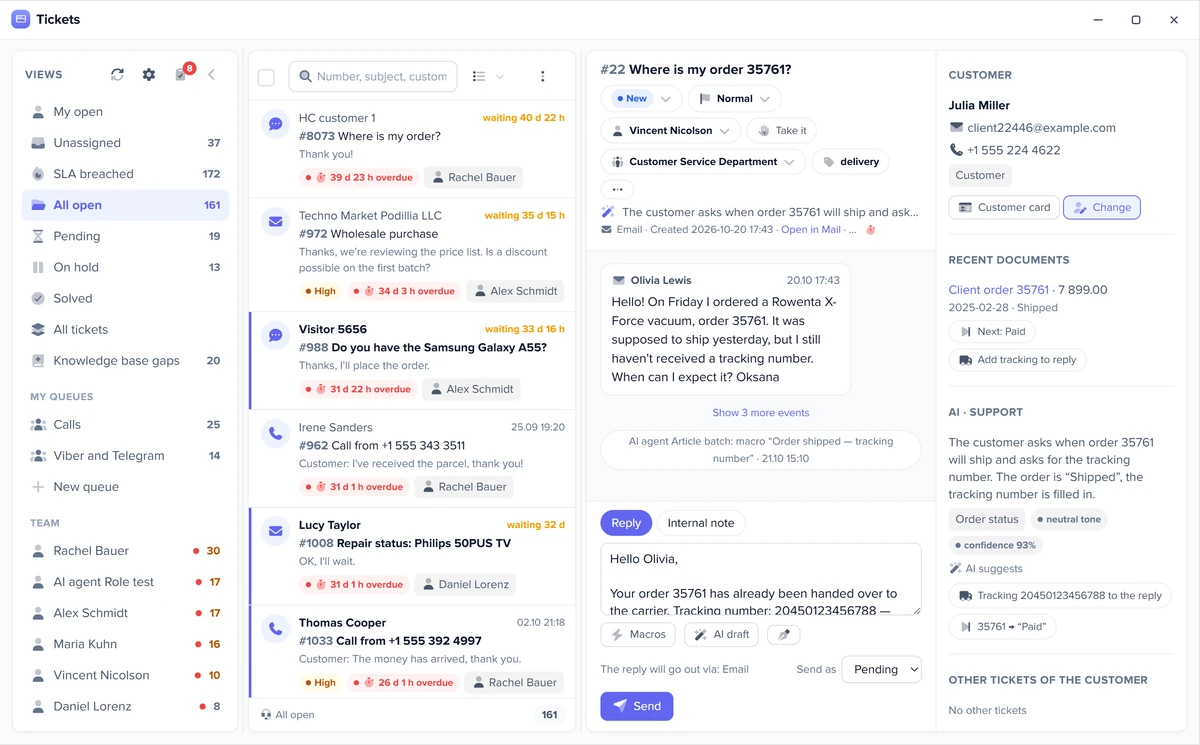
- Answers “where is my order” with the status and tracking number
- Cancels an unpaid order after the customer says “Yes”
- Answers at night and on weekends, and leaves complex cases to a person
The AI never moves money
- Cancelling a paid order creates an unposted payment draft for a person
- A refund is an unposted document that an employee posts
- Every AI decision can be reviewed and undone
Everything else becomes a draft
- Reads the email and takes facts from the knowledge base and the customer’s orders
- Puts a ready reply in the field, and an employee sends it
- If the answer isn’t in the knowledge base, it says it will check instead of making things up
Demo: a customer email becomes a ticket, AI · Support drafts a reply from the order facts, and a manager sends it.
- AI · Support
- Manager
Queueall channels
- Email · Emma ClarkeWhere is my order #1187?New
- Allegro · TomDo you have size L?Open
- WhatsApp · SarahChange delivery addressSolved
Ticket #482Unassigned
Emma Clarke · emailHi! I paid for order #1187 on Monday. When will it ship?
#1187 · ShippedTracking no. 7781 2045 0918 3645
Reply · email
Hi Emma, your order #1187 has already shipped. Tracking number: 7781 2045 0918 3645, you can follow the parcel with it.
Result: the AI finds the facts for the reply, and the manager only checks and sends it.
Ticket, deadline, owner
A ticketing system for online stores: every request has an assignee and a deadline.
Ticketing system
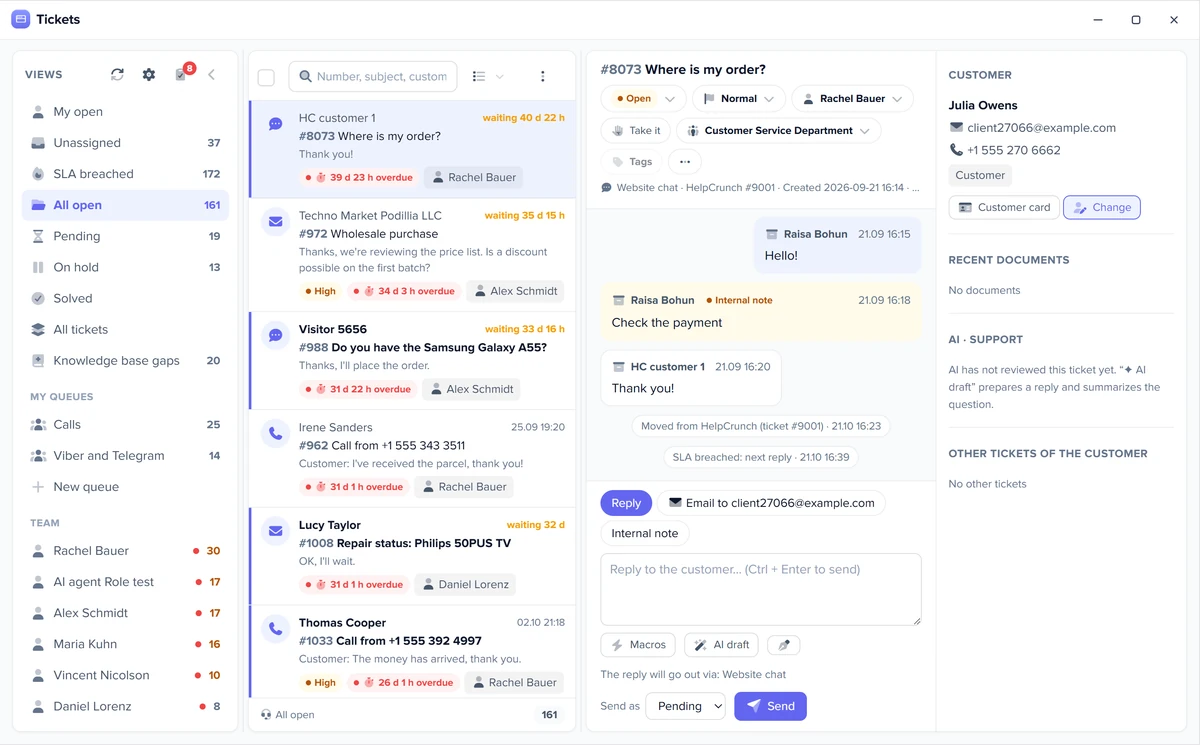
Every question is a ticket with a number, conversation history, an assignee and a deadline. You can see who hasn’t had a reply yet and how long the customer has waited.
Queues and assignment
A new ticket goes to the least busy team member or to the manager the customer is used to, with no manual assignment.
Response deadline (SLA)
The deadline follows your working hours; when it passes, Elbuz notifies the assignee and their manager.
Customer record alongside
The customer’s orders and full history sit next to the ticket. More on customers: CRM for ecommerce.
Reports and quality scores
See how your team meets deadlines and what customers think of the replies.
Support reports
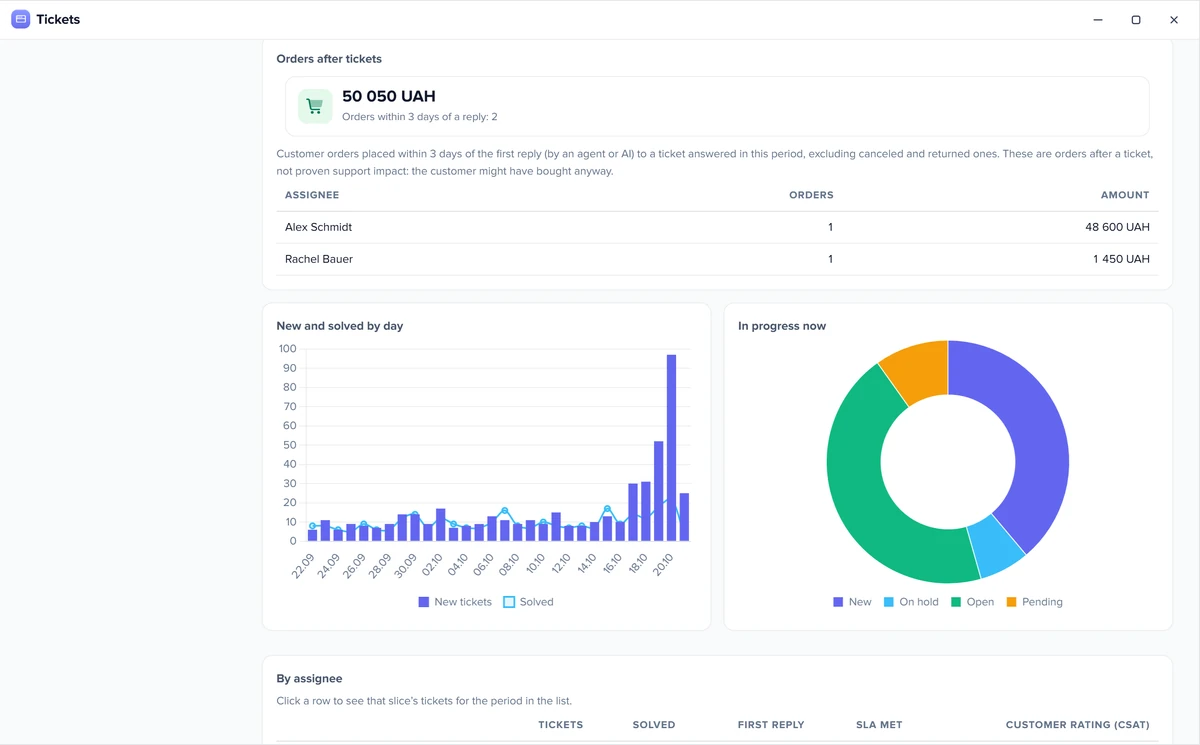
Who is overloaded right now, how fast replies come, where deadlines are missed and how many orders customers placed after a reply.
Customer satisfaction (CSAT)
After “Resolved”, the customer rates the reply through the same channel, and the assignee and their manager hear about a bad rating right away.
Conversation quality
The AI scores every resolved ticket from the conversation text and notices when tickets on one topic suddenly pile up.
Helpdesk or live chat
Chat is one channel; the helpdesk is your whole support team.
| Live chat | Helpdesk | |
|---|---|---|
| What it is | a real-time conversation with a shopper on your website | a queue of requests from every channel |
| What it’s for | advice and product selection | assignees, deadlines, reports |
| How they connect | a chat that needs a person becomes a ticket | website chat is one of the channels |
Website chat with an AI assistant: AI chat for your website.
Helpdesk pricing
The helpdesk is part of the single Elbuz plan along with CRM, catalog and orders, with no separate subscription.
- One planno separate helpdesk subscriptionthe price depends on the number of products and users: one user is in the base plan, each additional user is paid separately
- 14 daysfreefrom sign-up while your balance is positive
- €50on your balance after sign-upto test the helpdesk on your own tickets
What it costs for your store: see pricing.
What it looks like in Elbuz
Real Elbuz windows with demo data.
Ecommerce helpdesk FAQ
What is a helpdesk and why does an online store need one?
It is one window where all customer questions meet (emails, chats, messengers, calls, marketplace messages), and each has a number, an assignee and a reply deadline. That way no request gets lost between email, Instagram DMs and a marketplace seller account. In Elbuz a reply goes out through the same channel the customer used, with their orders shown alongside.
How is a helpdesk different from live chat?
Live chat is a real-time conversation on your website, while a helpdesk is a queue of requests from every channel with assignees and deadlines. More about chat: AI chat for your website.
Which channels does it collect requests from?
Email, chats and messengers, social media, phone and marketplaces.
What does the AI answer on its own, and what goes to a manager?
On its own, only what your applied store policy allows; it never moves money, and everything else becomes a draft for a person.
What is a ticket, and why use a ticketing system?
A ticket is one customer question with a number, an assignee and a deadline; the system shows who hasn’t had a reply yet.
How much does an ecommerce helpdesk cost?
There is no separate subscription: tickets are part of the single Elbuz plan along with CRM, catalog and orders. The price depends on the number of products and users: one user is in the base plan, each additional user is paid separately. The first 14 days are free while your balance is positive, with €50 on your platform balance after sign-up. More: pricing.
Is there a free helpdesk?
Elbuz has no permanent free plan, but the helpdesk isn’t sold separately either: it comes with the Elbuz plan with no extra subscription. The first 14 days after sign-up are free while your balance is positive, with €50 on your platform balance. More: pricing.
Can I reply to Allegro buyers from the helpdesk?
Yes. Elbuz picks up Allegro buyer messages as tickets and sends your reply back to the marketplace through its API, so you don’t have to open the seller account.
How many agents can work at the same time?
As many as you need: each has their own login, and Elbuz assigns tickets automatically.
How do I control the response deadline (SLA)?
The deadline follows your working hours, and an overdue ticket notifies the assignee and their manager.
What else your sales department does

14 days free
Bring every customer request into one queue
The sales and customers department joins your AI company along with every other department. €50 on your balance after sign-up and 14 days to test the helpdesk on your own tickets.
Updated