
80+ ready-made templates already in the demo
They differ in more than color: the header, menu, product cards and homepage are built differently too. Browse by niche and style.
Website and marketplaces department one of the departments of your AI corporation
A hosted ecommerce platform with 100+ templates: products, prices, stock and orders live in one system with your supplier price lists, warehouse and product feeds.

Products, prices and stock from supplier price lists and your warehouse reach the website on their own, and website orders go straight into Elbuz. There are no integration plugins to maintain.
Demo: prices, stock and orders move between Elbuz and the website on their own, with no manual copying.
Elbuz · Catalogprice lists and warehouse
| Product | Cost | Price | Stock |
|---|---|---|---|
| Osin sofa | €625 | €750 | 2 pcs |
| Breeze armchair | €166 | €199 | 9 pcs |
| Oak table | €241 | €289 | 3 pcs |
Osin 3-seater sofa, velvet
€750
Low stock Buy nowWe show every template in the catalog on one sample niche, but it isn’t tied to it: products, photos and text are always yours. Templates differ in more than color: the header, menu, product cards and homepage are built differently too. It’s a builder with a lot of settings: blocks, colors, background and fonts all change, so one template can become a completely different one, with thousands of possible variations. Try it yourself.
1. Pick a template
2. Pick what you sell — the products change, the template stays
The store editor works the same way: the template switches in one click, while your catalog, prices and orders stay as they were.
New this week
Laptops for work and study
Choose a modelAll templates run on the same core, so each one has every store feature: cart, filters, quick checkout, card payments, reviews and a mobile version.
Browse the template catalog and see each one with demo products. The sample niche is just an illustration.
Change the logo, main color, fonts and the order of homepage blocks in the visual editor, without code.
The catalog comes from Elbuz. Demo products are removed with one button, and the template stays.
Under each template name is the niche we show it on. It’s not a limit: Atomic Age looks good with coffee, and Verdict with furniture.
An AI agent helps you set up and fine-tune the template.
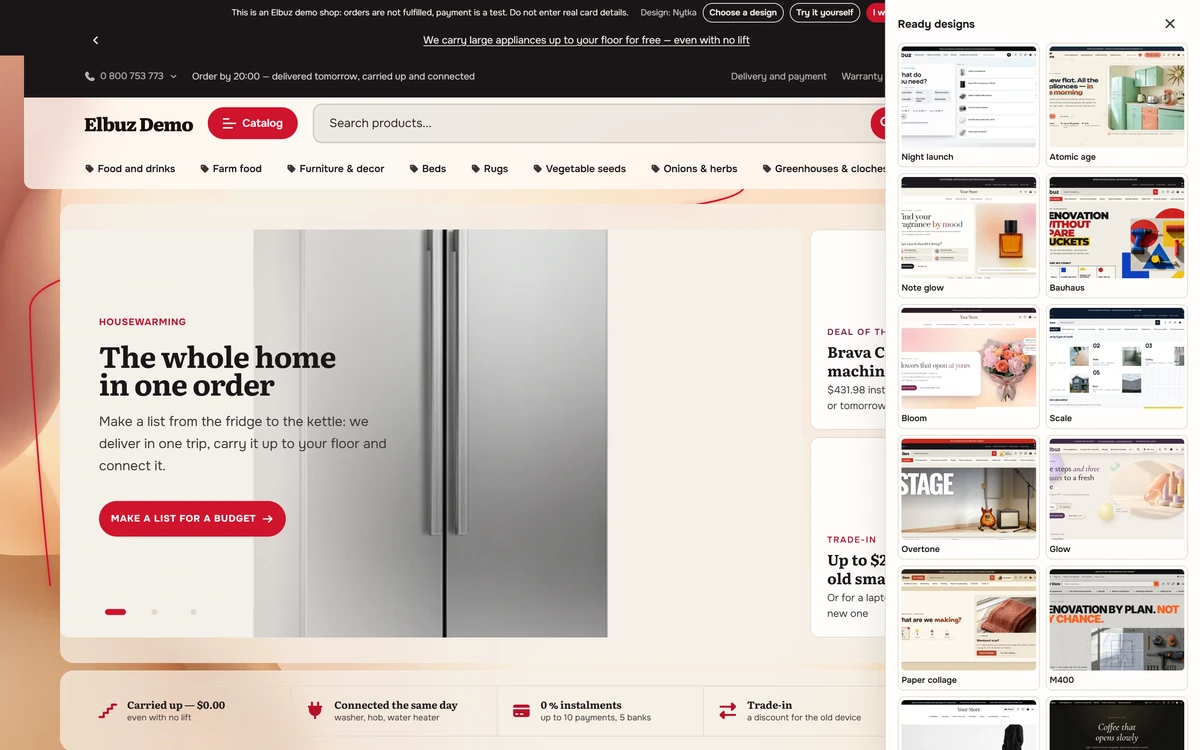
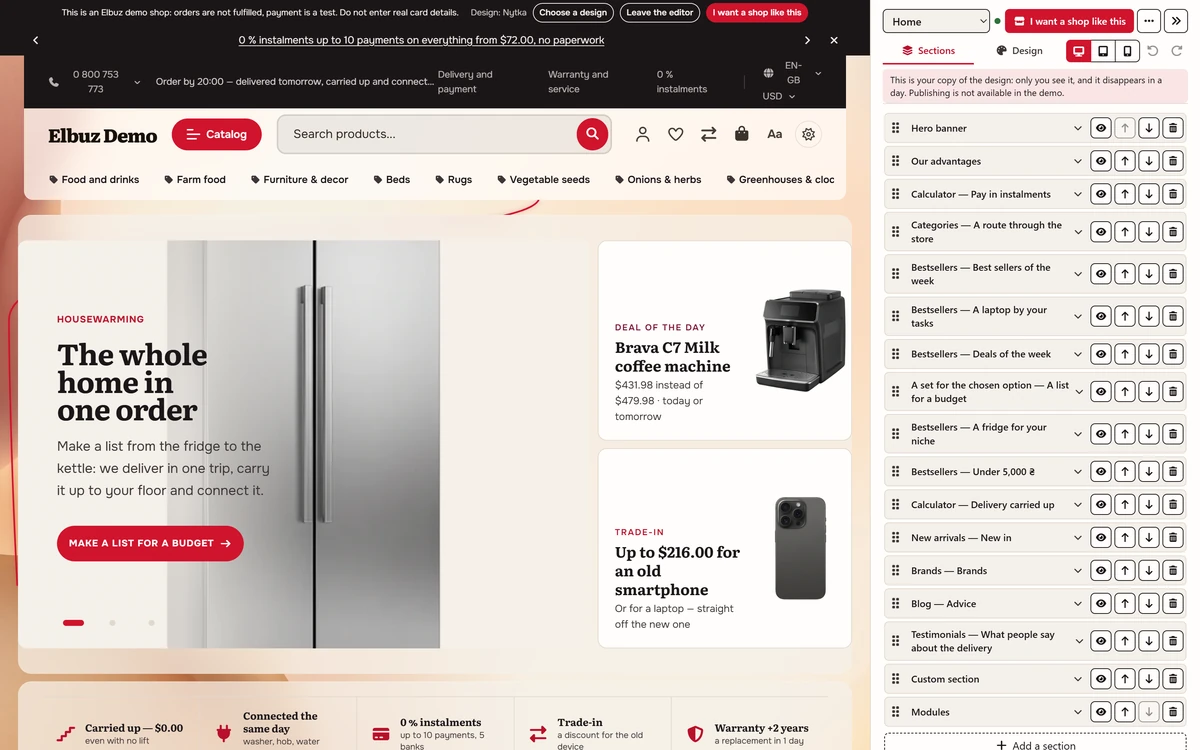
No sign-up, no payment. Not screenshots or a video, but a working store with products: change the template, make it your own and go through it as a customer would.
They differ in more than color: the header, menu, product cards and homepage are built differently too. Browse by niche and style.
Colors, fonts, text and blocks change instantly, with no code.
Switch with one click and see the store in both.
From the catalog and product page to the cart and checkout.
Ukrainian, Russian, English, Polish, German, French, Spanish and Italian.
That button is right in the demo: open a store like it from the ready-made template straight away.
This is a demo: orders aren’t fulfilled, no money is charged, and you don’t need real card details. Only you see your changes, and they disappear after about a day.
A cloud online store: servers and hosting are our job, products and sales are yours.
No hosting, server or database to set up: Elbuz deploys the store in about two minutes, with an elbuz.shop address, a demo catalog and passwordless admin login.
Name, contacts, legal details and currencies come from your company profile, so you never enter them twice.
Security, backups and platform updates are handled for you, and Cloudflare protection is on for every site.
Our own modules speed up every Elbuz CMS store, so you don’t have to work on site speed yourself.
The store starts on an elbuz.shop address; you connect your own domain in Elbuz with a CNAME record pointing to shops.elbuz.shop. Elbuz charges nothing extra for connecting a domain.
Card payments through Stripe and PayPal and shipping carriers for the EU and US are part of the platform: you turn on the ones your buyers need in the store admin.
Demo: this is how your AI team fills an Elbuz CMS store with products, photos, prices and stock. All you do is approve.
Osin 3-seater sofa, velvet
€750 €845
Breeze armchair, linen weave
€199
In stockOak dining table, 160 cm
€289
Low stockRay floor lamp, brass
€74
In stockYou only approve. Your AI team does the rest.
Search, chat, Telegram and product feeds all run on the same catalog.
A Telegram store is built into Elbuz CMS: the same design as your website, the same catalog, prices and stock, and its orders arrive together with website orders. More: Telegram store.
Telegram store guide (opens in a new tab)Search understands typos and shows price and availability: smart site search.
The assistant answers from your catalog day and night: live chat for your website.
The same products go to Google Shopping, Meta (Facebook and Instagram), TikTok and ChatGPT shopping: product feed management.
To be clear: Elbuz CMS is one option, not a requirement.
You don’t have to move to Elbuz CMS: automation works with your current site. Supplier price lists, prices, stock, product content, orders, CRM and product feeds also work with a store on OpenCart, WooCommerce or PrestaShop, where products are delivered by the Elbuz Tunnel module or the API. Choose Elbuz CMS when you don’t have a site yet or don’t want to deal with hosting and plugins.
Decided to move? Our support team migrates your store for free: store migration.
Create a store, pick a template and upload your products during the 14-day trial.
The Elbuz CMS store itself is included in the regular Elbuz plan; there’s no separate fee for it.
The Elbuz plan depends on the number of products and users: pricing (opens in a new tab).
Real Elbuz windows and a store with demo data.
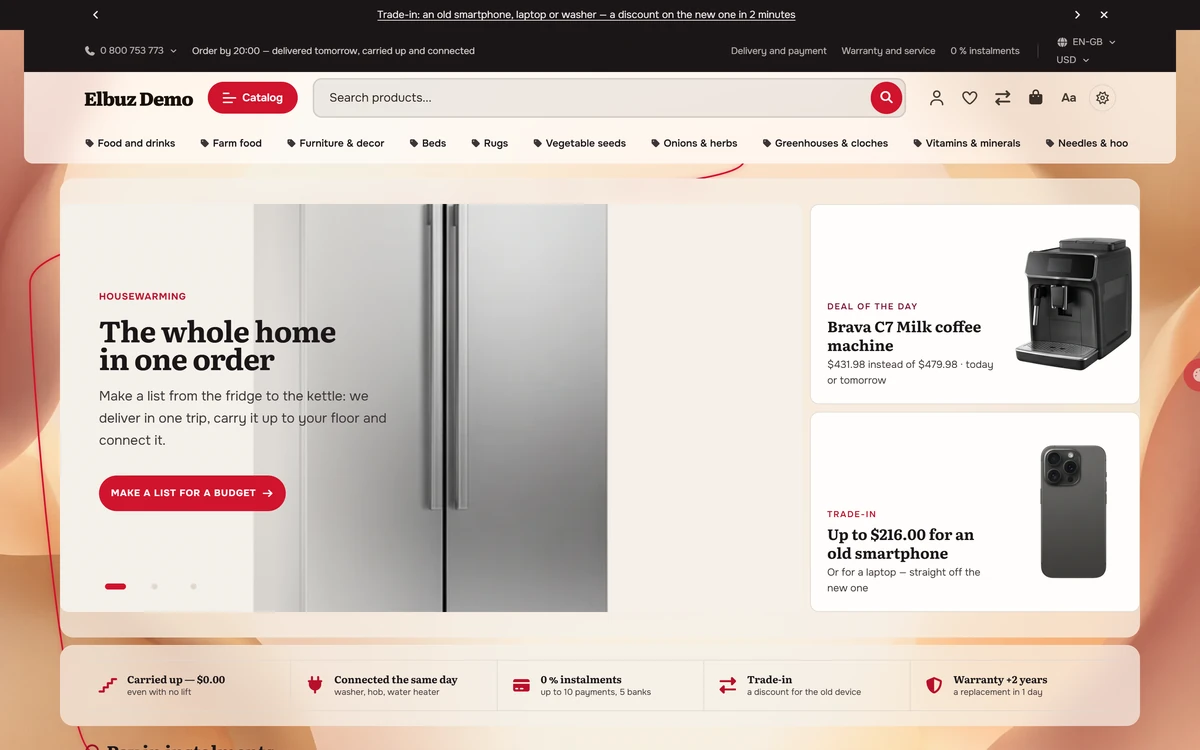
Step-by-step instructions are in the Elbuz help center.
An ecommerce CMS is the software that runs an online store: catalog, cart, checkout and content pages. Elbuz CMS is a hosted (SaaS) one: it runs in our cloud and takes products, prices, stock and company details from your Elbuz catalog.
Only an Elbuz account and a filled-in company profile. The store is created with one button.
On your own hosting you rent a server, install the CMS, update modules and look after security yourself. With Elbuz CMS the service does that: SSL, backups and updates are ours, Cloudflare protection is on for every site, and our own modules speed the store up. You work on products and sales, not on the server.
The first 14 days after sign-up are free while your balance is positive, and you get €50 on your platform balance right away. The Elbuz CMS store is included in the regular Elbuz plan, so there’s no separate fee for it; the plan depends on the number of products and users. More: pricing.
Yes. There are 100+ templates with light and dark modes, and you can switch at any time for free. An AI agent helps you set up and fine-tune the template. It’s easiest to choose on the demo catalog before your own products are in.
Card payments through Stripe and PayPal and shipping carriers for the EU and US are part of the platform; you turn on the ones your buyers need in the store admin.
Yes. The store starts on a temporary elbuz.shop address, and you connect your own domain in Elbuz: add a CNAME record pointing to shops.elbuz.shop in your domain’s control panel and enter the address; HTTPS turns on by itself. Elbuz charges nothing for connecting a domain; you register the domain itself with your registrar.
No. Automation also works with your site on OpenCart, WooCommerce, PrestaShop or another CMS. More: How to export products to your site’s database with Elbuz Tunnel.
Elbuz support migrates it for free: products, customers, orders and stock. You can also do it yourself: load the catalog from your old site into Elbuz with the Elbuz Tunnel module and then export it to the new store. More: How to move a catalog from your site to Elbuz.
Through the “Elbuz CMS” export template: products, prices, stock and company details go from the Elbuz catalog to the store on schedule or at the press of a button. If supplier price lists are scheduled too, new prices reach the site without you. Before the first full export you can run a test one: about 20 products in a few minutes. More: How to run an export manually and on schedule.
Yes. A Telegram store is built into Elbuz CMS, with the same design, catalog and prices. More: Telegram store.
Yes, there’s no limit on the number of products: the store receives its catalog from Elbuz, and export progress shows in the operations log. A large catalog with photos takes longer to export, so check a test export before the full run. More: pricing.

14 days free
The website and marketplaces department is part of your AI corporation, along with every other department. €50 on your balance after sign-up and 14 days to create a store and upload your products.
Updated