
Your columns and headings
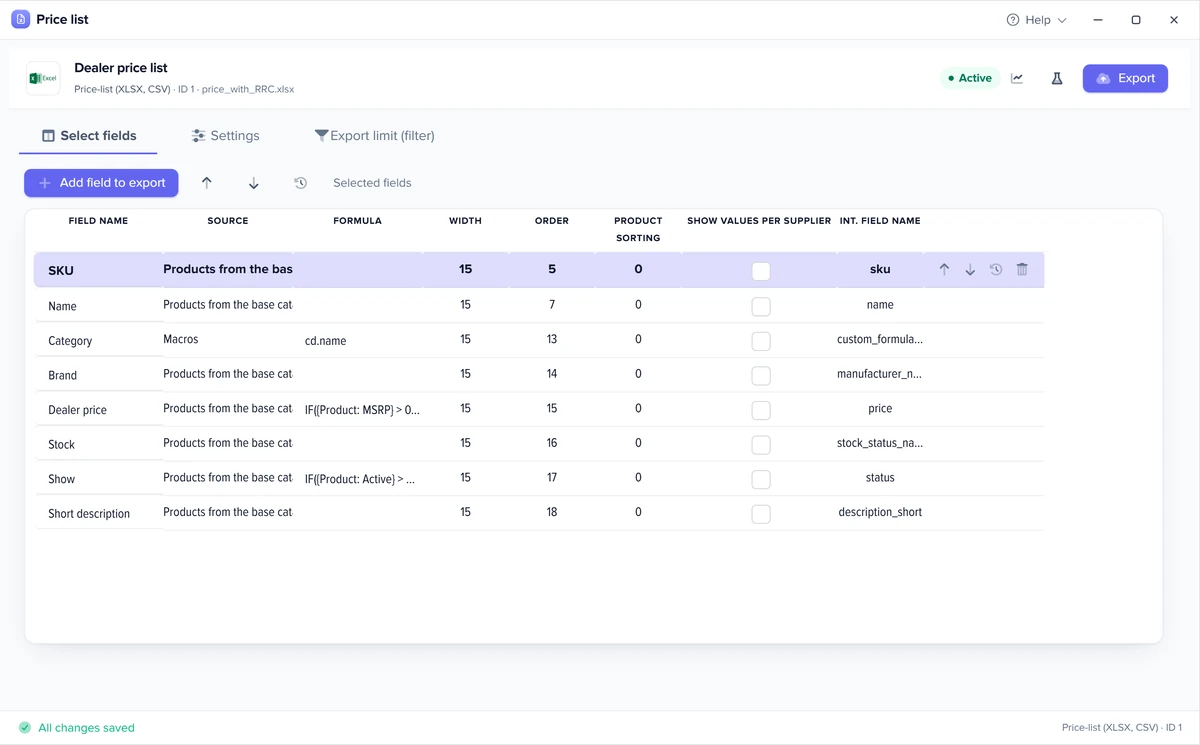
Name, SKU, price, stock, attributes, category come from catalog fields; you write the headings and set the order with arrows.
Sales and customers department one of the departments in your AI company
Elbuz builds price lists for wholesale buyers, dealers and dropshippers from your catalog prices and stock, and the fresh file reaches the customer by email, FTP or a permanent link.

Price list software that takes current prices and stock from your catalog, with no copying into Excel by hand.
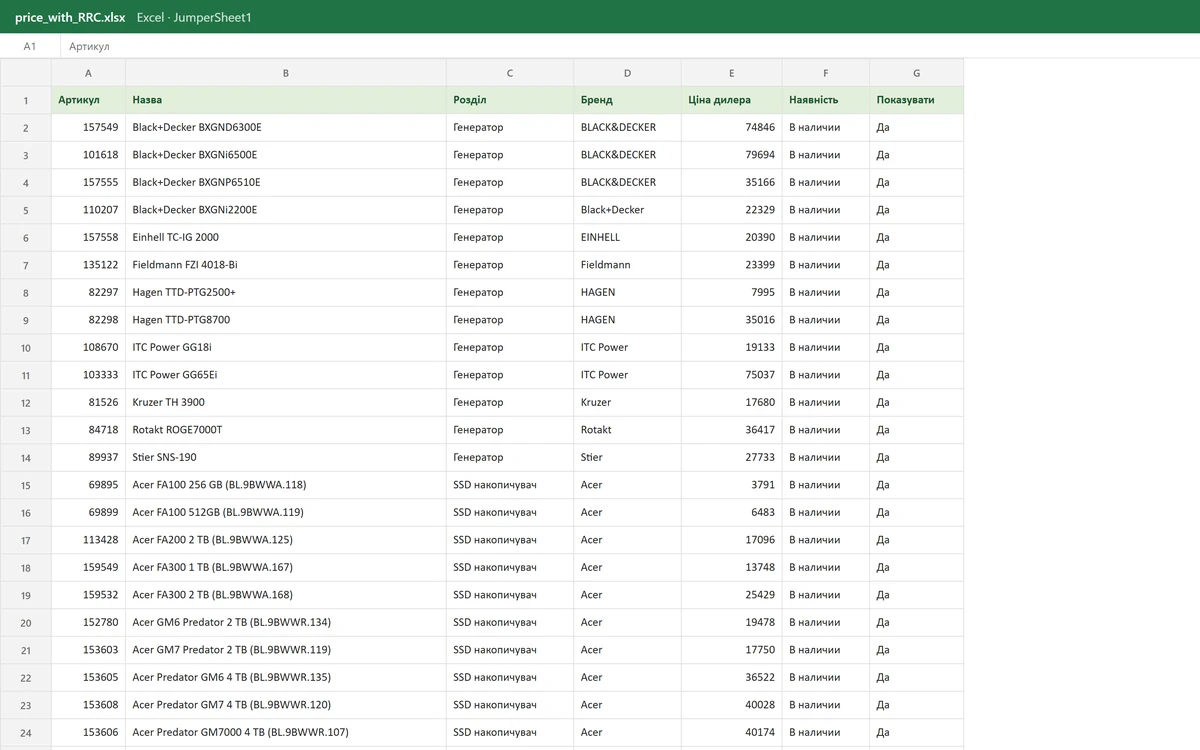
One product database gives a separate price list to every customer group.
Demo: the same catalog builds a price list for the “Dealers” group, with its own price, and sends it to clients on a schedule.
Elbuz · Catalogone price database
| Product | Retail | Dealers | Stock |
|---|---|---|---|
| Lumo coffee machine | €549 | €467 | 8 pcs |
| Grind coffee grinder | €95 | €81 | 0 pcs |
| Steel tamper | €29 | €25 | 25 pcs |
dealers.xlsxin stock only
| Name | Dealer price | Availability |
|---|---|---|
| Lumo coffee machine | €467 | In stock |
| Steel tamper | €25 | In stock |
Linkfiles.example/price/dealers.xlsx
A fresh price list reaches dealers every morning: group price, stock, and no manual Excel.
An example without numbers: each group’s prices are set by rules (markup and pricing), and each price list takes the right price field or calculates the price with a formula.
A separate price group lets dropshippers sell your products with up-to-date stock.
You are the supplier: dropshippers get your catalog with descriptions, photo links, their own price and stock updated on schedule, as an XLSX or CSV file at a permanent link or as an XML feed their site picks up on its own. A sold-out product disappears from the next file if the template only exports items in stock.
How feeds and formats work: product feeds.
A price list for dealers and wholesale buyers: the customer sees exactly the columns you set. Deals, quotes and batch shipments for the same customers — B2B wholesale.
Name, SKU, price, stock, attributes, category come from catalog fields; you write the headings and set the order with arrows.
If there’s no ready field, a formula calculates the MSRP or a regular price, joins the name with the SKU or converts the price at an exchange rate.
A price column paired with a Currency column, so the customer sees the price in exactly the currency you provide.
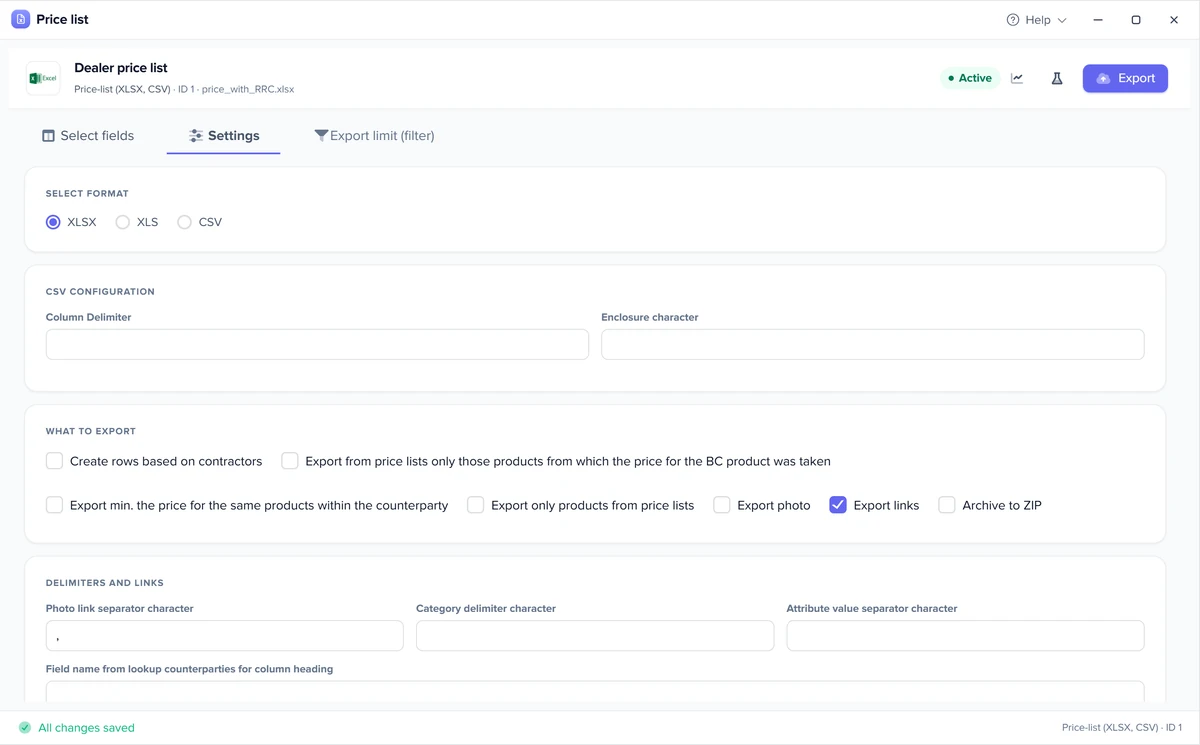
The “Product photo links” column lists links to every product photo in one line; the images themselves are not in the file.
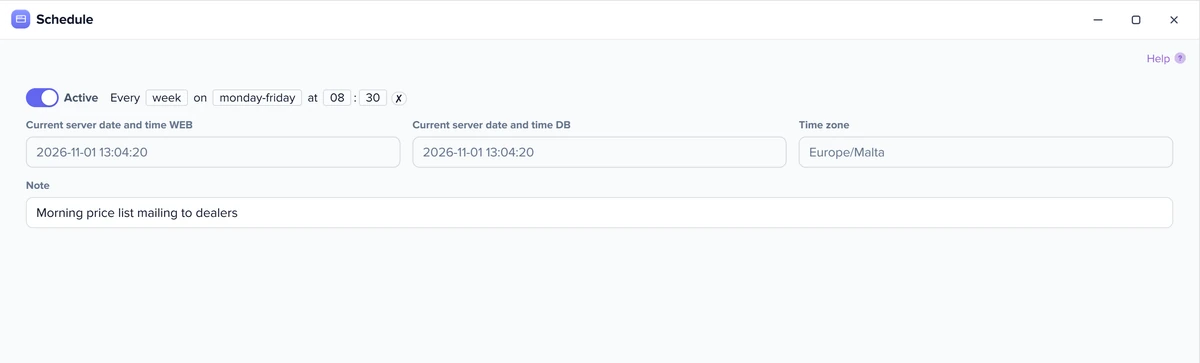
Send the price list to customers on schedule: a link, FTP or email.
The file is rebuilt from current prices and stock, so the schedule frequency is how often the price list updates.
The customer downloads the price list themselves: the link always serves the latest run, and if a run fails, the previous file stays.
The file lands on the buyer’s FTP, and their accounting software picks it up automatically.
Every run sends the file as an attachment to everyone on the mailing list.
Supplier prices sit next to your price, one column per supplier, colour-coded: cheaper than your price in red, more expensive in green.
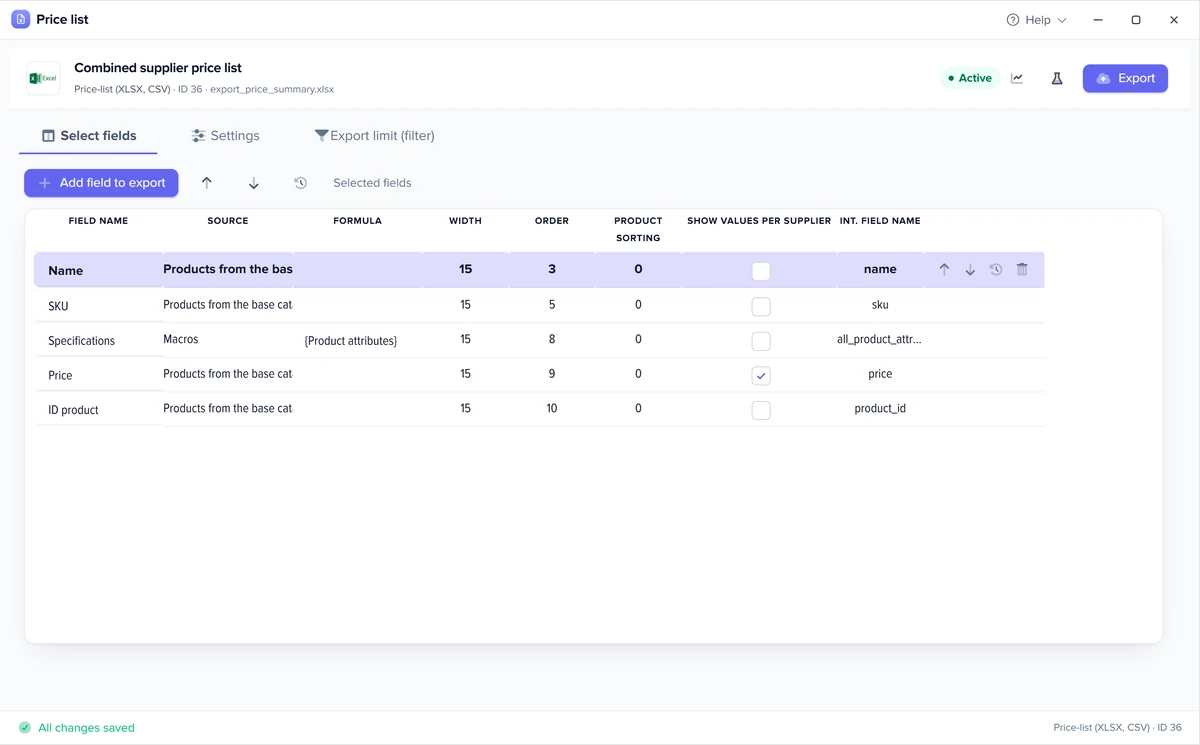
Where supplier prices in the catalog come from: supplier feed processing.
An honest note on what this isn’t.
Elbuz builds a B2B price list from your catalog: a spreadsheet the customer reads or loads into their software. For a poster, Instagram or a one-off price list with pictures, a graphic editor is the better tool.
Real Elbuz windows with demo data.
Not by hand in Excel, but from your catalog: you set the columns once (name, SKU, wholesale price, stock), and Elbuz builds the file from current prices on schedule. The customer gets a fresh price list at a permanent link, on FTP or by email.
What the dealer needs to order: name, SKU, their price, stock and, if needed, attributes and photo links.
XLSX for the customer to read, CSV for them to load into their own software; the columns are the same.
Put the template on a schedule: the file goes to a permanent link, to FTP or out by email.
Yes, for retail, wholesale, dealers and dropshippers, with rules for customer groups.
As links, yes: the “Product photo links” column lists links to every product photo in one line. The images themselves won’t be in the file.
The customer price list is built from your catalog in Elbuz and is part of the plan, not sold separately; the plan price depends on the number of products and users. The first 14 days after sign-up are free while your balance is positive, with €50 on your platform balance. For a one-off designed price list with pictures, a graphic editor is the better tool. More: pricing.
If a product stops matching the template filter, for example when you export only items in stock, its row disappears from the next file on its own. You set the filter once and it applies to every run.
They move prices in opposite directions. Supplier feed processing takes your suppliers’ files and updates your catalog, while the customer price list gives your catalog to buyers with your prices for each group. In Elbuz both work on the same catalog, so a new supplier price reaches the customer price list on its own. More: supplier feed processing.
Yes, with a combined price list: supplier prices sit next to your price, one row per item or one column per supplier, with a link to the supplier’s product page. Cheaper than your price is highlighted in red, more expensive in green.
Create a separate price group for dropshippers and give them your catalog as a file or a feed: an XLSX or CSV price list, or an XML feed their site or software picks up from a permanent link. Elbuz builds the file from your catalog with that group’s prices and updates it on schedule. How feeds work: product feeds.
Yes. The template runs on schedule and rebuilds the file with current prices and stock every time, and the permanent link always serves the latest one. If your catalog updates itself from supplier price lists, changes reach dropshippers without you; a product that stops matching the filter disappears from the next file.

14 days free
The sales and customers department joins your AI company along with every other department. €50 on your balance after sign-up and 14 days to build a price list from your own catalog.
Updated