
Semantic search
Search understands everyday words and slang, not just an exact match with the product name.
Website and marketplaces department one of the departments in your AI company
AI site search finds the right product even when the shopper makes a typo or uses slang, and shows price and stock right in the suggestions. No per-search fees.

A query with a typo still shows the right product instead of an empty page.
| The shopper typed | What search understood | What the shopper sees |
|---|---|---|
| motorolla | a typo | Motorola products: the typo is fixed using words from your own product names |
| galaxya36 | a model without spaces | Galaxy A36: the model name is split into parts |
There is nothing to switch on. You add your own synonyms and slang, and they take priority over the built-in dictionaries.
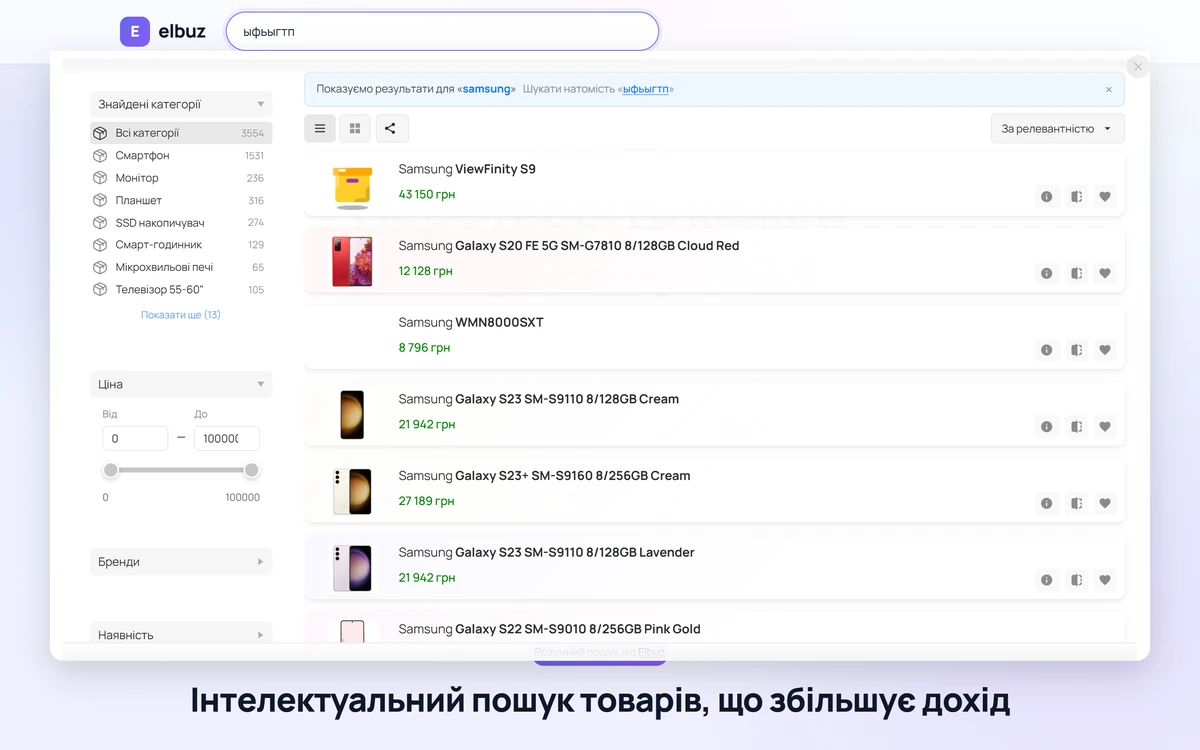
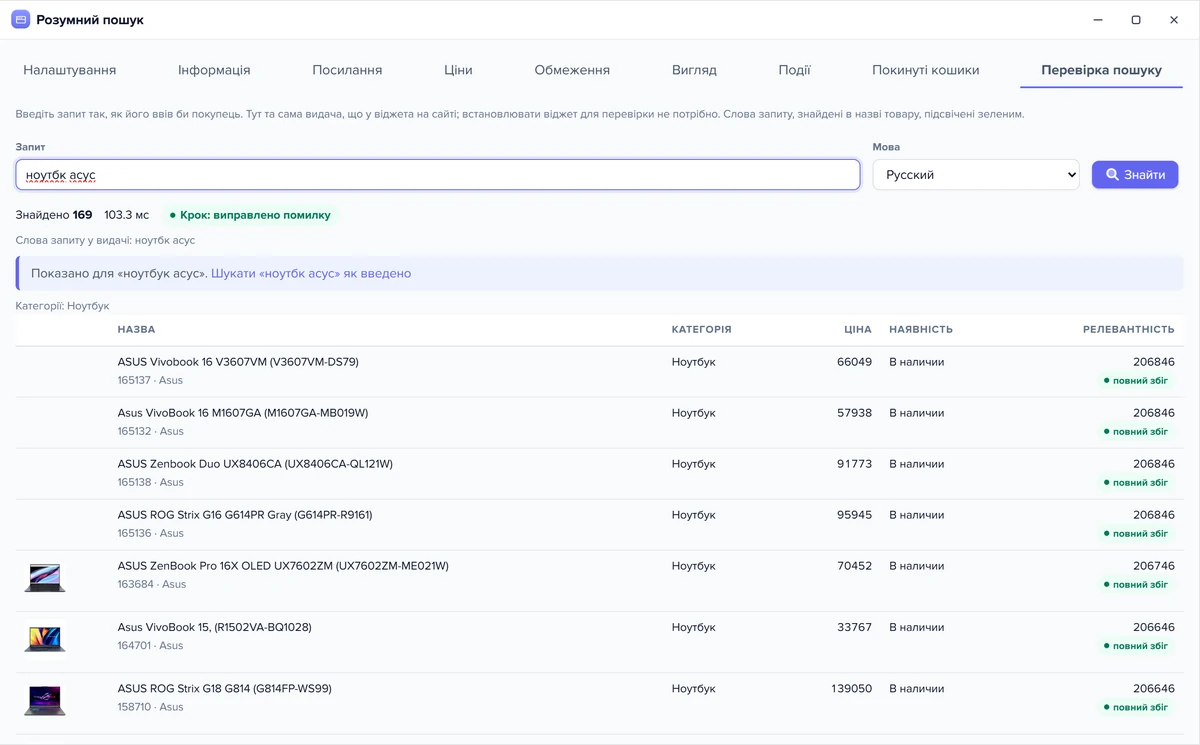
Demo: the shopper types the query “wrong”, and search works out the model name and the typo on its own and shows the right products.
galaxya36
Search testElbuz
motorolla
Result: search handles typos and model names without spaces on its own, so the shopper sees products, not an empty page.
Site search for online stores that understands what the shopper meant.
Search understands everyday words and slang, not just an exact match with the product name.
Turn it on in the widget settings; analytics shows how shoppers use it.
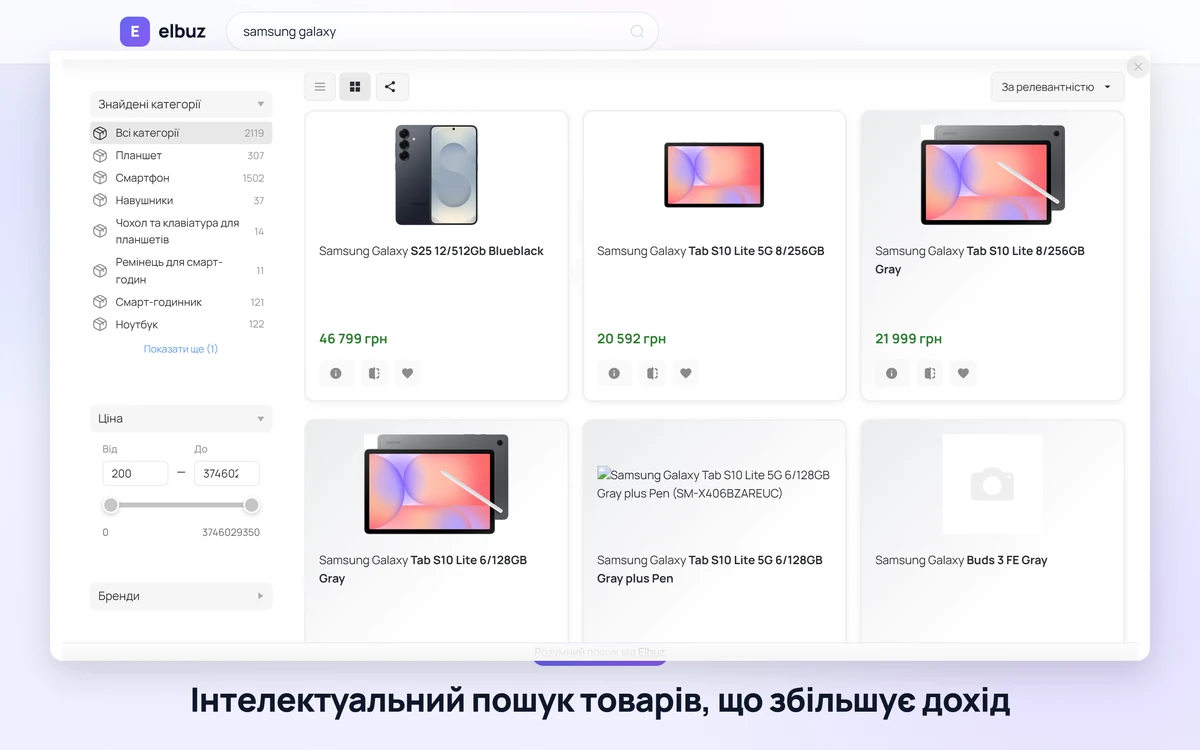
Filters and sorting right in the search window: the shopper narrows the results without going to the catalog.
You can add the AI assistant to the search window, and it adds an answer to the shopper’s question next to the results.
Suggestions appear while the shopper types, with photo, price and stock.
Searches with no results tell you what to add to your catalog.
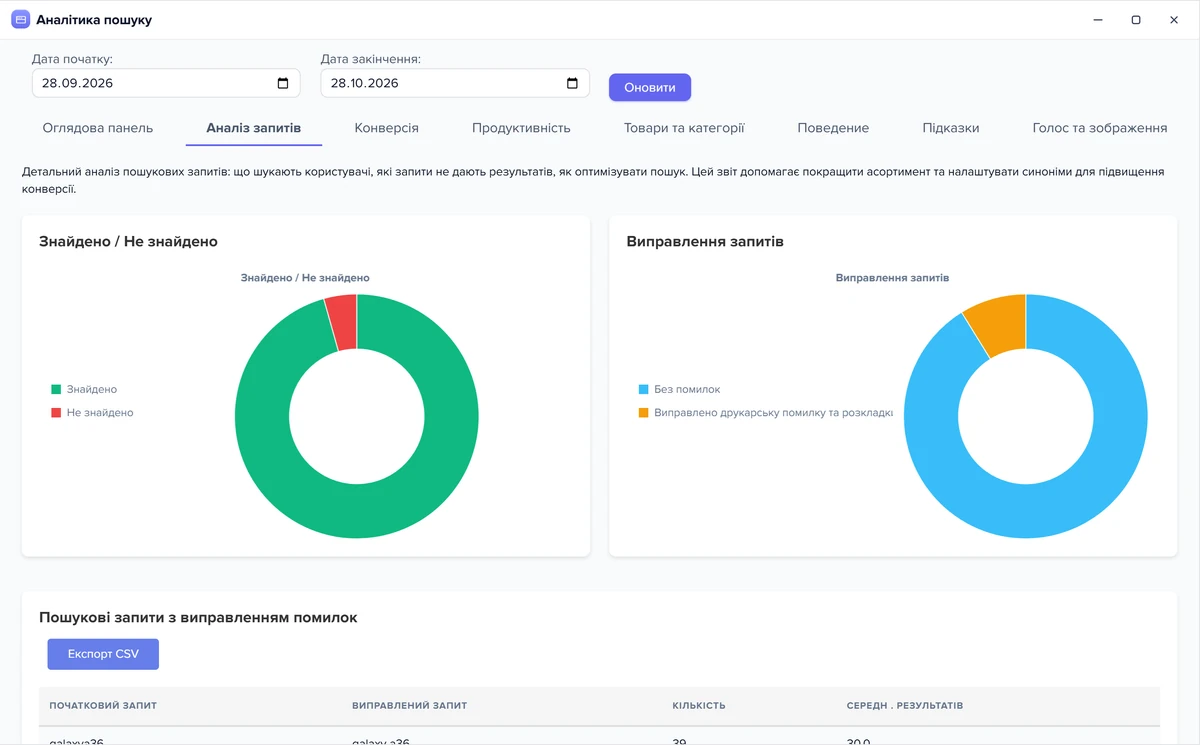
Search analytics shows queries with no results: a ready list of what shoppers ask for and you don’t have. Some are fixed with synonyms, the rest with new products. The same report shows the shopper’s path from search to cart.
AI site search for OpenCart, WooCommerce, PrestaShop, Shopify or a custom-built site, with no need to rebuild your site.
The same code also adds the AI chat assistant. For your own search page or app, there is a search API.
Search is part of the Elbuz plan: there is no separate subscription and searches are not counted.
What the plan costs for your store: see pricing.
There is no separate subscription and no search limit: search is part of the Elbuz plan, and the number of searches on your site is not counted or charged. Typo, keyboard layout and transliteration fixes are included. The plan price depends on the number of products and users. More: pricing.
Built-in search looks for an exact word match, while AI search finds products for queries with typos, slang and model names typed without spaces, so the shopper doesn’t leave for a competitor over “motorolla” instead of Motorola. It shows suggestions while the shopper types, with filters and stock, and analytics tells you what shoppers searched for and didn’t find.
Yes, on its own and at no extra cost: typos, model names without spaces and words typed in the wrong keyboard layout. Typos are fixed using words from your own product names.
The same way as to any platform: your site address, the search field selector and one code snippet in the template.
Yes. Turn on voice search in the widget settings, and analytics shows how shoppers use it.
Yes: photo, price and stock appear in the results, and out-of-stock products go to the end of the list or are hidden.
Analytics shows queries with no results and the shopper’s path from search to cart.
No. Search doesn’t run inside your site but as a separate service: your catalog from Elbuz goes into its index in advance, and the widget only sends the query and shows the result. While the index is rebuilt, shoppers search in the previous copy.
Yes, and your synonyms take priority over the search dictionaries: if a word has your own meaning, that meaning wins. You can see the result on the “Search test” tab before you install the widget.
Yes. AI search returns the same results as the widget through a REST API: your own search page or mobile app gets products, categories, filters and suggestions with your site key.

14 days free
The website and marketplaces department joins your AI company along with every other department. €50 on your balance after sign-up and 14 days to test the search on your own catalog.
Updated