
The same design
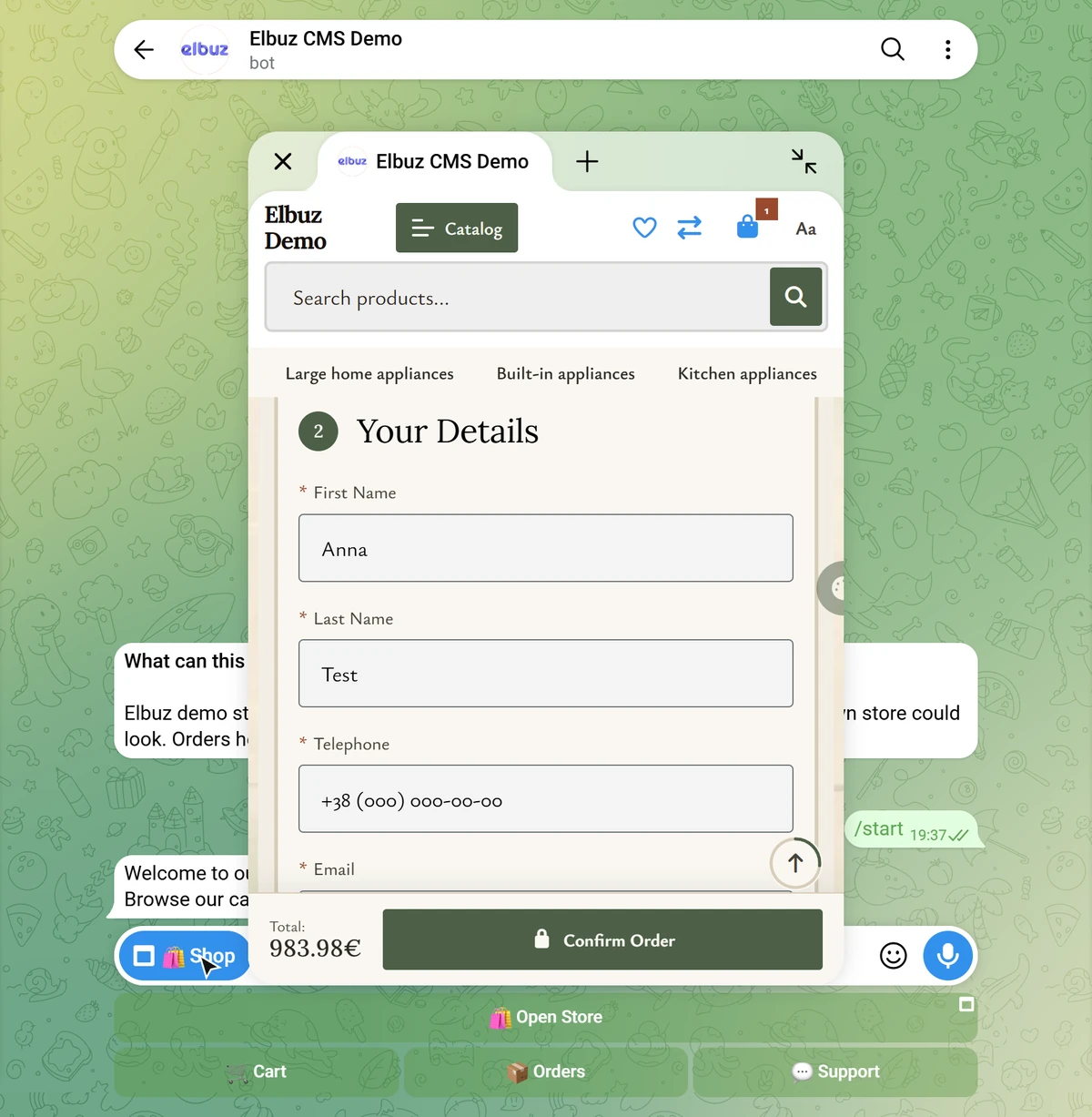
Telegram opens your actual Elbuz CMS store: the same template, catalog, cart and checkout.
Website and marketplaces department one of the departments of your AI corporation
The Elbuz Telegram store is your Elbuz CMS website inside Telegram as a Mini App: the same design, catalog and cart, with orders going to the same place as website orders.

There’s no second catalog to maintain: the Telegram storefront is your store on the Elbuz CMS hosted platform, with the same design, products and prices.
Telegram opens your actual Elbuz CMS store: the same template, catalog, cart and checkout.
The bot doesn’t store a catalog; it shows what your store serves. Update products, prices or stock on the site, and Telegram is updated too.
Telegram store guide (opens in a new tab)Right in Telegram, if a payment provider token is set, or on the site inside the Mini App with the payment methods connected to your store: cards, Stripe or PayPal.
Your store opens inside Telegram as a Mini App in the same design, with nothing to install: the shopper is signed in through Telegram automatically, and checkout takes one button. Colors follow the shopper’s Telegram theme. Next to it runs the store bot, with the commands /start, /shop, /catalog, /cart, /orders, /support and /settings and order status messages for the shopper.
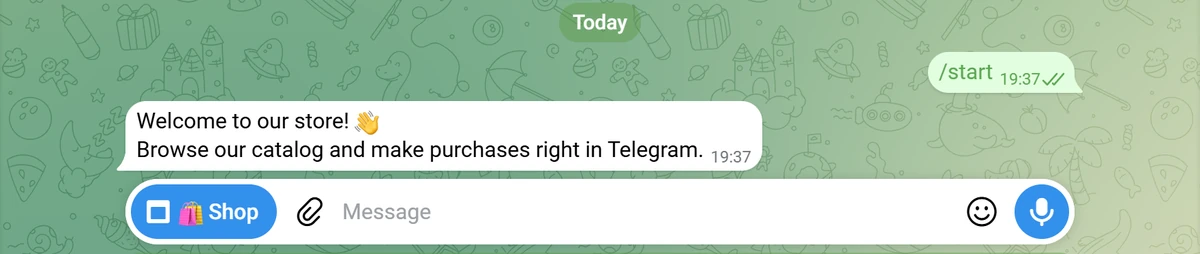
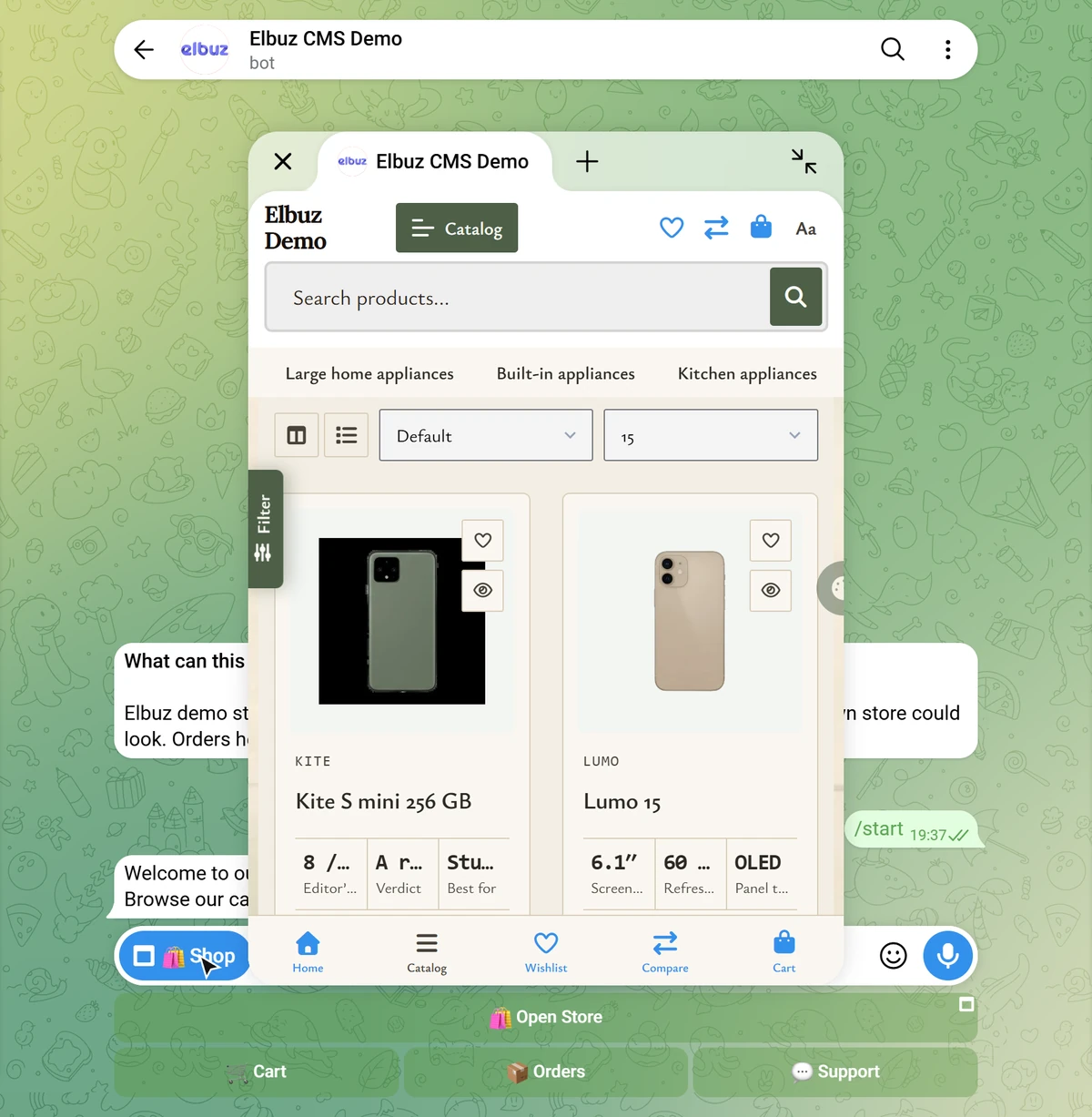
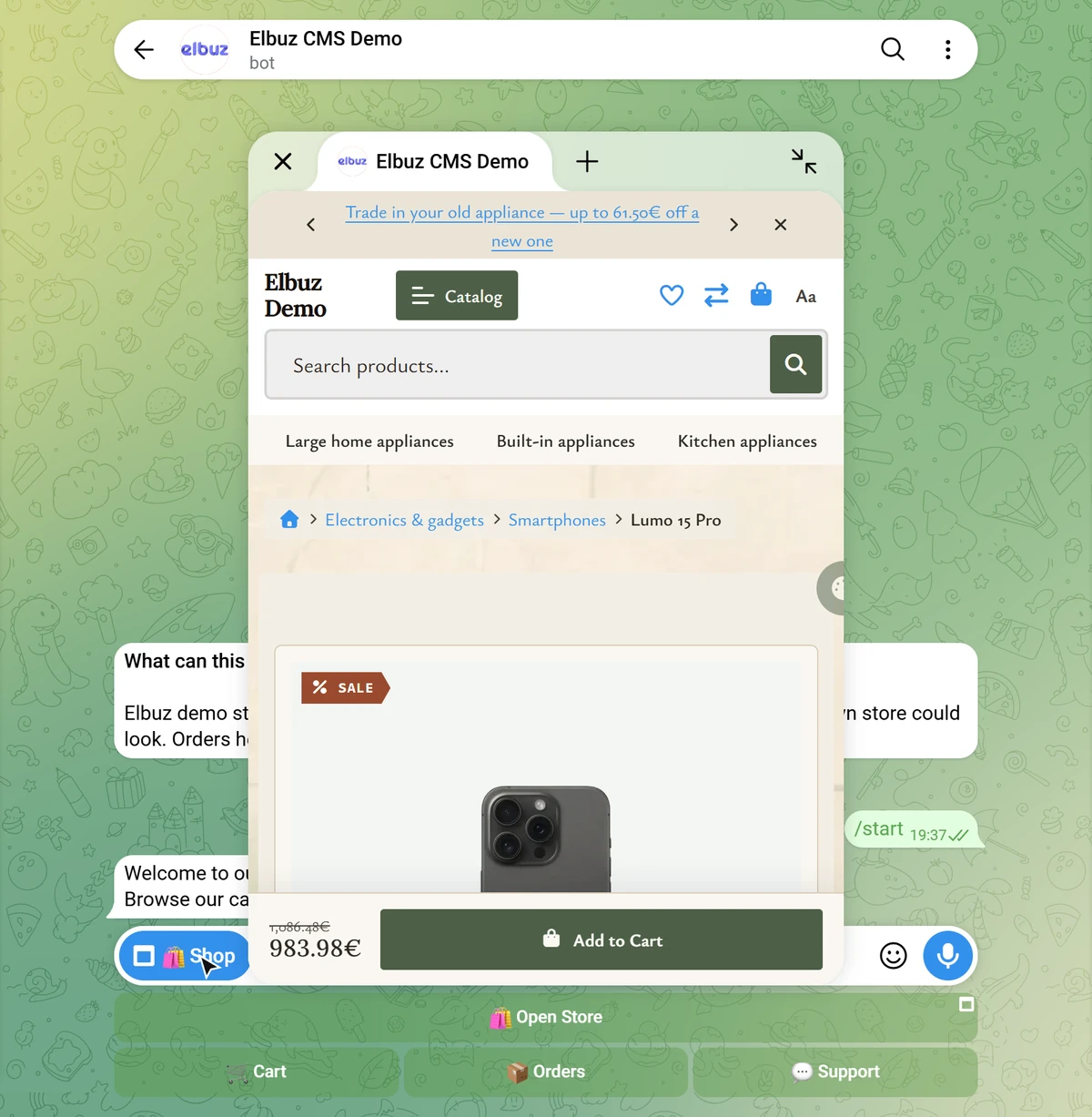
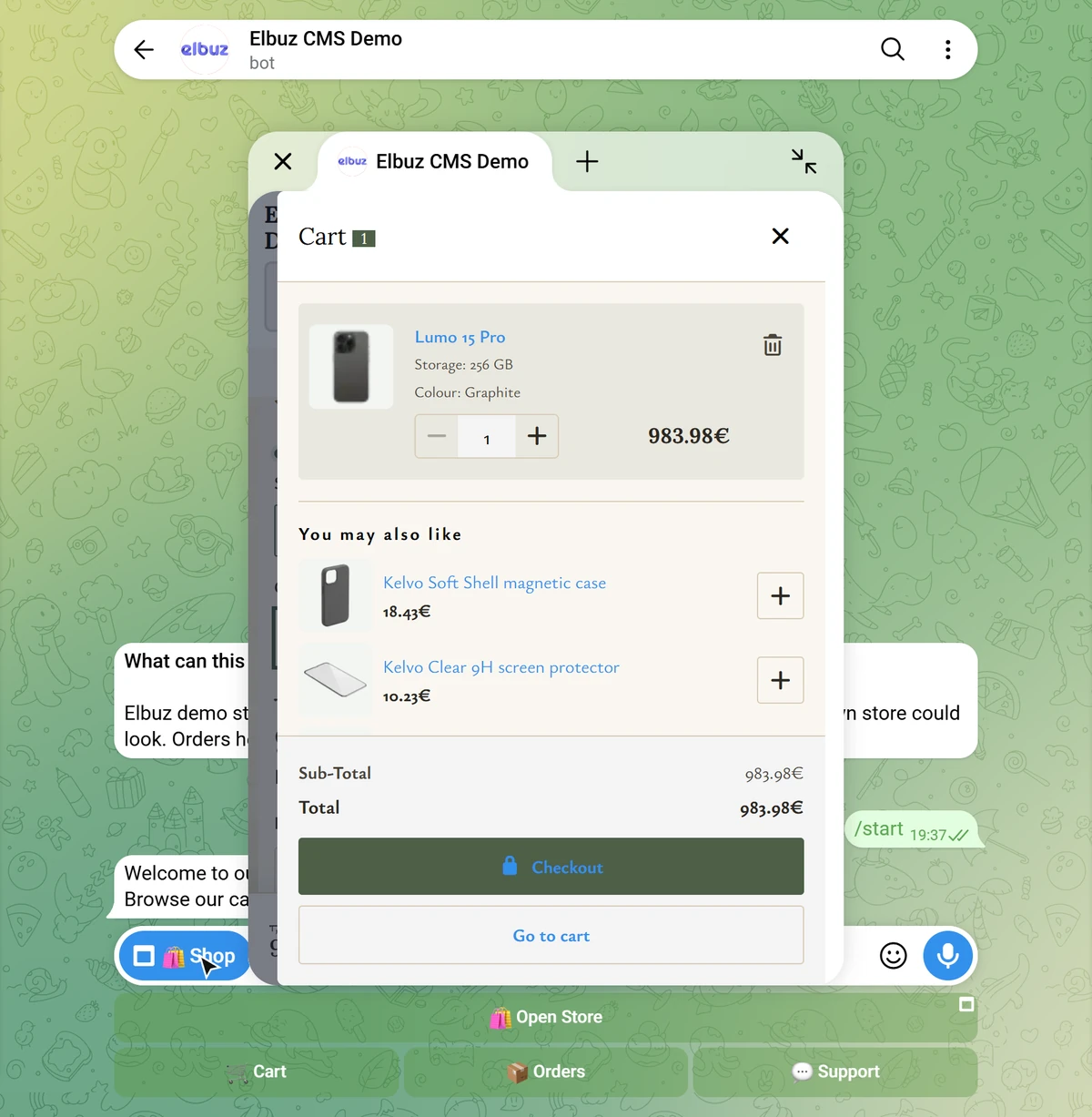
The Telegram catalog is your store’s catalog: the same categories, photos, prices and stock as on the website.
The /catalog command shows categories as buttons right in the chat, and a category without subcategories can open as a website page with photos in the Mini App.
The “Hide out-of-stock products” switch keeps only items with a quantity above zero in the bot’s command catalog.
After a one-time Mini App setup in @BotFather, links open a product, a category or the cart directly in Telegram.
Module settings (opens in a new tab)You don’t fill a separate catalog for Telegram: products reach the website from Elbuz, built from supplier price lists, with photos, descriptions and prices set by your markup rules.
You create the bot in Telegram itself and connect it to your store with one token in an admin module.
Step by step: how to open a store in Telegram (opens in a new tab).
Telegram and website orders share one list: your managers hear about a new order right away, and the shopper sees its status in Telegram.
Telegram orders are regular orders of your store, so they reach Elbuz together with website orders: order management software.
The shopper gets a Telegram message whenever the order status changes; in /settings they turn these messages on or off and change their email.
Telegram store guide (opens in a new tab)Managers learn about every order from the bot or Mini App in the /support group: number, items, total, shipping, payment, contact and source.
Manager notifications (opens in a new tab)Text, an image and a link button for everyone who has started the bot, with a test send and a log; people who blocked the bot are skipped.
Telegram broadcasts (opens in a new tab)The bot forwards the shopper’s question to your managers’ Telegram group, and the reply from the group goes back to the shopper.
The bot speaks the language of the shopper’s Telegram; bot texts and the menu button are set per language.
Demo: a product from the Elbuz catalog shows up in the bot and the Mini App, the Telegram order lands in the same list, and the status goes back to the shopper’s chat.
Elbuz · CatalogKapsula store
| Product | Stock | Price |
|---|---|---|
| Oversize hoodie, graphite | 12 pcs | €39.00 |
| Basic sweatshirt | 7 pcs | €32.00 |
Telegram · managers groupNew order #1187 · oversize hoodie · €36.00 · source: Telegram
Telegram · Kapsulastore bot
/catalog
Oversize hoodie, graphite
€36.00
Place orderKapsula · botOrder #1187 has shipped. Thank you for your purchase!
One catalog for the website and Telegram, orders in Elbuz, status updates in the shopper’s chat.

A large catalog from many suppliers in one bot, with no products entered by hand.
Elbuz takes your suppliers’ price lists, merges identical products into one product card and updates stock with every price list.
Price list processingElbuz calculates retail and wholesale prices from the purchase price with markup formulas, per category or per supplier.
Pricing and markupProducts from dropshipping suppliers sell from your catalog, and the supplier ships them.
It’s your store’s marketplace: you are the seller, and there are no separate accounts for third-party sellers.
Retail and wholesale in one catalog: a wholesale buyer sees their group’s prices in the bot and finds bot orders in their store account.
A wholesale customer links the bot to their store account (/settings → link store account) and then sees their group’s prices in Telegram, while orders from the bot appear in their account.
B2B wholesaleAlongside the storefront, a fresh price list with the customer group’s prices (retail, wholesale, dealers or dropshippers) as a file link, via FTP or by email.
Customer price listsThe Telegram storefront is your Elbuz CMS store, so it fits any niche: lingerie, clothing, shoes or sensitive products.
Sizes and colors are product options: the shopper picks them on the product page in the Mini App, just like on the site. Out-of-stock items can be hidden from the bot’s command catalog.
The shopper browses and orders in a private chat with the bot, not in channel comments, and gets the order status there too.
There’s no separate hidden mode, so test the store yourself as a shopper.
One condition, stated plainly: the Telegram store is part of Elbuz CMS.
The store bot connects only to a store on Elbuz CMS. If your site runs on OpenCart, WooCommerce or another CMS, you can launch an Elbuz CMS store next to it with the same catalog, and Elbuz support migrates the data for free. Price lists, prices and exports to your current site keep working.
How the platform works: Elbuz CMS.
A storefront with /support and an AI support bot: two connections, one store.
The store bot is a storefront plus /support for your managers. Conversations with customers in support tickets run through the Elbuz support bot, where the same AI assistant as on your website can handle the first line. These are separate connections.
How to connect the support bot: see the guide (opens in a new tab).
Real Elbuz and Telegram windows with demo data.
Step-by-step instructions are in the Elbuz help center.
The Telegram store is part of Elbuz CMS: first you launch a store on the platform, then you create a bot in @BotFather and paste its token into the “Elbuz - Telegram Store” module in your store admin. The module registers the webhook, the commands and the menu button, and the bot opens your site inside Telegram as a Mini App. The catalog, prices and stock are the same as on the site. More: Telegram store: how to connect a bot to your Elbuz catalog.
You need a store on Elbuz CMS, because the bot shows its catalog. But you don’t have to order a website separately: the store is created from Elbuz, and the Telegram storefront gets the same design. More: Elbuz CMS, a hosted ecommerce platform.
No, the store bot connects only to a store on Elbuz CMS. If your site runs on OpenCart, WooCommerce or another CMS, you can launch an Elbuz CMS store next to it with the same catalog, and Elbuz support migrates the data for free. Price lists, prices and exports to your current site keep working. More: Elbuz CMS.
Two ways. If the module has a payment provider token from @BotFather, a Pay in Telegram button appears under the order in the bot. Without it, the shopper checks out and pays in the Mini App with the payment methods connected to your store: cards, Stripe or PayPal. More: Telegram store.
The Telegram store is part of Elbuz CMS, and the store is included in the single Elbuz plan, so there’s no separate fee for Telegram. The price depends on the number of products and users. The first 14 days after sign-up are free while your balance is positive, with €50 on your platform balance. More: pricing.
They don’t need to: the bot keeps no catalog of its own and shows what your store serves. Update products, prices or stock on the site, and the bot is updated too. More: How to open a Telegram store on your Elbuz catalog.
Telegram orders are regular orders of your store, so they land in the same place as website orders and are imported into Elbuz with them. For every new order from the bot or Mini App, the bot posts to your managers’ group with the number, items, total, shipping, payment and the shopper’s contact, and tells the shopper when the status changes. Questions from the /support command go to the same group, and the reply goes back to the shopper in the bot. More: manager notifications about orders.
Yes, if you mean a large catalog from many suppliers: Elbuz merges their price lists into one store catalog with your prices, and that catalog opens in Telegram. There are no separate accounts for third-party sellers; you are the seller. More: supplier price list processing.
Yes: a wholesale customer links the bot to their store account and sees their group’s prices in Telegram, while orders from the bot appear in their account. Retail and wholesale share one catalog. More: B2B wholesale.
The same as on your website: at checkout in the Mini App the shopper picks from the shipping methods connected to your store. The order reaches Elbuz together with website orders. More: order management.
Yes: open the bot from your own Telegram, browse the catalog, add a product to the cart and place a test order. You’ll see exactly what a shopper sees. There’s no separate hidden mode, so don’t publish the bot link until you’ve tested. More: Telegram store.
No, there’s one storefront: Telegram shows the same catalog as the site. You can only hide out-of-stock items from the bot’s command catalog. More: Telegram store.
The store bot opens the storefront for the shopper (your site in Telegram, the cart and orders) and forwards /support questions to your managers’ group. The Elbuz support bot handles customer conversations in support tickets, where an AI assistant can take the first line. They’re separate connections. More: How to connect messengers to support chat.
Yes. The module has broadcasts to bot subscribers: text, an image and a link button, with a test send to yourself and a send log. Shoppers who blocked the bot are skipped automatically. More: broadcasts to bot subscribers.

14 days free
The website and marketplaces department is part of your AI corporation, along with every other department. €50 on your balance after sign-up and 14 days to launch a store on Elbuz CMS and connect Telegram.
Updated