
Specs and photos from manufacturer sites
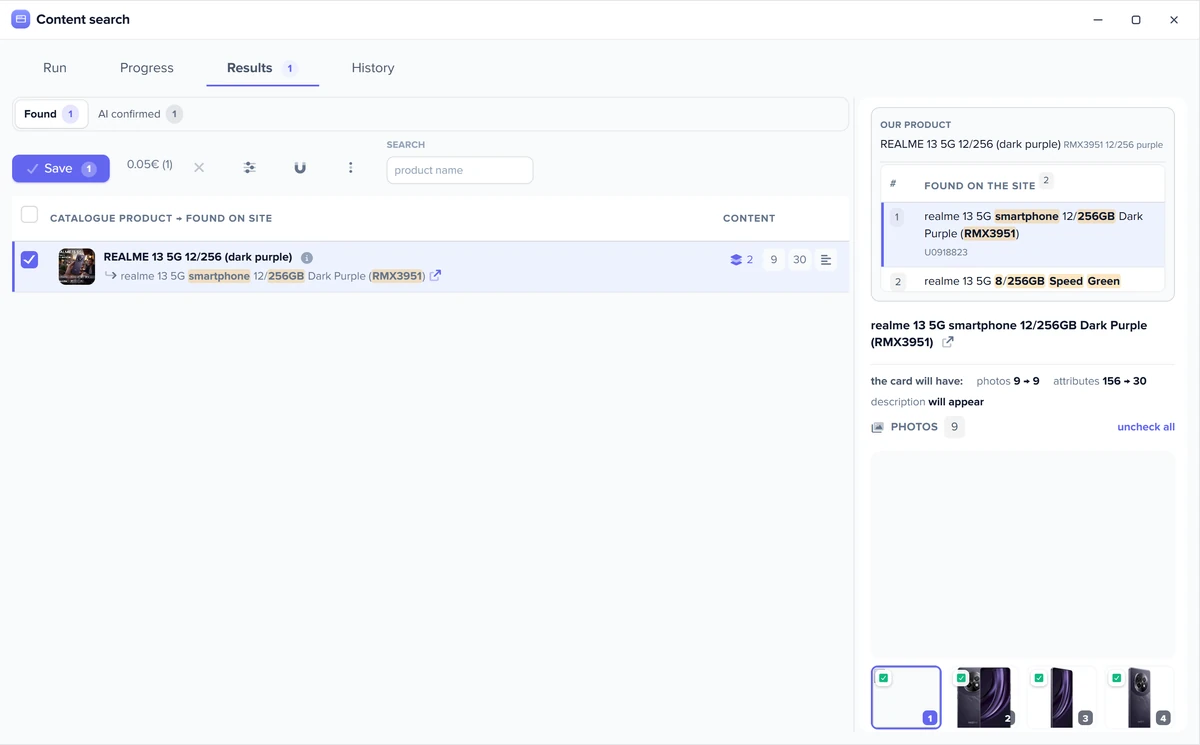
The department finds your product on source websites, the AI checks it is the same item, and moves the specs and photos into the product card. A match with a low quality score never reaches the card.
Purchasing and products department one of the departments in your AI company
Product content automation means photos, specs and descriptions appear in your product cards on their own: from supplier feeds, manufacturer sites and AI.

Product content for your store without a content manager: the department does the routine, and you set the rules.
The department finds your product on source websites, the AI checks it is the same item, and moves the specs and photos into the product card. A match with a low quality score never reaches the card.
Empty descriptions, titles, meta descriptions and H1s are filled in bulk for a category or the whole catalog. Filled fields stay as they are. What selling descriptions look like: AI product description generator.
Names, descriptions and specs are stored separately for each language, and Elbuz translates them itself: with a button, on schedule or after a catalog update.
Does every store use the same supplier photos? AI Media Studio takes an existing photo as a reference and makes new shots, banners and a short product video. From the product card, the AI also builds a product landing page.
The same generator writes descriptions, titles and meta descriptions for categories and brands, plus an FAQ for categories, and new products get a title and meta description from a template automatically.
After every catalog update, a background search picks products without a description, checks your chosen sites and saves the verified match to the card.
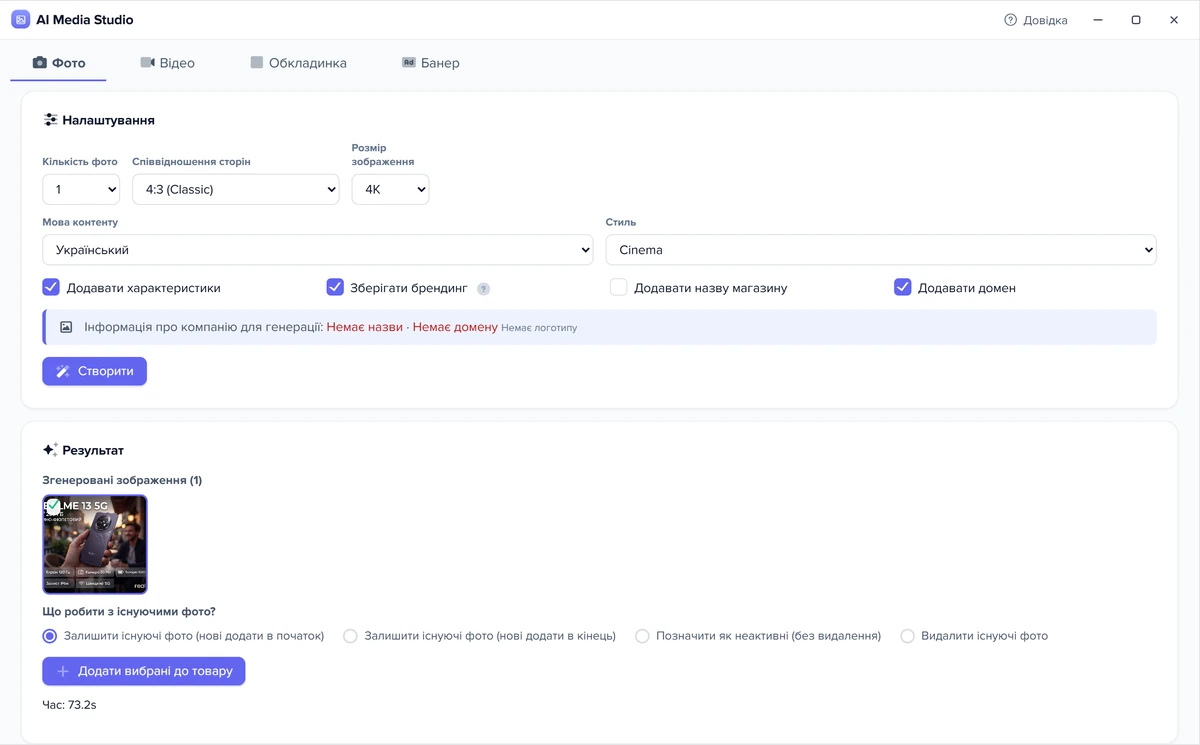
Product photos without a studio: the AI makes new shots from what is already in the card.
From one to five product shots, AI Media Studio makes new photos in your style, with spec captions and your brand. It needs at least one source photo.
A cover and a banner with a call to action, plus a short video with voice-over, music and a logo intro.
The AI removes the manufacturer’s logos and adds your store’s domain.
Bulk generation queues the jobs and adds the results to the cards on its own. Photos from supplier feeds are imported without duplicates.
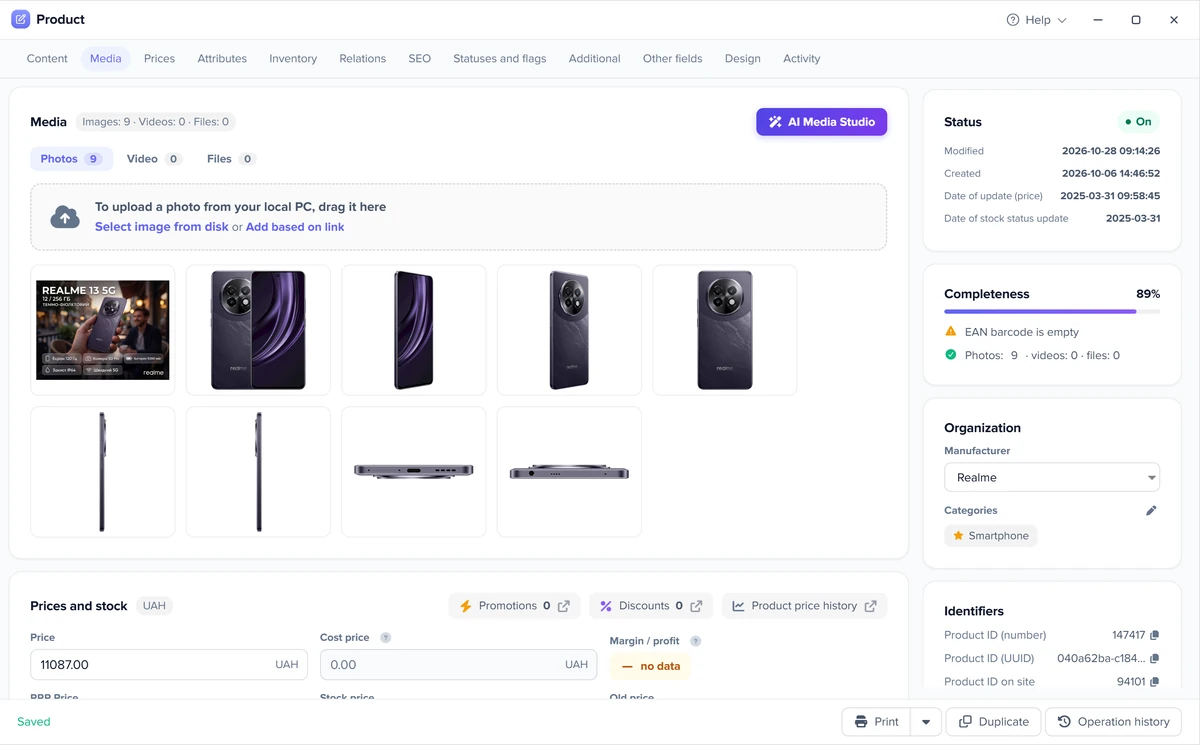
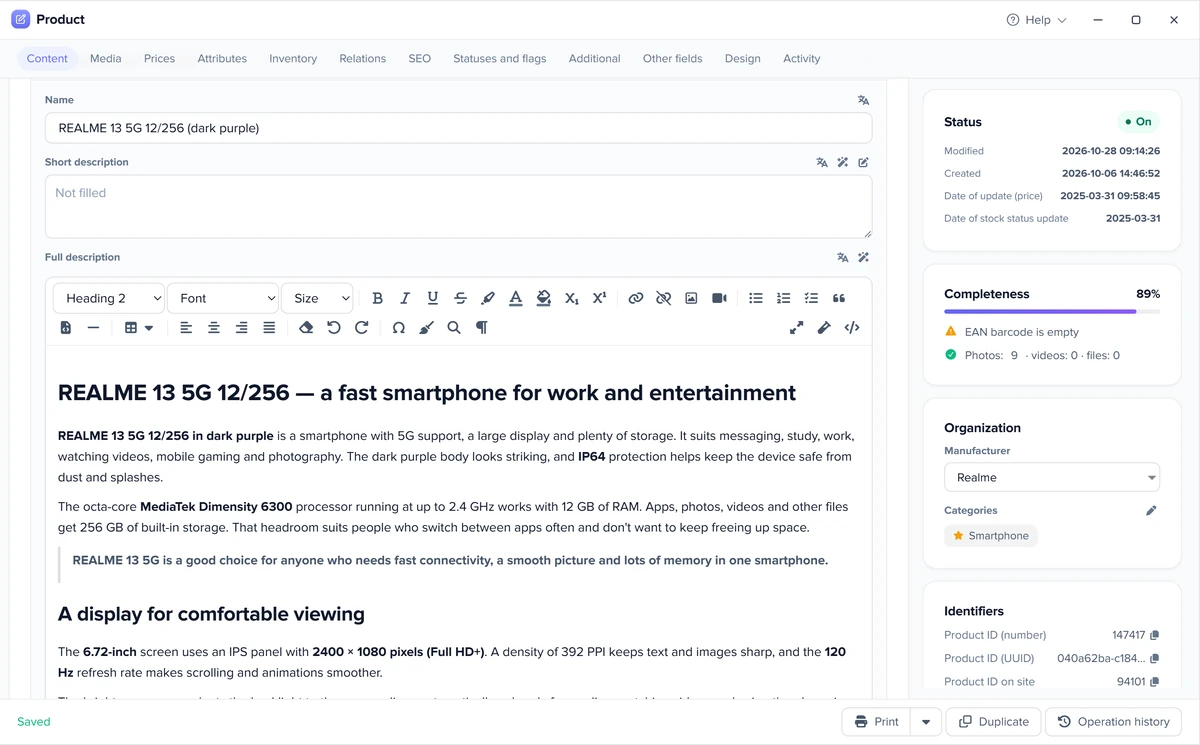
The same product card before and after enrichment: from a line in a supplier feed to a complete product page.
Demo: this is how the department fills a product card — from a supplier feed line to a complete card, with no content manager.
Elbuz · Product cardfrom a supplier feed
Espresso machine Aroma 15, black
SKU AR-15-BLK
No photos, description or specsbrand.example/products/aroma-15
11 specs · 5 photos AI: same productFrom a feed line to a complete card: photos, specs, description and SEO.
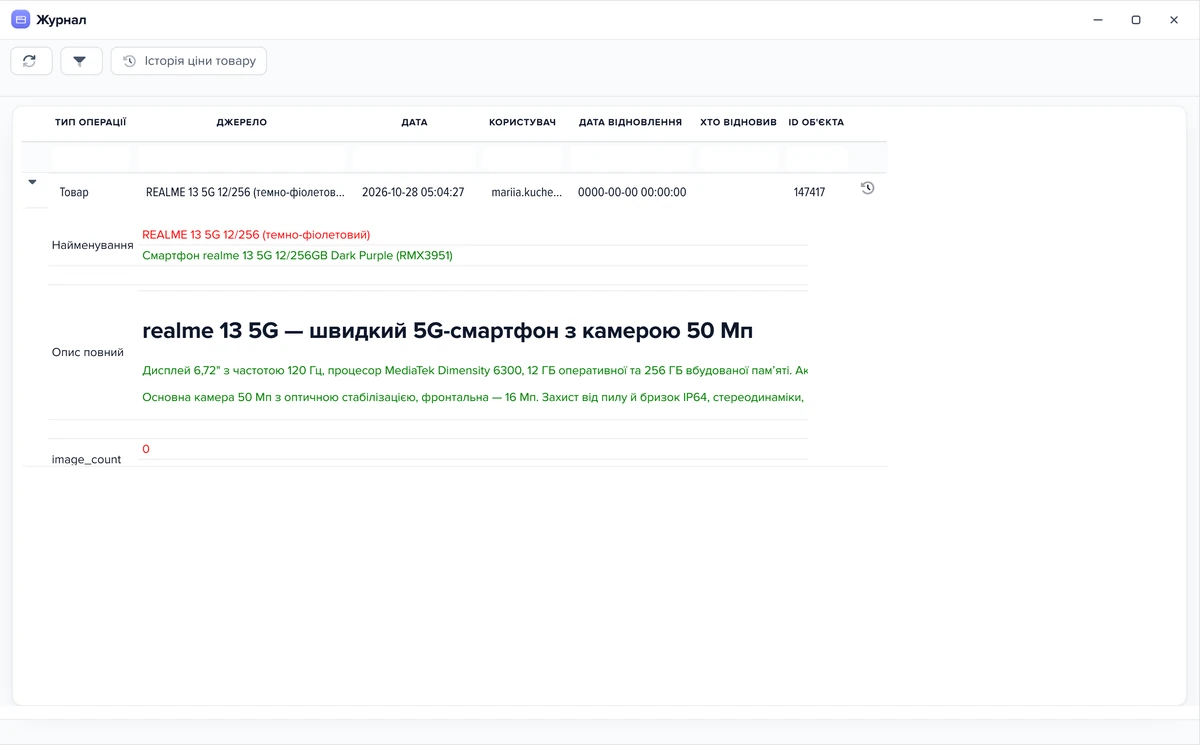
Three sources and one product card with no duplicates.
Photos and specs from feed columns are imported during supplier feed processing; Elbuz recognizes photos already in the card, so a daily feed doesn’t create duplicates.
Auto search finds the product on source sites; a whitelist limits the search to the sites you choose.
The website scraper collects products, photos and descriptions from supplier pages.
Content services fill your catalog once, but new products arrive every day.
| Content manager | Agency or freelancer | Elbuz department | |
|---|---|---|---|
| New products from feeds | handled when there is time | a new order and a wait every time | filled after every catalog update |
| Volume | limited by working hours | limited by the order | up to 5,000 products per background run |
| Translation | separate work | a separate order | with a button, on schedule or after an update |
| Control | you check a person | you check the delivery | matches with a quality score, rules set by you |
A comparison by way of working, without names or prices: a person, a contractor or a department that never stops. Elbuz support migrates your data from another system or website for free.
Bulk enrichment of thousands of products runs in the background, with no fixed daily limit.
Product content automation is part of the Elbuz plan along with your whole AI company.
What it costs for your catalog: see pricing; importing content from source sites is covered in the FAQ below.
Your online store and your sales channels get content from one product card.
The same enriched card goes to your website and to product feeds for Google Shopping, Meta (Facebook and Instagram) and TikTok. Categories and specs are mapped to each channel’s taxonomy once, so the product lands in the right filters.
How products reach sales channels: product feeds; one catalog for every channel: PIM software.
It is part of the Elbuz plan: the price depends on the number of products (the larger of your catalog and supplier feed lists) and users, with one user in the base plan. Importing descriptions, specs and photos from source sites into cards is charged per product, with an unlimited option for large volumes. The first 14 days are free while your balance is positive, with €50 on your platform balance after sign-up. More: pricing.
From supplier feeds, supplier websites and a web search for the product; the AI checks that it found exactly your item. How collecting from websites works: website scraper.
The AI doesn’t copy someone else’s text: it writes the description from scratch, from the product specs and the instructions you set for a field or category. Elbuz doesn’t run a uniqueness check, so review a few texts before publishing and adjust the instructions if needed. What selling descriptions look like: AI product description generator.
There is no fixed daily limit: up to 5,000 products per background run, and the speed depends on the source sites.
Yes, the department takes over the routine: it finds descriptions, photos and specs for new products after every catalog update, fills empty descriptions and meta tags in bulk for a category or the whole catalog, and translates cards into other languages. From a product card, the AI also builds a product landing page with photo scenes, spec blocks and audio. A person only reviews doubtful matches and sets the rules.
Yes. Cards are filled in the Elbuz catalog, and an export sends them to your site: to OpenCart, WooCommerce, PrestaShop and other platforms with the Elbuz Tunnel module. You don’t have to switch platforms.
Yes. After every catalog update from a feed, the background search picks products without a description, checks your chosen sites, verifies the match with AI and saves it to the card without an operator. New products also get a title and meta description from a template, and the generator writes AI descriptions in bulk when you run it.
Yes, with Elbuz Translate, Google Translate or DeepL, with a button or on schedule.
Elbuz looks for photos of the same product on other source sites, and if there is at least one photo, AI Media Studio makes new ones based on it.
A freelancer or an agency fills your catalog once, but new products arrive every day, and each time you have to order and wait again. In Elbuz enrichment never stops: new items from supplier feeds get descriptions, photos and specs after every catalog update, and you change the rules yourself. Elbuz support migrates your data from another system or website for free.
Yes. The same enriched card goes to your website and to product feeds for Google Shopping, Meta (Facebook and Instagram) and TikTok, and categories and specs are mapped to each channel’s taxonomy once so the product lands in the right filters. Descriptions for a feed can also be assembled from specs right in the template. More: product feeds.

14 days free
The purchasing and products department joins your AI company along with every other department. €50 on your balance after sign-up and 14 days to fill product cards from your own supplier feeds.
Updated