Newegg Marketplace integration connects your Newegg.com, Newegg.ca or Neweggbusiness.com seller account to one Elbuz catalog: orders come in and are confirmed on Newegg, prices and inventory go out as feeds, new items and shipments follow your statuses.
Six jobs that otherwise happen by hand in Newegg Seller Portal — on Newegg.com, Newegg.ca and Neweggbusiness.com.
Your Newegg items linked to your catalog
Elbuz requests Newegg’s inventory report and links every Newegg item to the catalog card with the same SKU — your Seller Part #. Product data is kept once in the product catalog (PIM) and goes to every channel.
New items: an offer or a full listing
If the item is already sold on Newegg, Elbuz creates an offer on the existing listing by UPC/EAN or manufacturer part number. If you map the category to a Newegg subcategory, it creates a new listing with title, bullet and full description, weight, up to 7 photos and the subcategory’s required properties, taken from your attributes by name. A missing field is listed in the log, and Elbuz tries again a day later.
Prices by rules
Each export template takes its own price or calculates it by formula — for example your base price plus a markup that covers the Newegg commission. Prices go in the marketplace currency, US dollars or Canadian dollars for Newegg.ca, without conversion; the catalog and your website keep their own prices. Markup rules.
Price and inventory feeds
Prices and inventory go to Newegg as feeds, once per run and up to 10,000 rows per file — one combined feed on Newegg.ca and Neweggbusiness.com, separate price and inventory feeds on Newegg.com. Newegg processes the feed on its side; Elbuz waits about a minute and picks up the result at the next run if needed. Rows Newegg rejects are named in the log by SKU. Stock comes from your warehouses and supplier price lists.
Orders into your order list
New Newegg orders come into the same list as website orders and are confirmed on Newegg as downloaded once they are saved in Elbuz. The order discount is spread over item prices, shipping is a separate amount, and sales tax stays out of the total — Newegg collects it as the marketplace facilitator. From there you process the order like any other — see order management.
Shipping, cancellation and platforms
Your status in Elbuz ships all unshipped items in one package with tracking number and carrier — UPS, FedEx, USPS and others mapped to your delivery services — or cancels the order. Newegg.com, Newegg.ca and Neweggbusiness.com each get their own template with their own keys, all working with one catalog.
2
Newegg API: what Elbuz handles for you
Newegg gives sellers the Marketplace API with order management, data feeds and reports. Your own connection needs a developer; in Elbuz it is ready, you only enter your keys.
Reportsasynchronousthe inventory report takes Newegg a few minutes; Elbuz orders it, waits about a minute and collects the same report at the next run
Feedshourly limitsNewegg counts feeds per hour, so Elbuz sends prices and stock once per run, not item by item, and up to five new-item feeds of 3,000 rows; on a rate-limit refusal it waits and retries
Ordersby order dateNewegg has no filter by date of change, so every run re-reads the last 7 days of orders to catch status changes of older orders
For developers: Newegg documents its API on developer.newegg.com. For sellers the Elbuz template is enough — see How to connect Newegg.
3
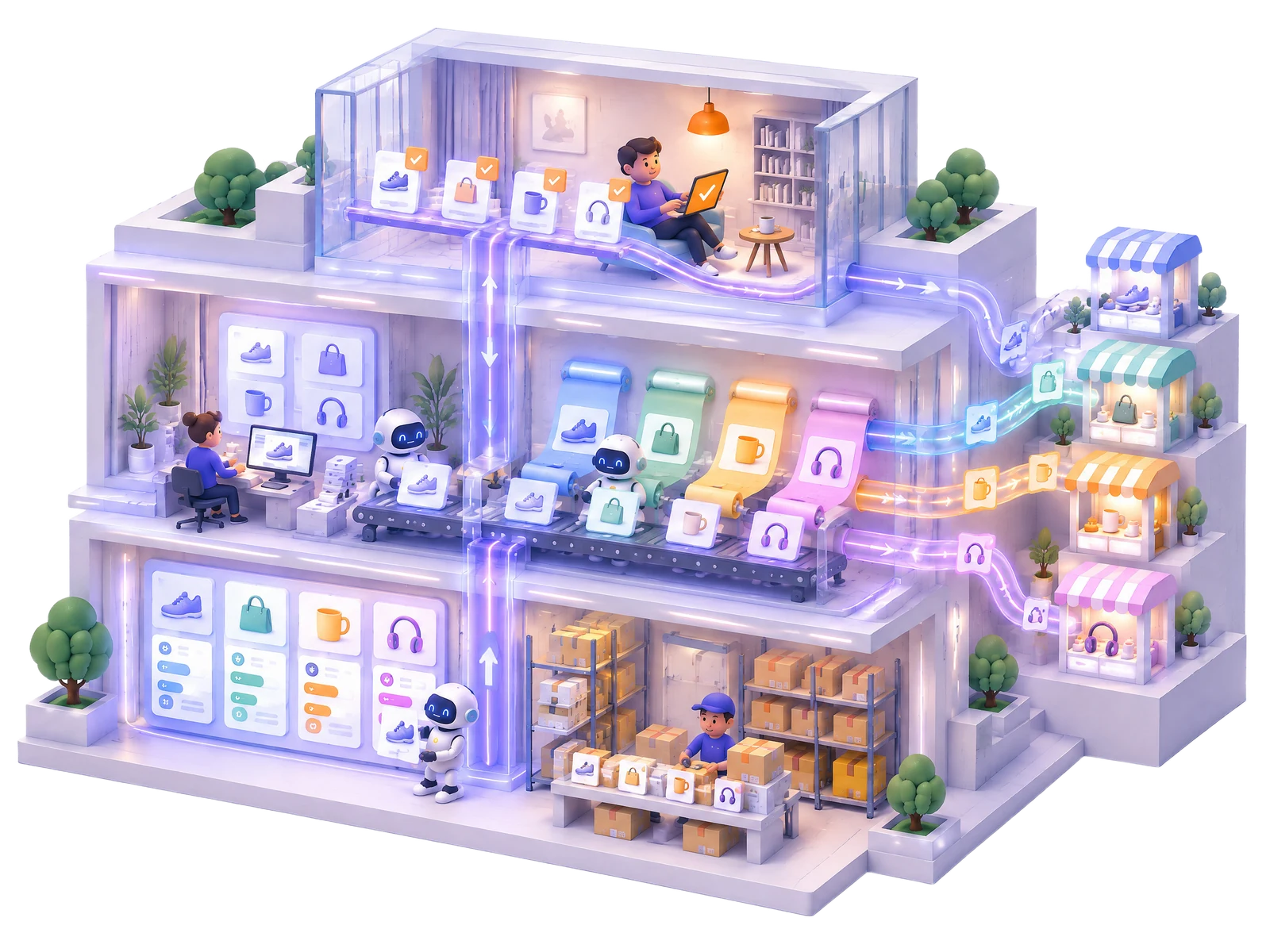
How it works: one catalog, Newegg as one more channel
Newegg does not need a separate product database: it takes products from the catalog you already keep.
Catalogproducts, prices and stock from suppliers and your warehouse
Newegg templateone per platform: its own selection, price rule and schedule
Syncnew items, prices and inventory go out as feeds on schedule
Orders backinto the same list as your website orders, confirmed on Newegg
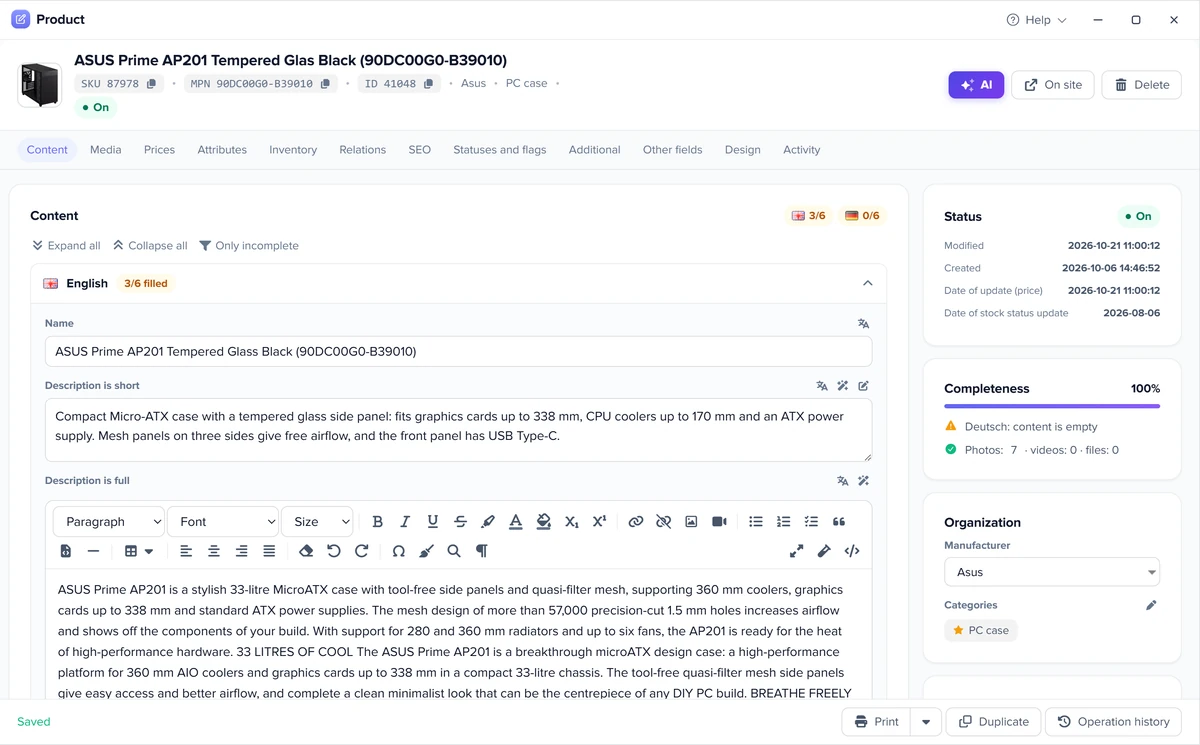
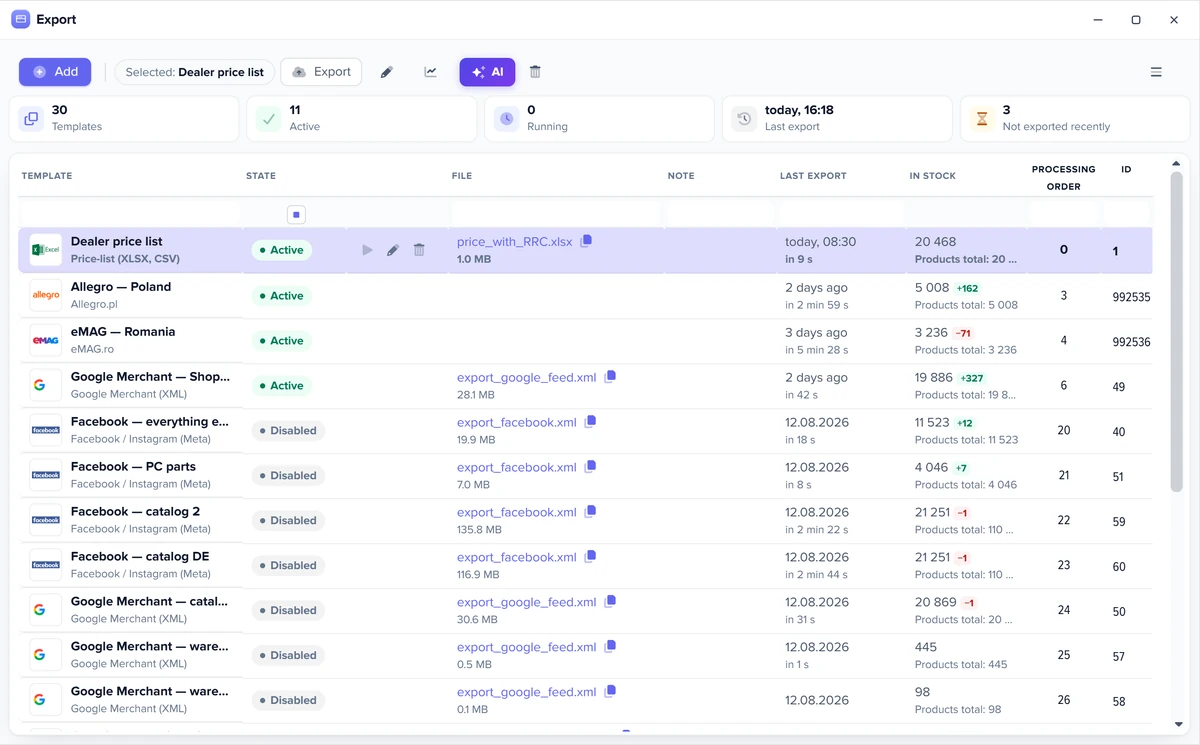
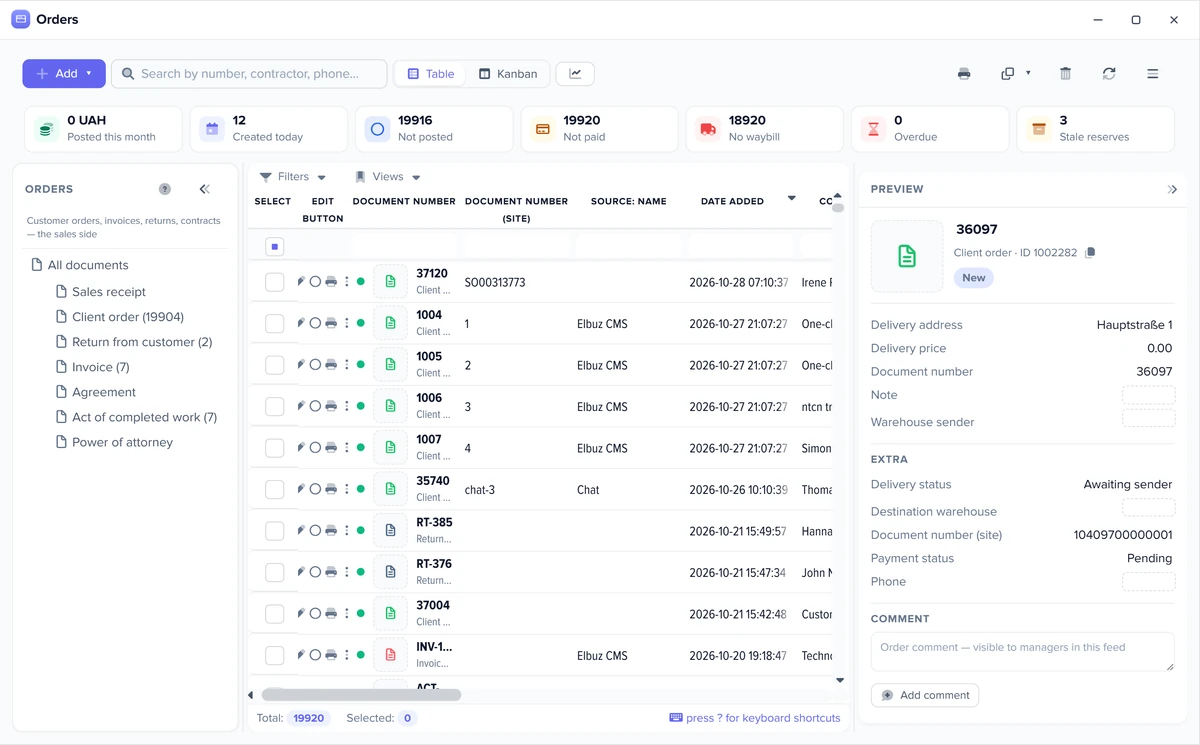
Elbuz screens: catalog, export templates and orders
The same windows run every marketplace: the product card, the export templates and the order list.
One product card feeds every marketplaceExport templates: one per marketplace and feedMarketplace and website orders in one list
5
How to connect Newegg to Elbuz
One template per Newegg platform, with the keys from your Seller Portal.
Keysget your Seller ID and SecretKey in Newegg Seller Portal and a Newegg developer key
Templatecreate a Newegg import template, enter the keys and pick the platform: US, CA or B2B; for Newegg.com also the warehouse country
Link itemsrun the catalog import twice a few minutes apart — the first run orders the report, the second links items by SKU
Mappingmap order statuses and delivery services to Newegg carriers; categories to Newegg subcategories for new listings
Exportset up the export template with the same Seller ID and put it on an hourly or slower schedule
No coding is needed. Support moves your data from another program or website free of charge. All marketplaces — marketplace integrations.
6
Newegg seller fees
What Newegg charges sellers, from its own Seller Academy pages.
Commissionby industrya standard commission of 8% to 12% depending on the industry; the rate for your categories is in Seller Portal under Analytics › Commission Reference (updated 23 April 2026)
Per orderprocessing feean order processing fee of $0.29 (CA$0.38) per order for all sellers, in effect since 1 August 2023
MembershipNon-Elite or Eliteevery seller starts on Non-Elite; Professional and Enterprise are paid upgrades that renew monthly, with prices shown in Seller Portal
Set up the template once: exports and checks then run on their own, and you step in only where a decision is needed.
Check before every export
Before each run Elbuz counts how many products will go out and how many are in stock, and compares that with the previous run. A stock drop over 30%, a product count drop over 50% or an empty selection triggers a warning or stops the export, as you choose, for all templates or for one.
Available stock
If you keep warehouse records, a setting exports available stock: the marketplace gets the quantity minus stock reserved by posted orders and blocked goods. The physical stock in the database does not change.
Schedule and Flows
Each template runs on its own schedule. A process (Flows) chains the steps: load price lists, update the catalog, export to marketplaces and send a notification with the result. Workflow automation.
Automatic rules
A new order, or a change to an order during import, runs a rule: event, condition, action. The customer gets an email or SMS, a manager gets a task, and a document is created on its own. Marketplace orders follow the same rules as website orders.
Automatic category matching
A button in the mapping window picks the marketplace category with the same name, when its list has only one category with that name. The rest you map by hand once.
You can also give these jobs to an AI agent in plain words: load price lists, update the catalog, run an export, fill product cards. AI agents.
8
Newegg integration FAQ
What is Newegg Marketplace?
The part of Newegg where third-party sellers list their own products next to Newegg’s range — on Newegg.com in the US, Newegg.ca in Canada and Neweggbusiness.com for business buyers. Elbuz connects to all three, one template per platform.
What do I need to connect Newegg?
Your Seller ID and SecretKey from Newegg Seller Portal and a Newegg developer key. The steps are under How to connect Newegg.
How much does it cost to sell on Newegg?
According to Newegg, a standard commission of 8% to 12% by industry plus a $0.29 order processing fee per order; Professional and Enterprise memberships are paid monthly upgrades. Details under Newegg seller fees.
Why did the catalog import not create products in Elbuz?
Newegg’s inventory report has no product titles, so Elbuz does not create products from it — it links Newegg items to existing catalog cards whose SKU matches the Seller Part #.
Why is sales tax not in the Elbuz order total?
Newegg collects and remits sales tax itself as the marketplace facilitator, so the order total in Elbuz is items plus shipping.
My item is already sold on Newegg by others — do I need a new listing?
No. Leave its category unmapped, and Elbuz creates an offer on the existing Newegg listing by UPC/EAN or manufacturer part number.
I sell in the US and Canada — one template or two?
Two: Newegg.com and Newegg.ca have their own keys and currency, US or Canadian dollars. Both templates work with the same catalog.
The website and marketplaces department joins your AI company along with every other department. €50 on your balance after sign-up and 14 days to test the integration on your own products.