

A pre-order is an order for a product that has not been released or has not arrived yet: the buyer orders now, often pays in advance, and gets the item after it comes in, on a date the store has named. A backorder is an order for a product the store normally sells but is temporarily out of stock: the store accepts the order and ships it when the restock arrives. In both cases you sell stock you do not have, and you owe the buyer a shipping date.
Selling ahead brings in money and shows demand before you buy, but only under three conditions: you know the arrival date, you state it honestly, and you count how many units you have already promised. It breaks on delays and on ordering fewer units from the supplier than you have sold. Below: the difference between the three stock statuses, the order flow, payment options, how many units to order, and what US and EU rules require when the supplier is late.
When a store starts taking pre-orders and backorders
A supplier announces a new product or a new batch, customers already ask "when will it be back", and the goods arrive in a few weeks. The seller searches for "pre order vs backorder" and "what does backordered mean", finds answers written for shoppers, and asks: how to set this up on the site, whether to charge now or at shipping, and what to do if the delivery slips.
The main question is not technical but about counting: how many units you have already sold ahead and how many you need to order so that everyone gets one.
Pre-order, backorder and out of stock: the difference
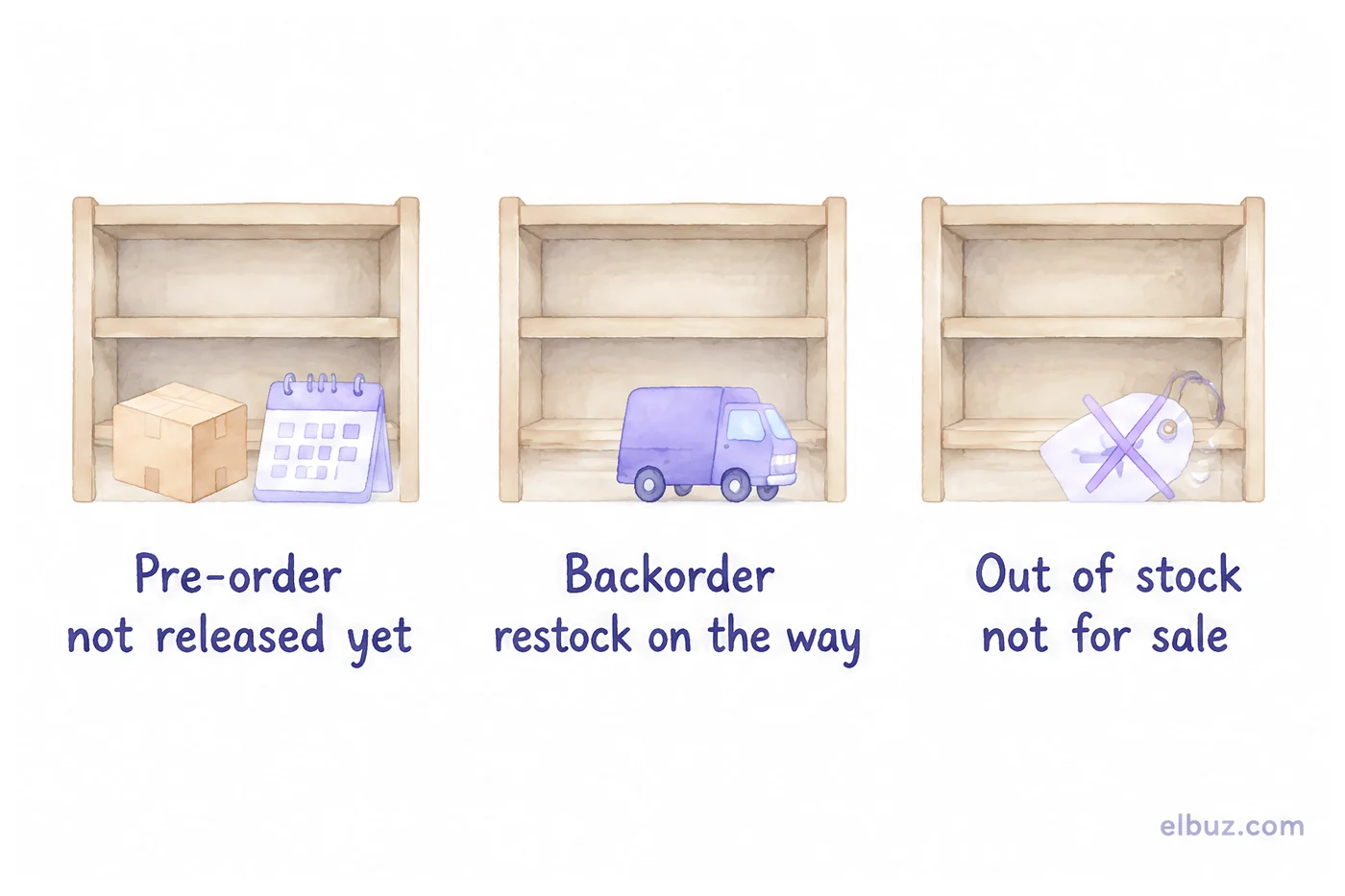
The three statuses differ in whether the product can be bought and when the buyer gets it:
| Status | What is going on with the product | What the buyer sees | When to use it |
|---|---|---|---|
| Pre-order | Not released or not delivered yet: a new product, an announced batch | A "Pre-order" button and the expected ship date | The supplier or manufacturer has confirmed a date |
| Backorder | Normally in your range, sold out for now, a restock is on the way or available from the supplier | A "Buy" button and a longer shipping time | The supplier ships reliably and you know the lead time |
| Out of stock | Neither you nor the supplier has it | "Notify me when available" instead of a buy button | There is no date, so you do not sell |
The most expensive mistake is putting a product on pre-order without a date. A buyer who waits for an unknown time cancels, and you have already paid for the ad that brought them. How not to lose buyers when a product runs out is covered in out-of-stock: how to prevent losses.
When pre-orders make sense
- A new product with a release date — a book, a device, a seasonal collection, once the supplier has confirmed the timing.
- A new batch of a bestseller that is already in transit, and you know how many units are coming.
- Testing demand before buying: the number of pre-orders suggests the size of the batch.
- Made-to-order goods — with a production time stated separately.
Do not open pre-orders when the supplier names no date, when the batch is limited and you do not know your allocation, or for products whose purchase price may change before arrival, unless you are ready to hold the price for those who already ordered.
How pre-orders work: five steps
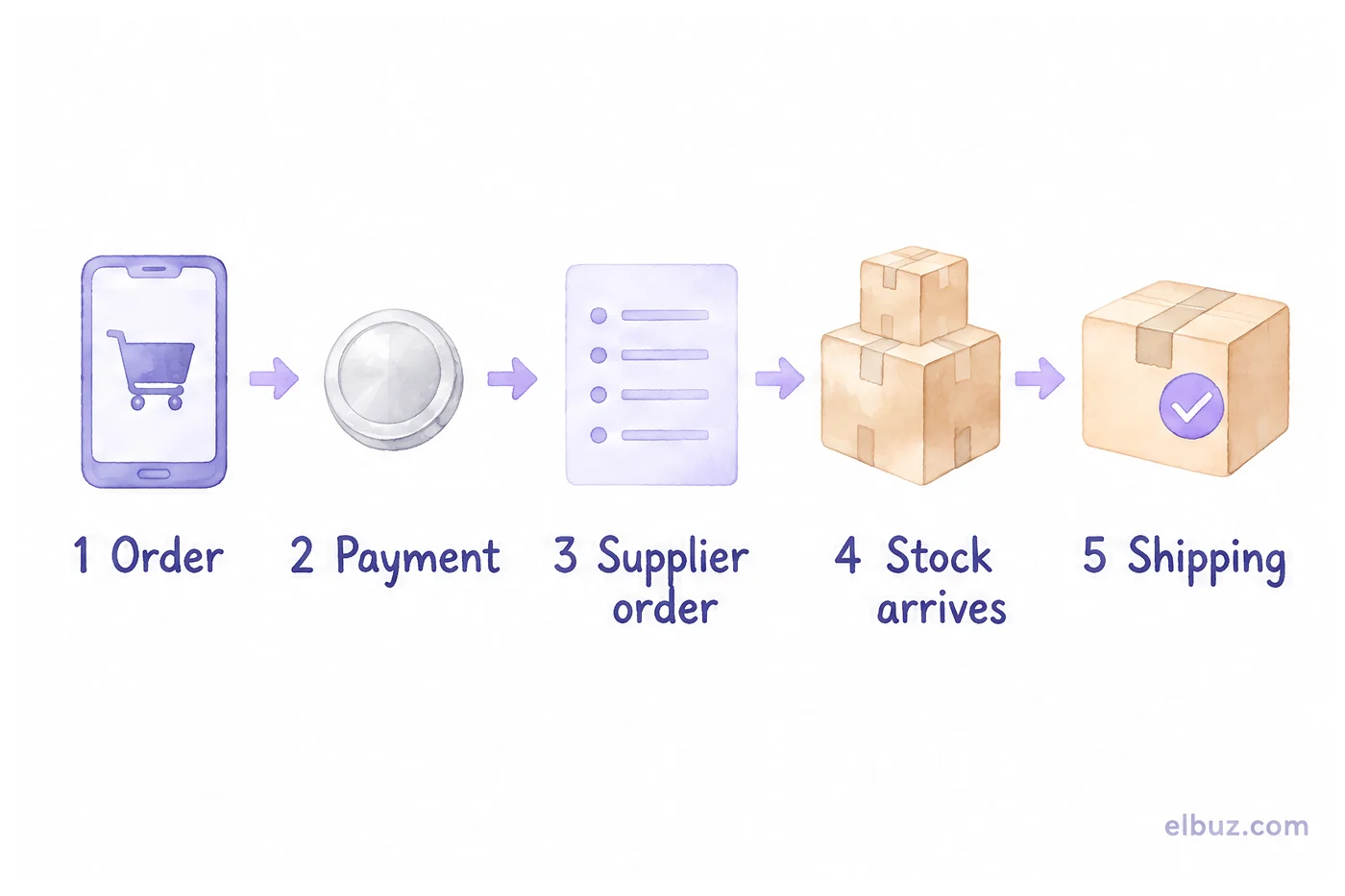
- Order. The buyer places a pre-order on the site; the product page shows the expected ship date and the terms: payment, timing, cancellation.
- Payment. Full, a deposit or at shipping — the options are below. The buyer gets a confirmation with the date.
- Supplier order. You order a quantity that covers the pre-orders plus a buffer — the calculation is below.
- Stock arrives. The goods are received and immediately reserved for pre-orders in the order they were placed.
- Shipping. Buyers who waited get a notification and their parcel first; the rest goes on general sale.
Should you charge for a pre-order upfront
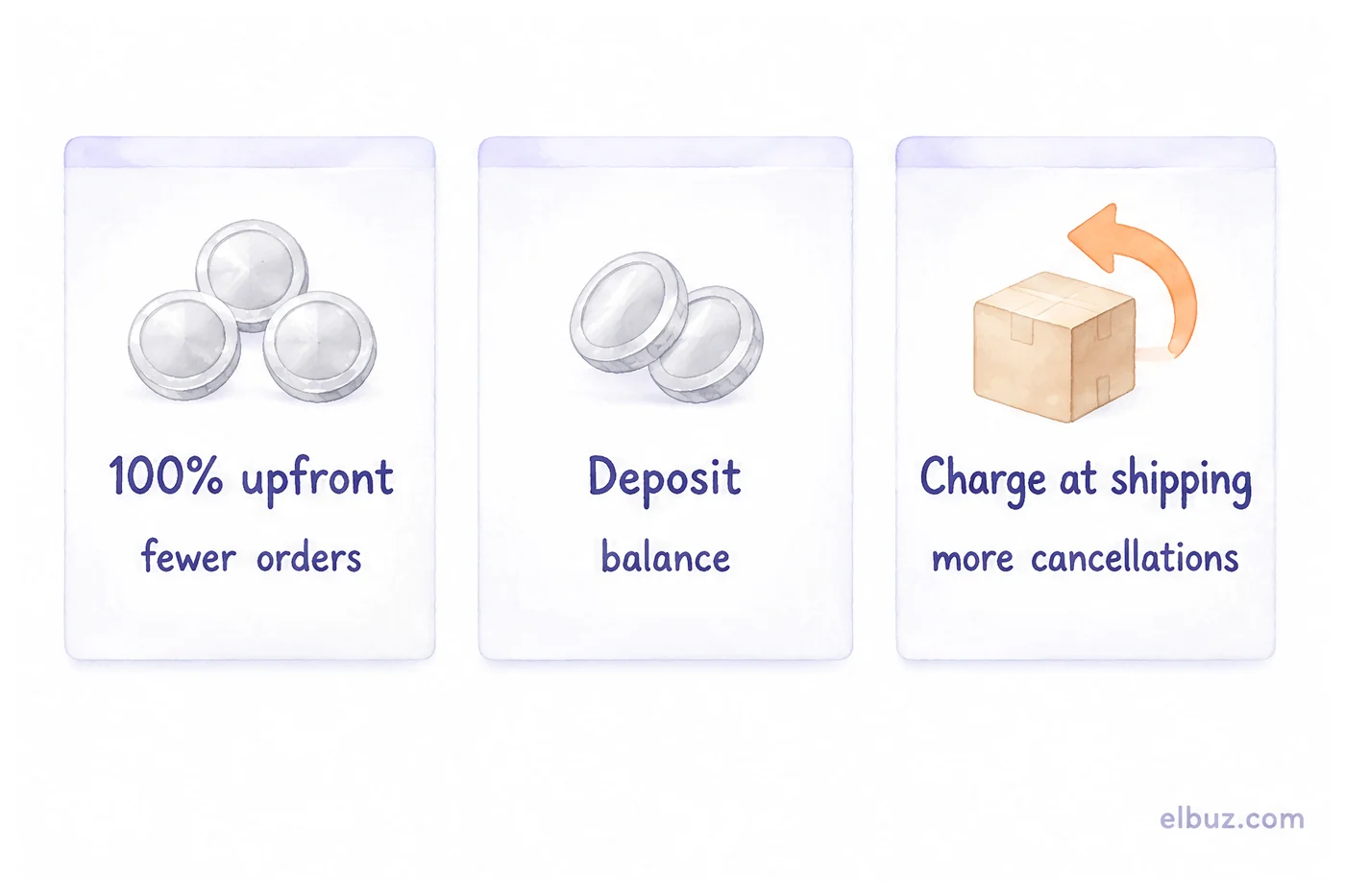
Not necessarily, but without payment part of the buyers cancel while they wait. The payment option is a trade-off between the number of pre-orders and how reliable they are:
| Option | How it works | Pro | Con |
|---|---|---|---|
| 100% upfront | The buyer pays the full price when ordering | Money for the purchase is there, few cancellations | Fewer orders: not everyone pays for a product that does not exist yet |
| Deposit | Part of the price when ordering, the rest at shipping | The balance: the buyer has a reason to wait | Two payments to track per order |
| Charge at shipping | The order is placed without payment, the buyer is charged when the item ships | The most orders | More cancellations; you finance the purchase yourself |
Whatever you choose, state on the product page when the buyer will be charged and how to cancel. If you take money in advance, it is not yet yours to spend freely: if the goods do not come, you refund it, and the deadlines for that are set by law — see the section on delays below. How to accept card payments on your site — in merchant acquiring for online stores; what payment on delivery costs — in cash on delivery for ecommerce.
How many units to order from the supplier
The quantity to order is made of the pre-orders, a correction for cancellations, a buffer for regular sales and what is already in stock:
Order quantity = prepaid pre-orders + unpaid pre-orders × share that usually go through + buffer for sales until the next delivery − free stock.
Illustrative example for the arithmetic, not market data. You have 20 prepaid pre-orders and 15 to be charged at shipping. From your history, 60% of unpaid orders go through — that is 9 units. Until the next delivery you expect to sell another 10 units to regular buyers. You have 4 units in free stock.
20 + 15 × 0.6 + 10 − 4 = 20 + 9 + 10 − 4 = 35 units.
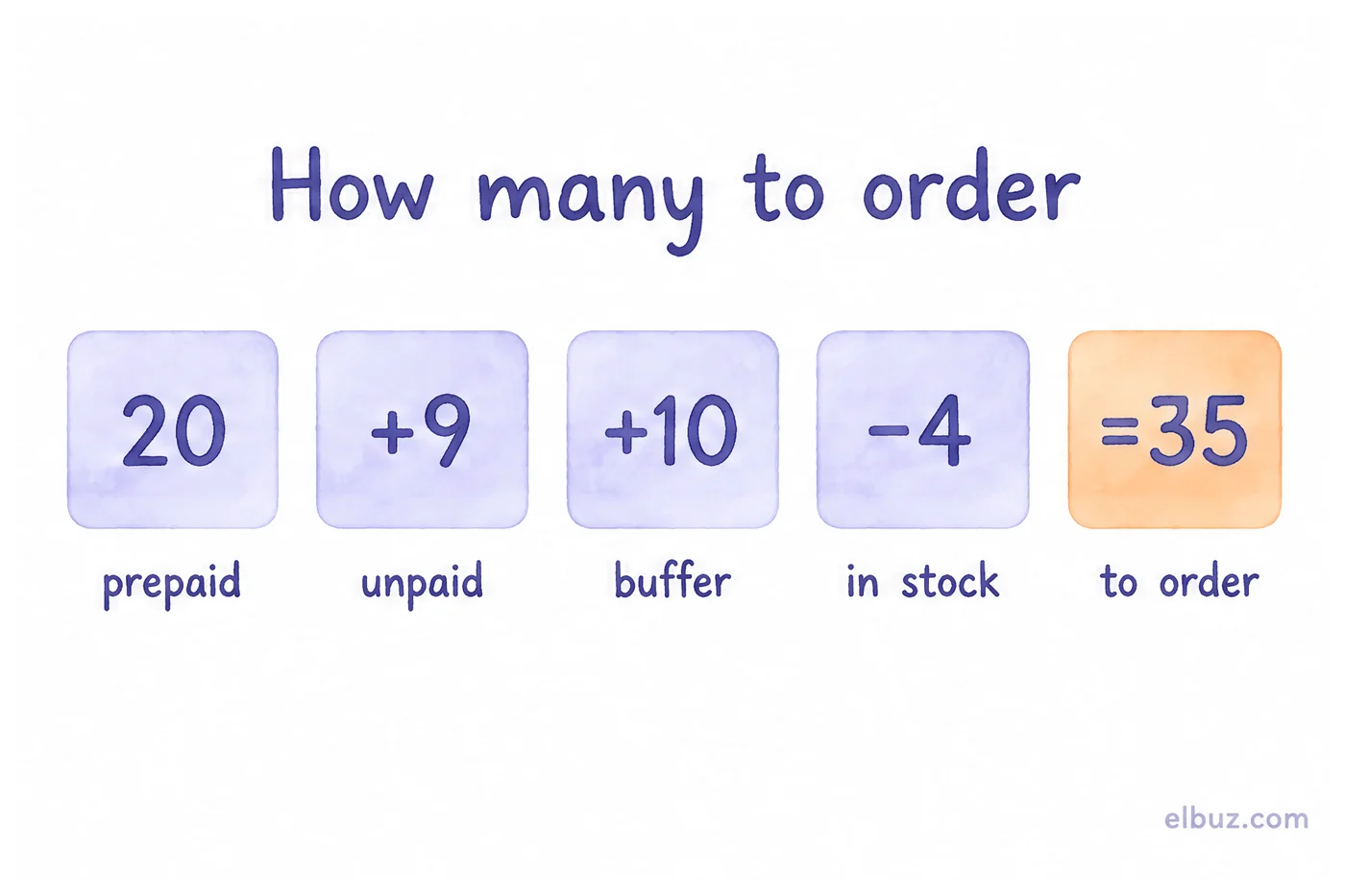
Take the share that goes through from your own history of unpaid orders, not from someone else's numbers. With no history yet, be conservative: it is better to order less and reorder than to freeze cash in leftover stock. For inventory planning more broadly, see the assortment and inventory management guide.
What to do if the supplier is late
Tell buyers before the promised date passes and give them a choice: wait for the new date or get their money back. In the US and the EU this is not just good manners — both set deadlines by default.
- US, FTC Mail, Internet, or Telephone Order Merchandise Rule. You need a reasonable basis to ship within the time you state, or within 30 days if you state none. If you cannot, before the deadline you must notify the buyer of the new date and offer the choice to agree to the delay or cancel with a prompt refund. Silence counts as consent only if the new date is no more than 30 days later than the original. A prompt refund means within 7 working days, or one billing cycle when you extended the credit yourself.
- EU, Consumer Rights Directive, Article 18. Unless you agreed on another date, you must deliver within 30 days of the contract. If you miss it, the consumer can give you an additional period and cancel if you miss that too; where the date was essential, they can cancel right away. After cancellation, you refund everything without undue delay.
In practice:
- A new date — only one the supplier has confirmed, not "approximately".
- A choice for the buyer — wait or get a refund; refund without persuasion and quickly.
- A partial batch — if fewer units arrived than you ordered, ship in the order pre-orders were placed and give the rest a new date.
- The price — do not raise it for those who already ordered, even if your purchase cost went up.
How not to promise more than will arrive
When pre-orders run into dozens and goods come from several suppliers, counting "how many are promised" in a spreadsheet gets risky. In Elbuz a posted order reserves the product, and orders show the free stock — what is on hand minus everything already promised to others; if an order asks for more than is free, the order card warns about the shortage. For pre-orders you can add your own status with a time limit — an order that stays in it longer than the limit is highlighted in the list. How it works — on the order management page.
Orders and reserves in ElbuzFree stock, shortages and statuses in one list, 14 days free
Frequently asked questions
What is the difference between a pre-order and a backorder?
A pre-order is for a product that has not been released or delivered yet; a backorder is for a product that is normally in stock but sold out for now. In both cases the store takes the order now and ships when the goods arrive.
What does backordered mean?
The item is temporarily out of stock, but the store has accepted your order and will ship it when new stock arrives. The store should give you an expected ship date.
What is the difference between backorder and out of stock?
A backordered item can still be bought because a restock is expected; an out-of-stock item cannot be ordered until the store knows when it will be available again.
Does a pre-order charge you immediately?
It depends on the store: some charge the full price when you order, some take a deposit, and some charge when the item ships. The store should say which before you place the order.
How long do backorders usually take?
As long as the store says on the product page. In the US, if no time is stated, the seller must have a reasonable basis to ship within 30 days; in the EU, the default delivery deadline is 30 days from the contract unless another date was agreed.
Can you cancel a backordered or pre-ordered item?
Usually yes, under the store's terms, and in some cases by law: if the seller is late, US rules require offering cancellation with a prompt refund, and EU rules allow cancelling after an additional delivery period — details.
Sources
- Federal Trade Commission, "Business Guide to the FTC's Mail, Internet, or Telephone Order Merchandise Rule" — 30-day rule, delay notices, prompt refund — ftc.gov.
- Directive 2011/83/EU on consumer rights, Article 18 "Delivery" — eur-lex.europa.eu.
- Your Europe, "Shipping and delivery" — 30 days by default, additional period, when the date is essential — europa.eu.
Checked on October 31, 2026.


