

To optimize product images, keep one sharp original of about 2000 px on the longest side, make smaller copies for each place the photo appears (product page, category grid, marketplace), save them as WebP or JPG with compression, and insert them correctly: a descriptive file name, alt text, width and height, and lazy loading for photos below the first screen. The photo stays sharp, and the page gets lighter.
Stores rarely go wrong with the format. They go wrong with the count: one heavy photo goes unnoticed, but a category page with forty of them takes seconds to open on a phone. Below are the sizes for your own site and for Amazon, Google Merchant Center, Etsy and eBay, the choice of format, a page weight calculation, the rules for search and a checklist.
When stores start optimizing images
Usually for one of three reasons: the site is slow on mobile, PageSpeed Insights flags images in red, or a marketplace rejects a photo. Then people search for "how to optimize images for web", "product image size for website", "webp vs jpg" and "amazon image requirements".
Compressing one photo online takes a minute. The harder question is what to do with thousands of photos that arrive from suppliers every day in random sizes. If your catalog has more than a few dozen products, start with that one.
Where product photos come from and what to check
Product photos come from four sources, and each has its typical problem:
| Source | What to check |
|---|---|
| Supplier price list or feed | Pixel size (often 300–600 px), watermarks, broken links |
| Manufacturer's website | Permission to use and the same color and bundle as your item |
| Your own shoot | The same background and proportions across the category |
| AI-generated photos | Whether the photo matches the real item: color, details, what's in the box |
A photo taken from someone else's site without permission risks a rights holder complaint. Marketplaces also reject photos that don't show the actual item: Google requires the exact item being sold, and eBay doesn't allow stock photos for used items. How to shoot products yourself — how to take product photos without a studio.
What size product images should be
Keep one original of about 2000 px on the longest side and serve copies sized for where they appear: 1000–1400 px is enough for the large photo on a product page, 300–400 px for a thumbnail in the category grid. Anything larger than the photo occupies on screen, allowing for pixel density, the browser shrinks anyway, while the file stays heavy.
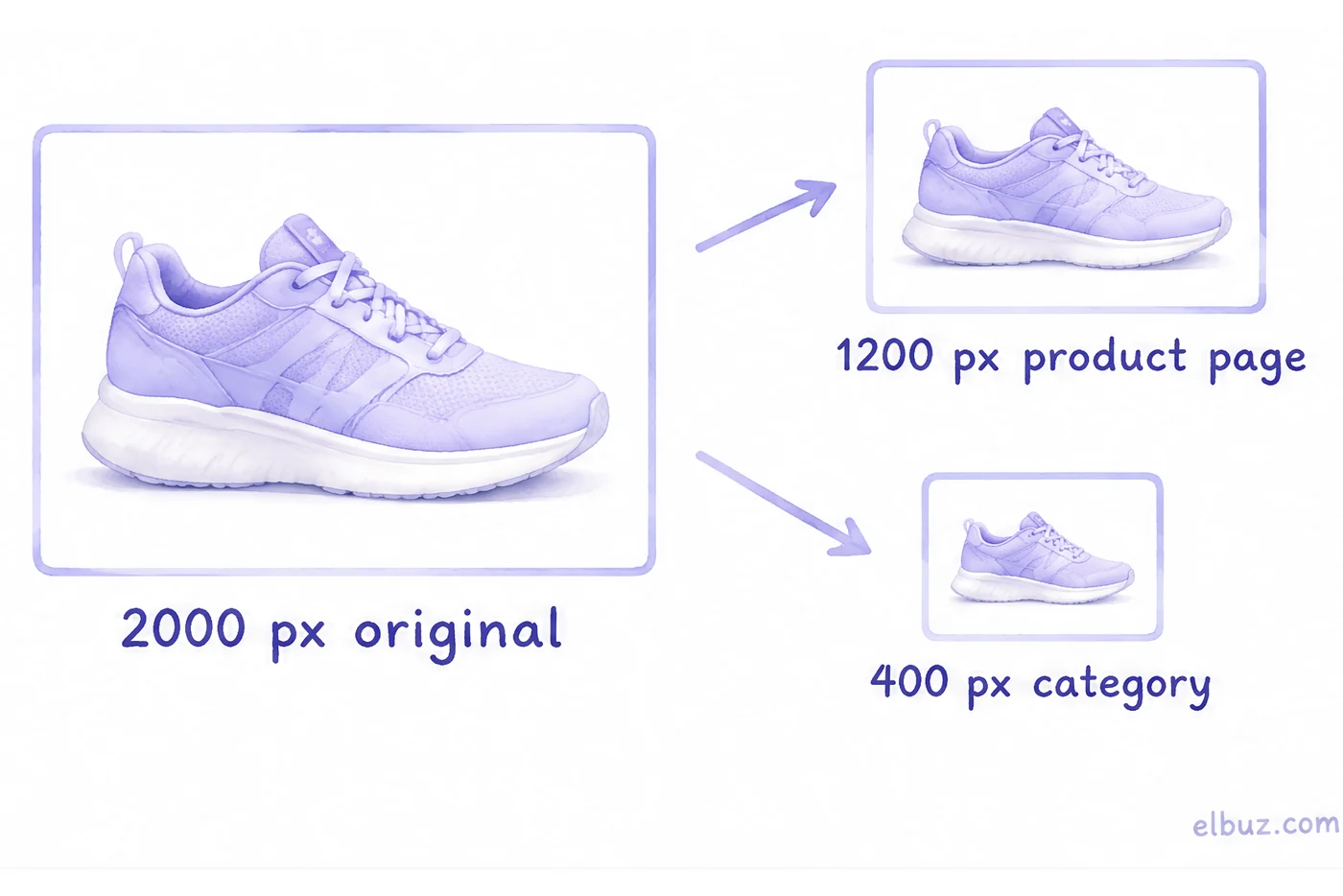
Marketplaces set their own limits, and it pays to know them before you upload:
| Marketplace | Minimum | Recommended | File | Main photo |
|---|---|---|---|---|
| Amazon | 500 px, longest side | over 1,000 px for zoom; 1,600 px and up is better | JPEG, TIFF, PNG, non-animated GIF | Pure white background (RGB 255, 255, 255), product fills 85–100% of the frame, no text, logos or watermarks |
| Google Merchant Center | 500 × 500 px for all products from January 31, 2027 | around 1500 × 1500 px | up to 16 MB and 64 megapixels; JPEG, WebP, PNG, GIF, BMP, TIFF | Clean view of the item, product fills 75–90% of the image, no text, watermarks or borders |
| Etsy | 635 px wide and high for the first photo | 2000 px wide and high | files over 1 MB may not finish uploading; JPG, GIF, PNG, SVG, HEIC | First photo horizontal or square |
| eBay | 500 px, longest side | — | — | No added borders, text or watermarks; no stock photos for used items |
The takeaway for a catalog: a square 2000 × 2000 px original on a white background passes all four and leaves room for zoom. Frame the product so it fills about 85–90% of the image: that is the overlap of Amazon's 85–100% and Google's 75–90%. For Etsy, export the copy as JPG and check that it stays under 1 MB. How to build the Google feed — how to set up Google Shopping in 8 steps.
JPG, PNG, WebP or AVIF
For product photos on your site, use WebP; for marketplaces and emails, JPG; for logos and images with a transparent background, PNG. According to Google, lossy WebP is 25–34% smaller than JPEG at the same quality, and lossless WebP is 26% smaller than PNG.
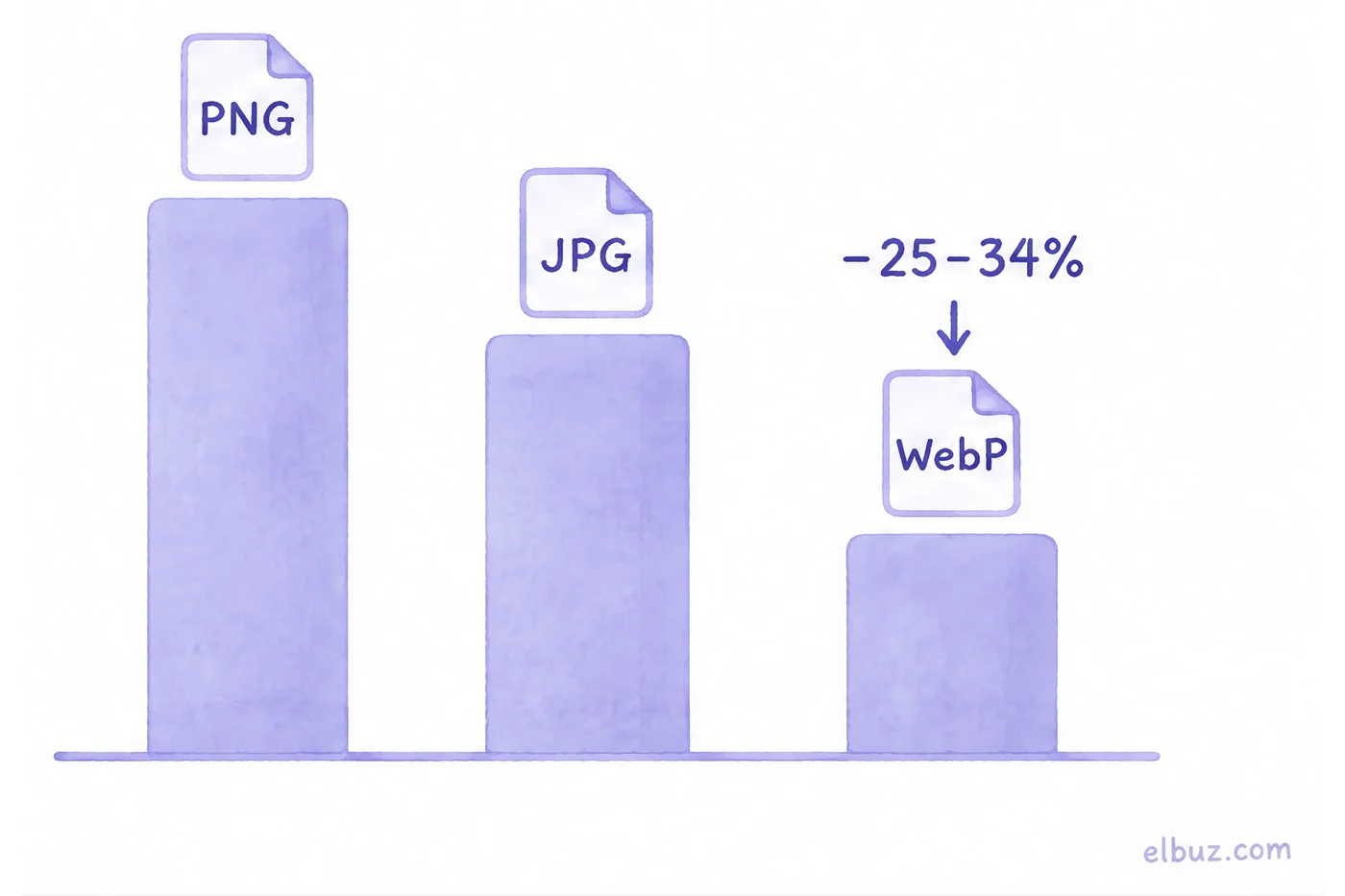
| Format | Use for | Limits |
|---|---|---|
| JPG | Product photos, marketplace uploads, emails | No transparency; each re-save loses a little quality |
| PNG | Logos, diagrams, products on a transparent background | A photo saved as PNG weighs several times more than as JPG |
| WebP | Photos on your own site | Not every app and not every marketplace accepts it |
| AVIF | Your site, when you need an even smaller file | Newer format: Chrome since 2020, Firefox since 2021, Safari since 2022 |
If you serve WebP or AVIF, keep a JPG fallback in src or use <picture>: a browser that doesn't know the format will otherwise show an empty box. Google Search indexes images in BMP, GIF, JPEG, PNG, WebP, SVG and AVIF.
How much a photo should weigh: calculate the page
Count the weight of the page, not of one photo: number of photos × weight of each. The heaviest page in a store is the category grid, because it holds dozens of thumbnails.
Illustrative example for the arithmetic. A category page shows 40 products. If the grid uses the same 400 KB photos as the product page: 40 × 400 KB = 16 MB. If it uses separate 40 KB thumbnails: 40 × 40 KB = 1.6 MB — ten times less, and it looks the same on screen.
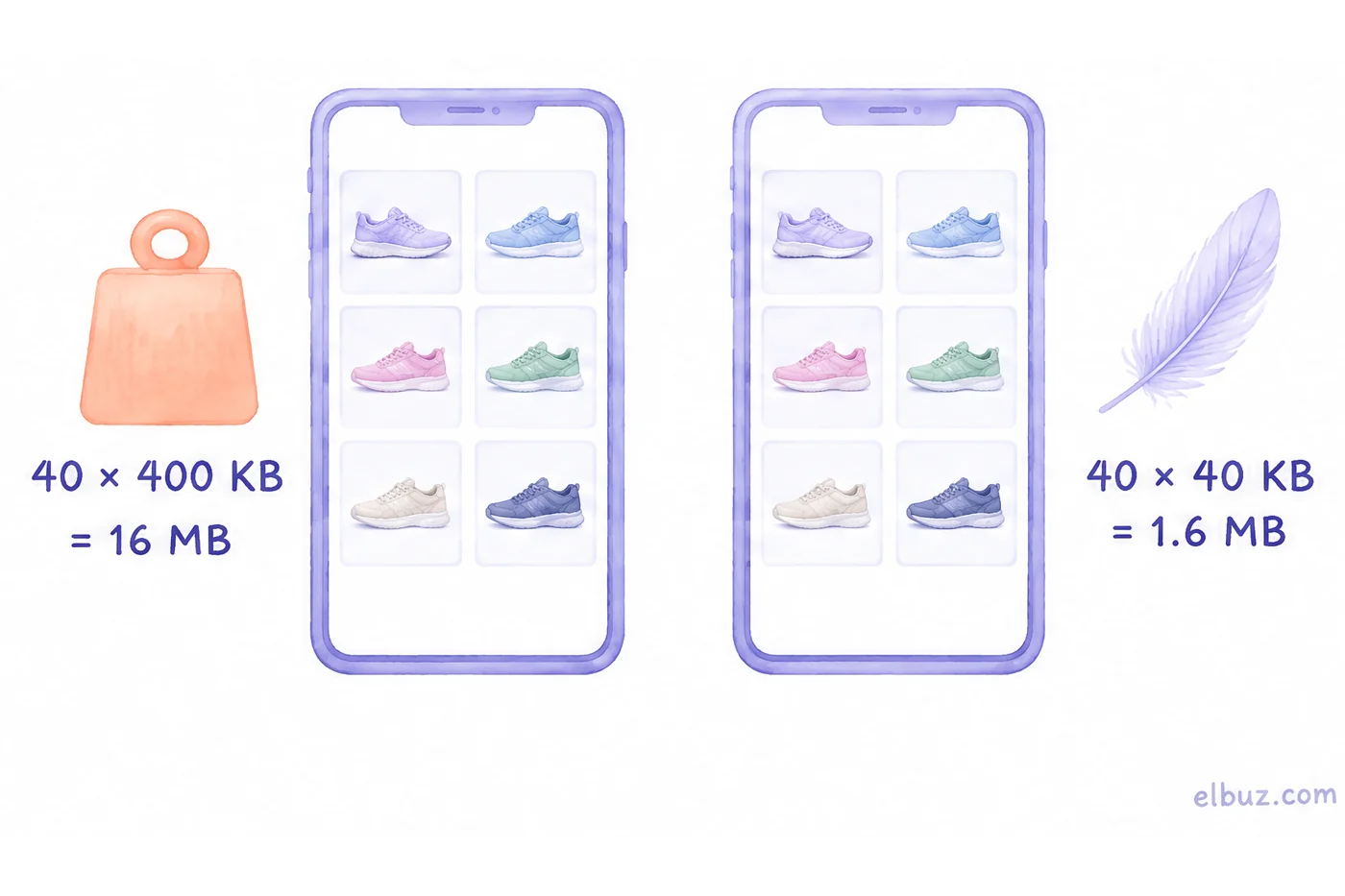
That gives working targets: a category thumbnail weighs tens of kilobytes, a large product photo up to a few hundred. Check the result with the speed of the first screen: Google considers an LCP (the time until the largest element on screen appears, often the main product photo) of up to 2.5 seconds good, measured at 75% of visits.
How to insert photos so search finds them and the page doesn't jump
Four attributes take care of both search and speed: a clear file name, alt, dimensions and lazy loading.
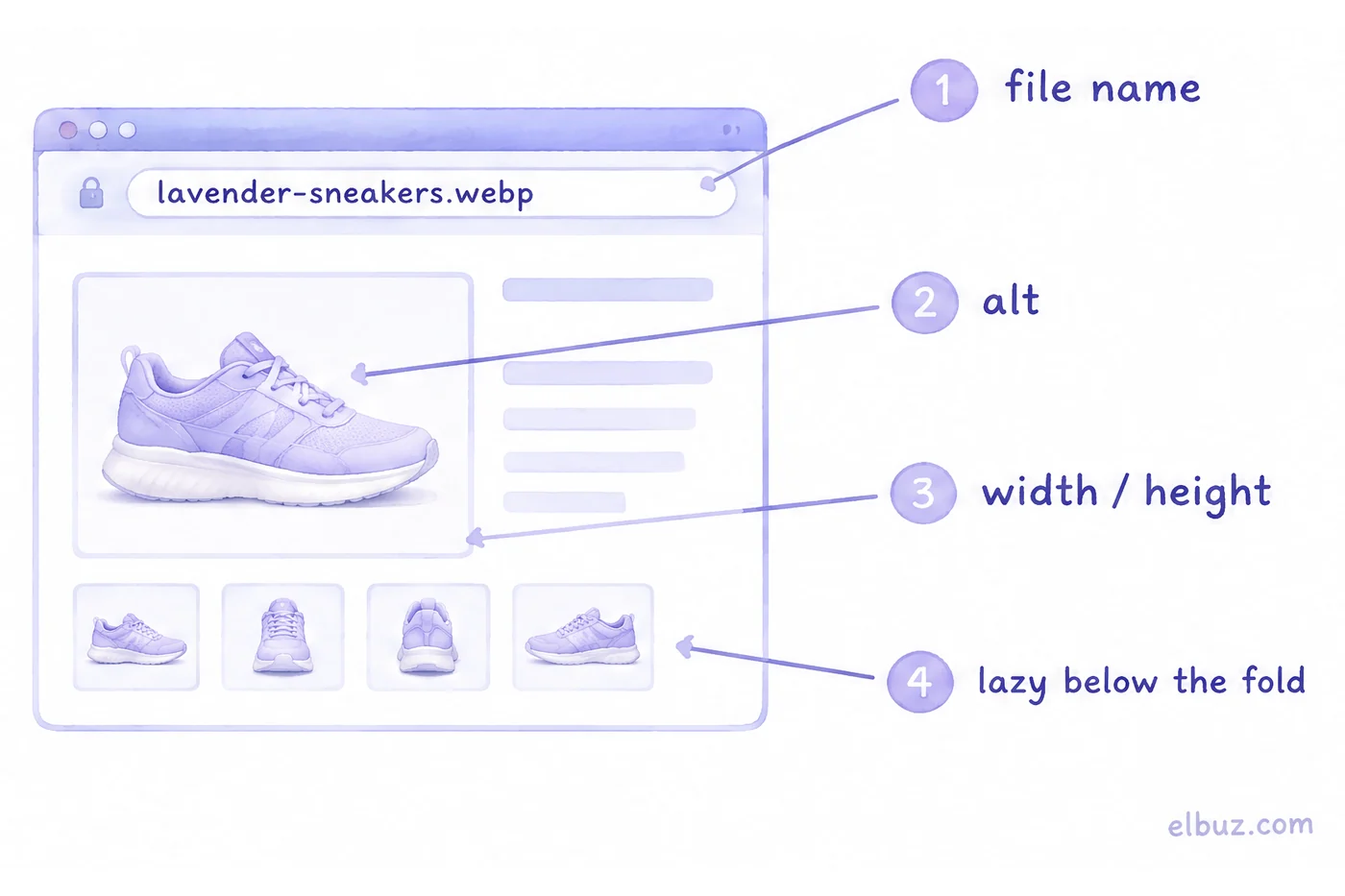
- File name. Short and descriptive:
lavender-sneakers.webp, notIMG_4521.jpgor1.jpg— Google recommends this. - alt. What the image shows: "Lavender sneakers, side view". No keyword lists — Google warns that keyword stuffing in alt can look like spam.
- width and height. Set them on every
<img>: the browser reserves the space in advance, and the text doesn't shift when the photo loads. - loading="lazy". Only for photos below the first screen. Don't mark the main product photo this way: lazy-loading it makes LCP worse.
For different screens, offer several sizes with srcset, but always keep a URL in src — some browsers and crawlers don't understand srcset.
When you have thousands of photos: processing without manual work
Manual compression stops working when a supplier adds new products every day: each new batch of photos has to be resized, renamed and converted again. You need a rule that runs on its own.
In Elbuz, photos arrive with the supplier's price list or from scraping a website, the product card automatically scales oversized photos down to 2000 pixels wide, and when products are exported to your site the program saves photos as WebP, JPEG or PNG with the width and quality you set. So the rule "2000 px original, WebP of the right size on the site" is set once and applies to every new product. How it works with supplier photos, AI product photos and descriptions — on the automatic product content page.
Who doesn't need it: if you have a few dozen products and shoot them yourself, a free compressor and the checklist below are enough.
Image optimization checklist
- Original — about 2000 px on the longest side, the same proportions within a category.
- Main photo — the product out of its packaging on a white background, no watermarks, borders or text; the product fills about 85–90% of the frame.
- For the category grid — separate 300–400 px thumbnails, not large photos scaled down by the browser.
- On your site — WebP with a JPG fallback; for marketplaces and emails — JPG.
- Compress from the original, not from an already compressed copy.
- File name in words, alt describes the photo, no keyword lists.
- Every
<img>has width and height; lazy only below the first screen. - Before uploading to a marketplace, compare minimum size and format with its current rules.
Frequently asked questions
How do I optimize images for web without losing quality?
Resize the photo to the size it is shown at and save it as WebP or JPG at about 80% quality: the difference isn't visible on screen. Compress from the original, not from a compressed copy, and don't upscale small photos — it adds no sharpness.
What is the best image size for ecommerce?
An original of about 2000 px, 1000–1400 px on the product page and 300–400 px in the category grid. A square 2000 × 2000 px photo also meets the recommendations of Amazon, Google Merchant Center, Etsy and eBay.
Is WebP better than JPEG?
For your own site, yes: according to Google, WebP is 25–34% smaller than JPEG at the same quality. For marketplace uploads and emails, JPG is safer, and for logos and transparent backgrounds, PNG.
What are Amazon's image requirements?
At least 500 px on the longest side, and over 1,000 px for zoom. The main image needs a pure white background with the product filling 85–100% of the frame and no text, logos or watermarks. Check your category's style guide in Seller Central: it can add its own rules.
Do images affect SEO?
Yes, in two ways: images get into Google Images through the file name, alt and nearby text, and heavy photos slow the page down and worsen LCP — the time until the main element of the screen appears.
What is lazy loading of images?
Deferred loading: the browser loads a photo only when the visitor scrolls to it. You switch it on with the loading="lazy" attribute, but not for photos on the first screen.
Sources
- Amazon Seller Forums, Listings Lounge — Product Image Requirements (post by Amazon staff: size, formats, zoom) and Product Photography Standards (post by Amazon staff: background, fill, text). The full Product Image Requirements page is available in Seller Central after sign-in.
- Google Merchant Center Help — Image link [image_link].
- Etsy Help Center — Requirements and Best Practices for Images in Your Etsy Shop.
- eBay Help — Picture policy.
- Google for Developers — An image format for the Web (WebP).
- web.dev — Image formats: AVIF.
- Google Search Central — Google image SEO best practices.
- web.dev — Largest Contentful Paint (LCP).
- web.dev — Browser-level image lazy loading for the web.
Checked on October 31, 2026.


