




Section Articles

Apply formulas to correct data in the base product catalog
Applying formulas allows you to set logical conditions for checking the data stored in the fields of the base catalog, fields from price lists and ...
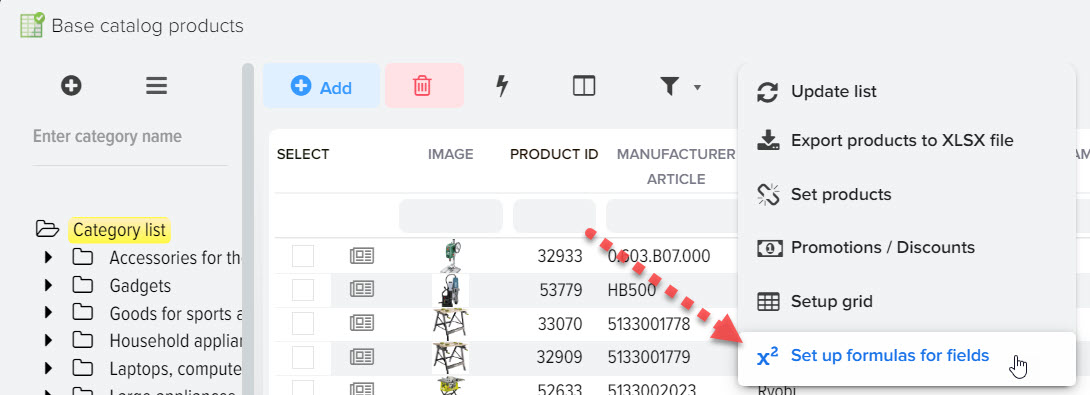
Adjustment of the final price based on the RRP
By default, the Price field is uploaded to the site, if it is required to comply with the RRP, there are several ways to do this, one of them is to...

Updating prices based on competitors' prices
Competitor prices can be obtained from various sources, such as: A file with a competitor's price list in one of the XLS, XML formats. CSV etc. For...
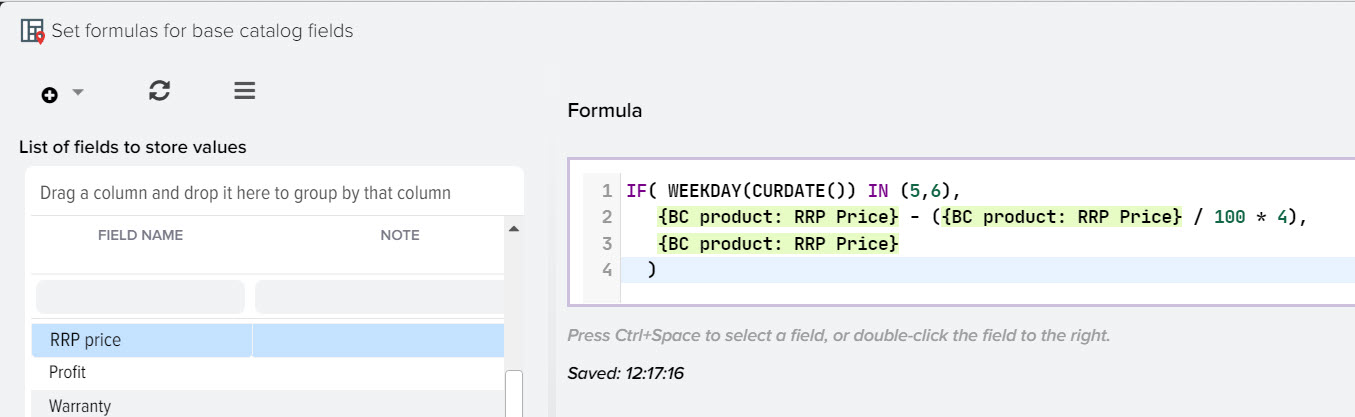
How to update the RRP based on the day of the week
The Elbuz system allows you to automatically update prices based on the day of the week, for example, you can stick to the RRP from Monday to Frida...

How to set up automatic creation of an internal product SKU (counter)
Function in the program is a convenient tool for working with the counter in formulas. This function allows you to automatically increase the val...
Showing 1 to 5 of 5 (1 Pages)