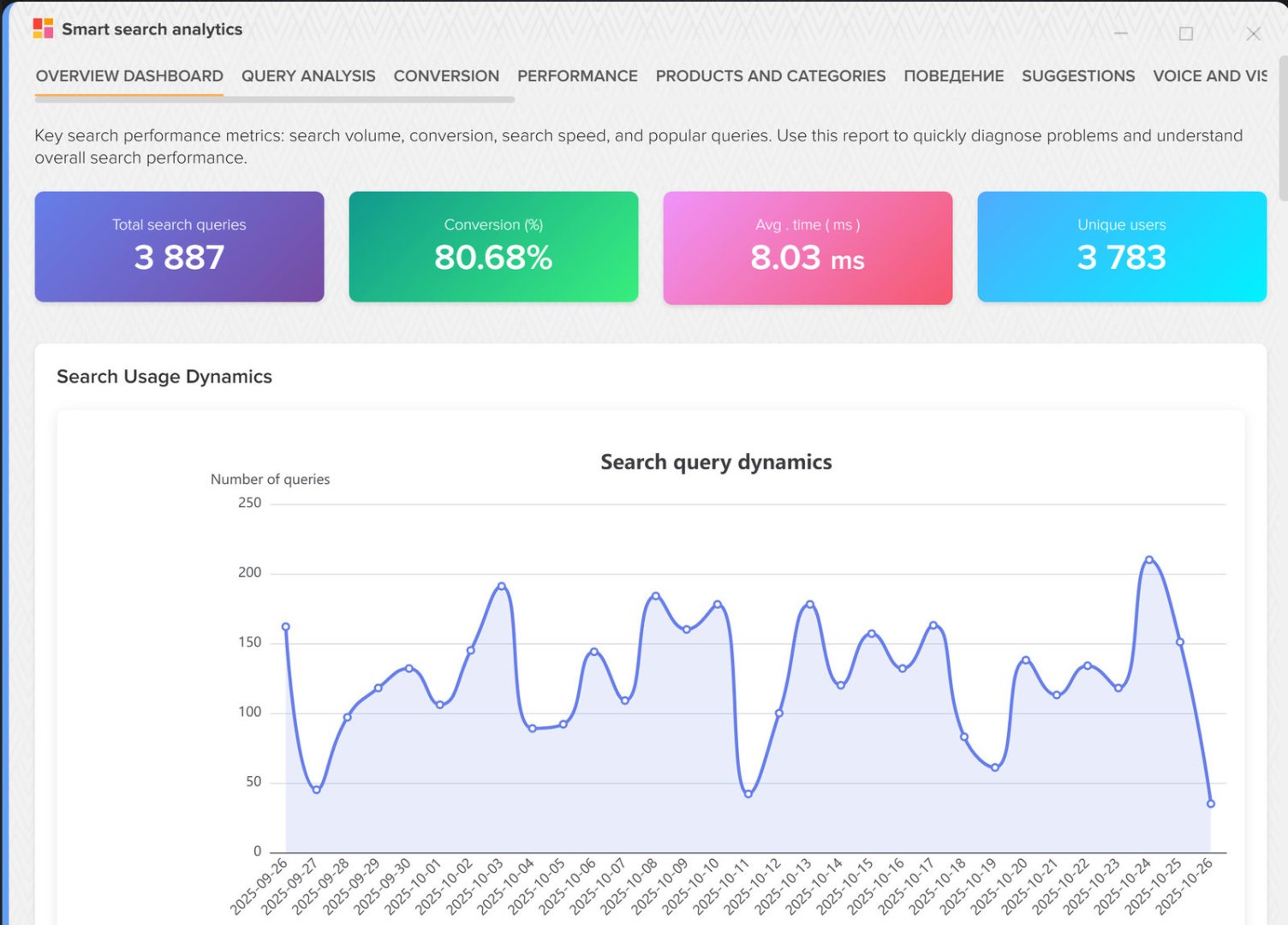
The API interface provides access to a search server that allows you to quickly find the right products stored in the database of the Elbuz software product. It is possible to search for products and save the search history.
Exchange format, authentication
- The JSON format is used for interaction.
- Requests use the GET HTTP method.
- A token (UUID) is used for authentication.
Basic information
Access limitation
- API access with indication of IP addresses from which access is possible.
- By the number of requests - no more than 30 connections within 60 seconds.
Pagination - pagination
The output of the requested data is paginated. The default maximum number of entries is 10 entries per page. The "page" parameter is used to specify the page number.
When answering, "meta" information is generated, for example:
    [meta] =>
        (
            [type_search] => product
            [search_value] => iron
            [search_value_corrected] =>
            [total_found] => 1259
            [page_total] => 126
            [page_next] => 1
            [page_current] => 1
            [request_time] => 0. 00052176713943481 sec
        )
Description meta information:
- type_search – query type (product - list of products, category_product - list of products grouped by category)
- search_value - text to search
- search_value_corrected - search text after correction
- total_found - number of items found
- page_total - total number of pages
- page_next - next page number
- page_current - current page
- request_time - time taken to get information
Selection of elements
Searching for products is possible by specifying various fields, for example, you can get products of only a certain category, for this you need to pass the category_id parameter in which you specify the category ID.
Description of working with the API
API service start address: https://jumper_domain_address/jsearch/jsearch_api.php
The type parameter takes an operation code, based on which the system understands what operation needs to be performed.
The following values are available for the type parameter:
- search_product - search for products
- search_category_product - search for products grouped by category
- log_save_click - save history: click on a product from search results
Example link for product search: https://jumper_domain_address/jsearch/jsearch_api.php?type=search_product&search_value=asus
Creating an API user, getting a token
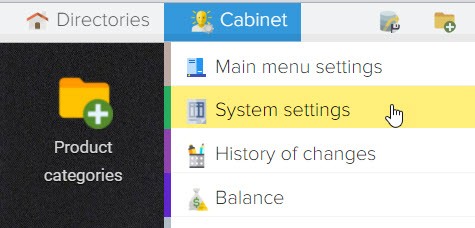
Data exchange via API is performed using login and password (token). To create a new API user, go to the "Settings" subsystem
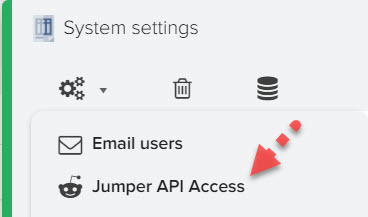
Then select "Access API Jumper"
Click the + button to create a new user
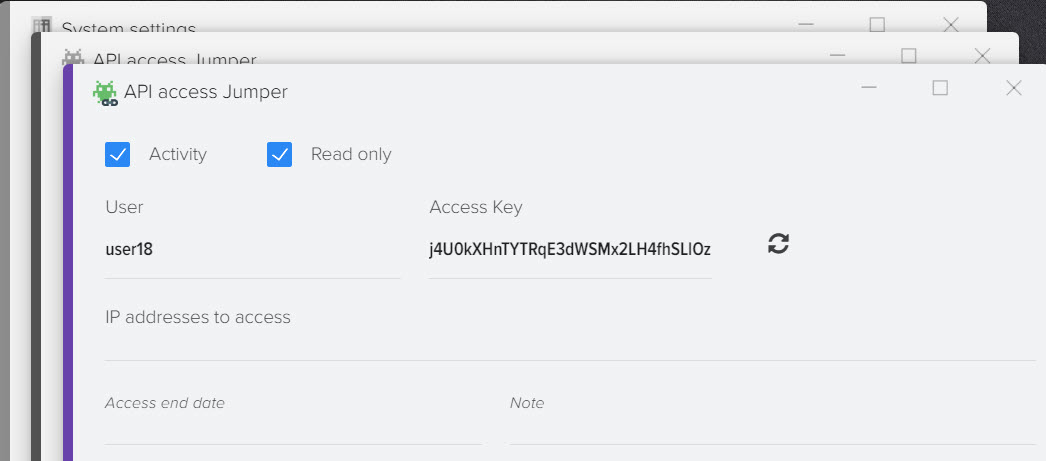
Description of element fields
To get the description of element fields, send a POST request with route=api/scope/describe.
Full address:
https://your_domain_address/admin/index.php?route=api/scope/describe
Required POST parameters:
- api_token - the token received earlier
- scope is the id of the element by which information is to be obtained. The element code can be specified in the link, in which case this parameter is optional.
List of available element codes:- product – base catalog products
- product_price - products from price lists
- manufacturer - manufacturers
- contractor - contractors
- document - documents
- user - users (employees)
- company - companies
PHP Implementation Example
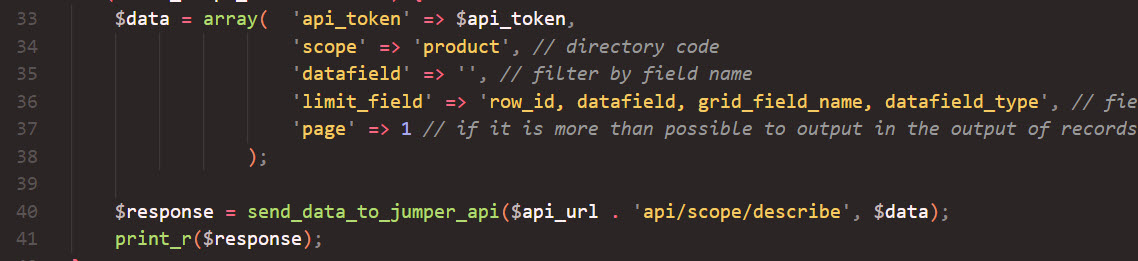
Extended API example, PHP language
Extended examples of working with the API using the PHP language are available at this link .