

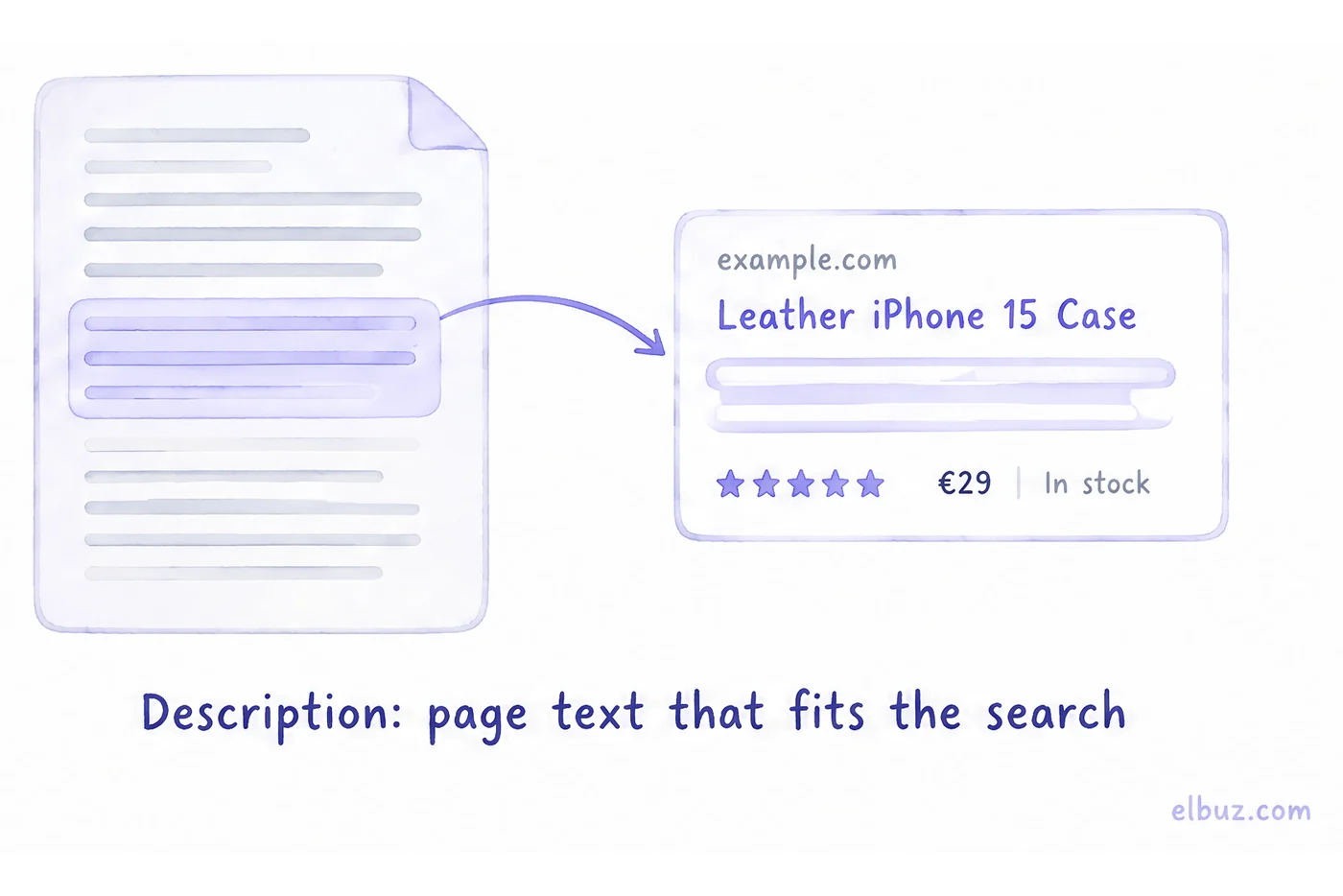
A snippet is how your page appears in Google search results: a title link, the site's URL, a short description and, if the page has structured data, extras such as price, availability or rating. Google builds the snippet itself: the title usually comes from the title tag, and the description mostly comes from the page text that best fits the search, only sometimes from the meta description.
The snippet decides whether people click your page once it is already in the results: at the same position, one snippet gets noticeably more clicks than another. Below — what a snippet is made of and which parts you control, why Google rewrites your description, how to calculate the effect of a new snippet, and how to write titles and descriptions for thousands of products.
When people ask what a snippet is
Usually when a store owner searches for their own site and sees text they never wrote: a piece of the shipping policy or a list of specs instead of the description. Or an SEO specialist says "rewrite your snippets", and Search Console shows plenty of impressions but few clicks. People search for "what is a snippet", "google snippet" and "meta description length", and then ask how many characters to write and how to make Google show their own description.
You cannot make it: Google decides for itself and can show different text for each search. But you fully control what it chooses from — the title, the page text, the meta description and the structured data.
What a snippet is made of
Of standard parts that every result has, and rich parts that appear only with structured data. For each part Google has several sources, and your tag is just one of them.
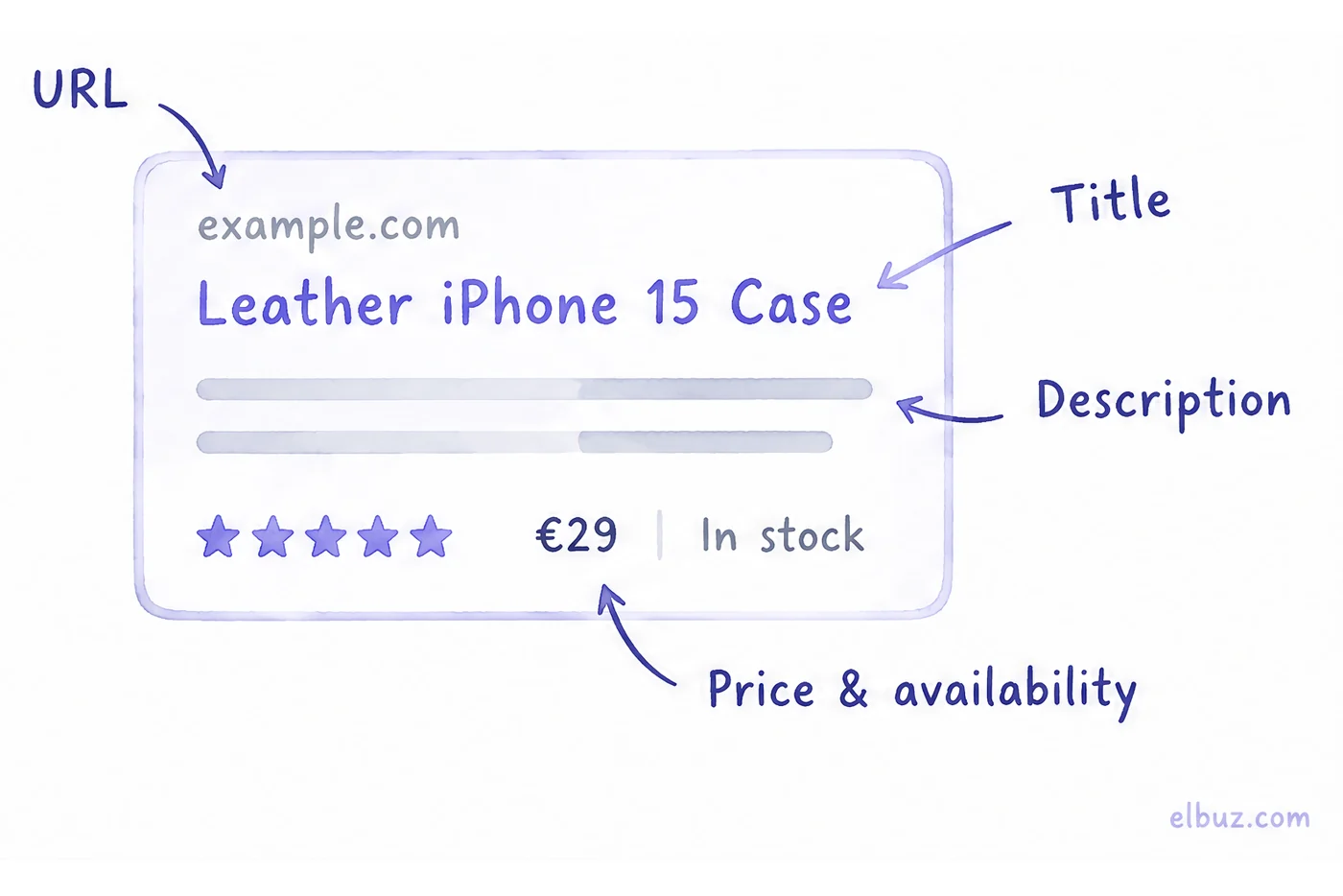
| Snippet part | Where Google takes it from | What you control |
|---|---|---|
| Title link | the title tag, the main visual heading and h1, og:title, anchor text of links to the page | the title, the h1 and that they do not contradict each other |
| URL | the domain and page path, the site name | readable URLs and the site name |
| Description | mostly the page text closest to the search; sometimes the meta description | the meta description and the first paragraphs of the page |
| Price, availability, rating | Product structured data | the markup and that it matches the visible text |
Hence the main rule: the snippet description is not written only in the meta description. If the first paragraph of a product page says "Welcome to our store", Google may take exactly that.
Why Google does not show your title and description
Because it considers other text a more accurate answer to the search. A snippet is built for each search separately: for "leather iphone 15 case" and "iphone 15 case buy" the same page can get different descriptions.
The most common reasons Google replaces your text:
- The same title on many pages. "Buy online at Store Name" on every product — Google looks for a distinctive title elsewhere, usually in the h1.
- The title does not match the h1. One name in the title, another on the page; Google takes the one that is more prominent on the page.
- A list of keywords instead of a phrase. "Case, cases, iPhone case, buy case" reads as keyword stuffing, and Google rewrites it.
- The description does not fit the search. It describes the store in general, while the person searched for a specific model — Google takes the paragraph with specs.
- An empty description. Then the description always comes from the page text, often from the menu or footer.
How long should a title and meta description be
Google has no hard limit: a long title or description is simply truncated to fit the device width. A guideline that usually fits without truncation is a title up to 60 characters and a description up to 155–160.
Put what matters first: the product name or the answer within the first 40–50 characters of the title, the main benefit in the first sentence of the description. Count characters before you publish — the truncation happens by pixel width, so a line of wide letters is cut sooner than the same number of narrow ones.
Rich snippets: what works for a store
A rich snippet is a result with extra data: price, availability, rating and review count. For a store the main one is the product snippet with Product markup: it shows price and availability before the click.
- Product — price, availability, rating and reviews. The data in the markup must match what the shopper sees on the page.
- Breadcrumbs — the category path instead of a long URL.
- FAQ — no longer shown: Google removed the FAQ rich result from Search on May 7, 2026. FAQPage markup does not hurt the page, but expandable questions under the result are gone; advice like "add an FAQ to make your snippet bigger" is outdated.
Google does not always show a rich result, even with correct markup. How to prepare a product page for search — in the guide to product page SEO.
Snippet vs featured snippet
A featured snippet is a special box where the format of a regular result is reversed: the descriptive text comes first, the page link second. You cannot mark a page as a featured snippet — Google's systems decide whether a page makes a good one for a specific search. What helps is a direct answer to the question in the first sentence of the section, as in every section of this article.
To opt out, there are two options: nosnippet hides both featured and regular snippets; a low max-snippet value makes a featured snippet less likely but does not guarantee it.
How a snippet affects clicks and how to calculate it
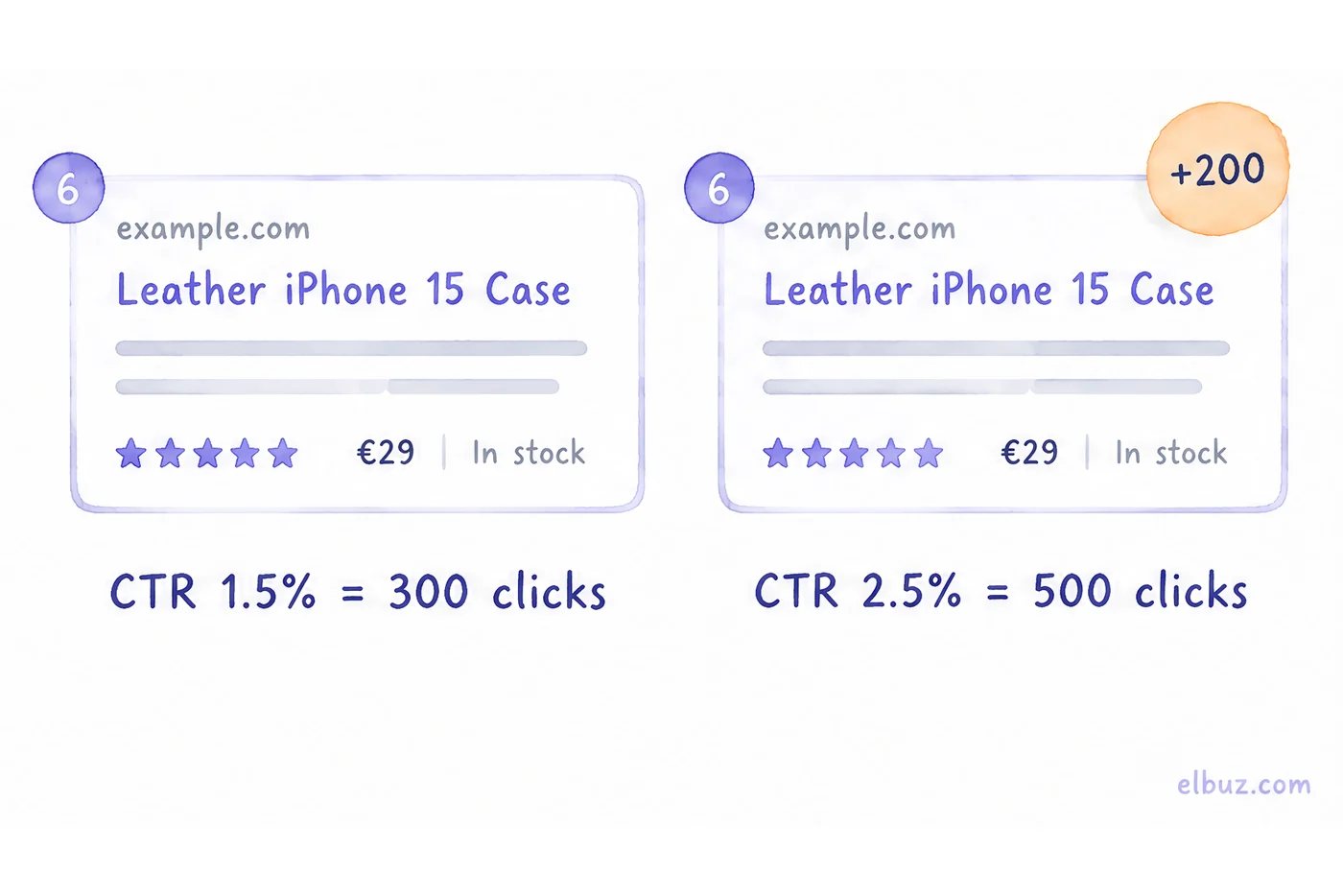
Google does not name the snippet as a ranking factor: it changes not the position but the share of people who click the result — CTR. CTR = clicks / impressions × 100%. Google Search Console shows it for each page and query in the Performance report, together with impressions and average position.
Illustrative example for the arithmetic, not market figures. A "Phone cases" category gets 20,000 impressions a month at an average position of 6 with a CTR of 1.5% — that is 300 clicks. After a new title and description the position is the same, the CTR is 2.5% — 500 clicks. Two hundred extra visitors a month without moving up a single position.
How to check that it was the snippet that worked:
- In Search Console, open Performance, the Pages tab, and pick a page with many impressions and a low CTR.
- Write down impressions, clicks, CTR and average position for 28 days.
- Change the title and description, and wait until Google recrawls the page.
- Compare 28 days after the change with 28 days before it. If the position moved by more than one place, compare with care: CTR depends on position more than on text.
How to write a snippet for a product and a category
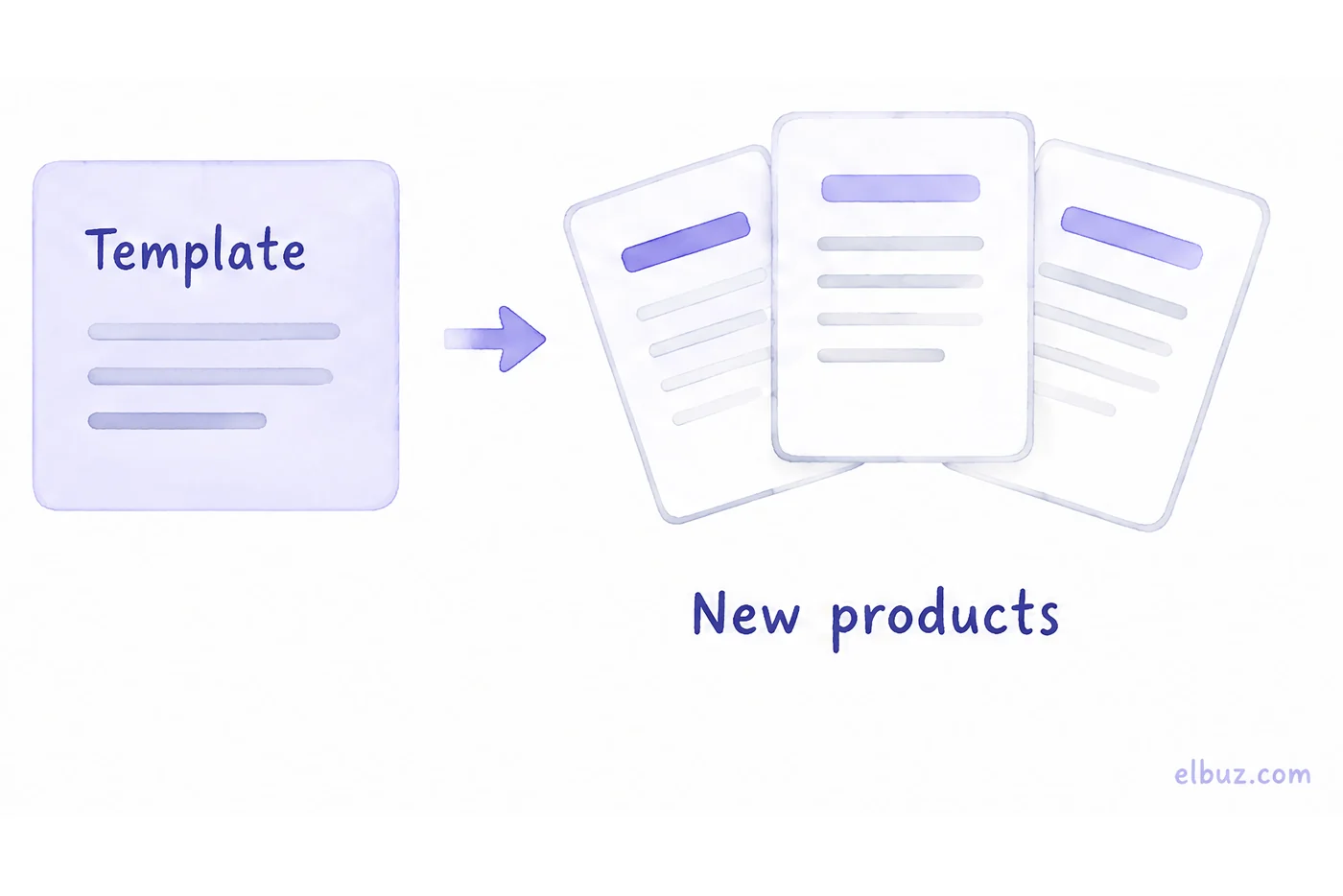
The title says what it is and for whom, the description says why to click on you. For a store it is convenient to write by a template that takes the page data — Google explicitly allows programmatic descriptions on large database-driven sites, as long as they read like human text and differ from page to page.
| Page | Title | Description |
|---|---|---|
| Product | {name} {main feature} — {store} | {name}: {2–3 features}. {Shipping or delivery time}. {Warranty or returns}. |
| Category | {category}: {qualifier} — {store} | {number of models or brands} in stock. {How to choose or filters}. {Shipping}. |
Example for a product: title "Leather iPhone 15 Case, Black — Store Name", description "Leather iPhone 15 case with a magnetic mount and camera protection. Ships within 24 hours. 30-day returns." The shipping time and returns must match your actual terms.
- Something unique in every title — the product or category name. A template where only one word changes and the tail stays the same gets rewritten by Google.
- No price in the description text if prices change often: Product markup updates with the page, while old text can stay in the results.
- What sets you apart: shipping speed, free returns, warranty — only if it is true for this product.
How to block or limit a snippet
With three Google controls. You will rarely need them — for example, to keep a shipping-terms block that repeats on every page out of the snippet.
- The robots meta tag with
nosnippet— the page appears without a description. max-snippet:[number]— limits the description length in characters.- The
data-nosnippetattribute on a single block — that fragment will not get into the description, the rest of the page will.
Snippet in code and in music
In programming, a snippet is a ready piece of code that an editor inserts by a short keyword, such as a loop or function template. In music, it is a short clip of a track that an artist posts before the release. These meanings have nothing to do with search snippets.
When snippets have to be written for thousands of products
When the catalog is filled from supplier price lists: every week brings hundreds of new product pages with empty titles and descriptions, and Google takes the description from whatever text is on the page.
In Elbuz, titles, descriptions and h1 for products, categories and manufacturers are filled by the meta tag generator — in bulk and, by default, only into empty fields. You can write them with an AI model or by a template with product data, like the table above; the template picks up new products by itself after price lists are processed. Step by step — in the guide to bulk meta tag generation.
Who it is not for: if you have a few dozen products, write the snippets by hand — each for its own search.
Titles and descriptions for the whole catalogBy template or AI, new products get them automatically
Frequently asked questions
What does a snippet look like?
It is a block in Google results: a title link, the site's URL and a couple of lines of description, sometimes with price, rating or availability. Based on it, a person decides whether to click your result.
How do I change my site's snippet in Google?
Change the title, the meta description and the first paragraph of the page, then wait for Google to recrawl it. There is no way to guarantee Google shows your text: it picks the description for each search.
What are rich snippets?
Results with extra data from structured data markup: price, availability, rating, breadcrumbs. For a store the main one is the product snippet with Product markup.
How long should a meta description be?
Google has no limit; the text is truncated to fit the device width. A guideline that fits without truncation is up to 60 characters for the title and 155–160 for the description.
Why is Google not showing my meta description?
Because it considers other page text a more accurate answer to the specific search. This happens most often when the description is generic, empty or the same on many pages.
Do meta descriptions affect SEO?
Not rankings directly: Google does not name the snippet as a ranking factor. The snippet changes CTR — the share of people who click the result, so at the same position a better snippet brings more clicks.
What does snippet mean in code?
A short, reusable piece of code that an editor inserts by a keyword, such as a function template. It has nothing to do with search snippets.
Sources
- Google Search Central, "Control your snippets in search results" — where the description comes from, no length limit, programmatic descriptions, nosnippet, max-snippet, data-nosnippet (updated April 20, 2026) — developers.google.com/search/docs/appearance/snippet.
- Google Search Central, "Influencing your title links in search results" — title link sources, truncation to device width (updated December 10, 2025) — developers.google.com/search/docs/appearance/title-link.
- Google Search Central, "Featured snippets and your website" — what a featured snippet is, opting out (updated December 10, 2025) — developers.google.com/search/docs/appearance/featured-snippets.
- Google Search Central, "Product snippet structured data" — price, availability and rating in a product snippet — developers.google.com/search/docs/appearance/structured-data/product-snippet.
- Google Search Central, documentation updates — FAQ rich result no longer shown from May 7, 2026 (entries of May 8 and June 15, 2026) — developers.google.com/search/updates.
- Search Console Help, Performance report — CTR definition — support.google.com/webmasters/answer/7576553.
Checked on October 31, 2026. Impressions and clicks are an illustrative example for the arithmetic.


