

A push strategy means you take the product to people who are not looking for it right now: social ads, banners, email campaigns, promotions. A pull strategy means the shopper is already looking for the product and you catch that demand: Google search, Google Shopping, marketplace search, SEO, reviews. For an online store, pull is usually cheaper per order but limited by how many people search for the product. Push costs more, but it scales and creates demand that later turns into pull.
The most common mistake is choosing between them by fashion: "everyone is on social ads now" or "ads don't work, only SEO". What you should count instead is what an order costs in each channel, how much of it you keep, and where demand runs out. Below is the difference between the two strategies in a table, how they look in an online store, a calculation on one budget, and the order in which to combine them.
When people look up push and pull strategies
Push and pull usually come up in two situations. A student or a junior marketer looks for a definition and examples. A store owner sees that search ads bring orders but no longer grow, while social ads bring people who don't buy — and searches for which strategy to choose and how to combine them.
"Which strategy is better" is the wrong question here. The right question is how many orders each one brings for your money, and whether a customer you got with push advertising pays back.
Push vs pull marketing: the difference
The difference is who takes the first step: in push, the seller goes to the buyer; in pull, the buyer comes on their own because they are already looking for the product or know the brand.
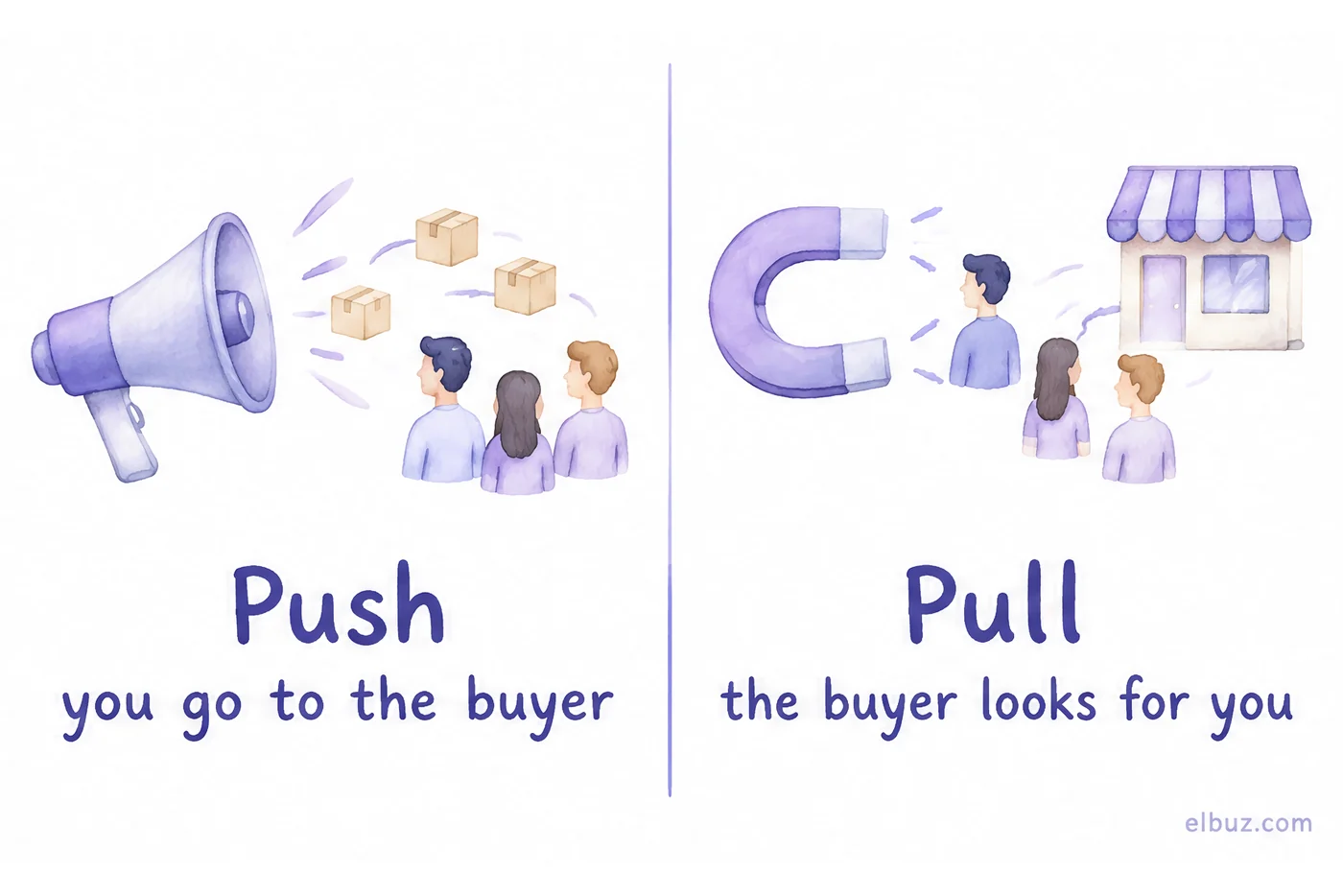
In classic marketing these terms describe how a product travels from the manufacturer. Push: the manufacturer "pushes" the product through intermediaries — discounts and incentives for distributors and retailers, sales reps, shelf placement, so that sellers actively offer it. Pull: the manufacturer "pulls" shoppers with advertising, brand and content, and they ask for the product in stores, so the store has to stock it.
| Attribute | Push | Pull |
|---|---|---|
| Who takes the first step | The seller | The buyer |
| Tools in ecommerce | Social ads, banners, email and SMS campaigns, promotions, incentives for resellers | Search ads, Google Shopping, marketplace search, SEO, reviews, content |
| Speed of effect | Right after launch | Search ads — right away, SEO and brand — months |
| Cost per order | Higher: the person was not looking | Lower: the person is already looking |
| Limit | Budget and customer payback | How many people search for the product |
| When it works | A new product, impulse purchases, repeat sales to your own customer list | A product people already search for by name or need |
How push and pull look in an online store
An online store sits in the middle of the chain, so it sees both strategies from two sides. The supplier runs push on you: volume incentives, marketing materials, a recommended retail price, so that you actively sell its product. You run push and pull on the shopper.
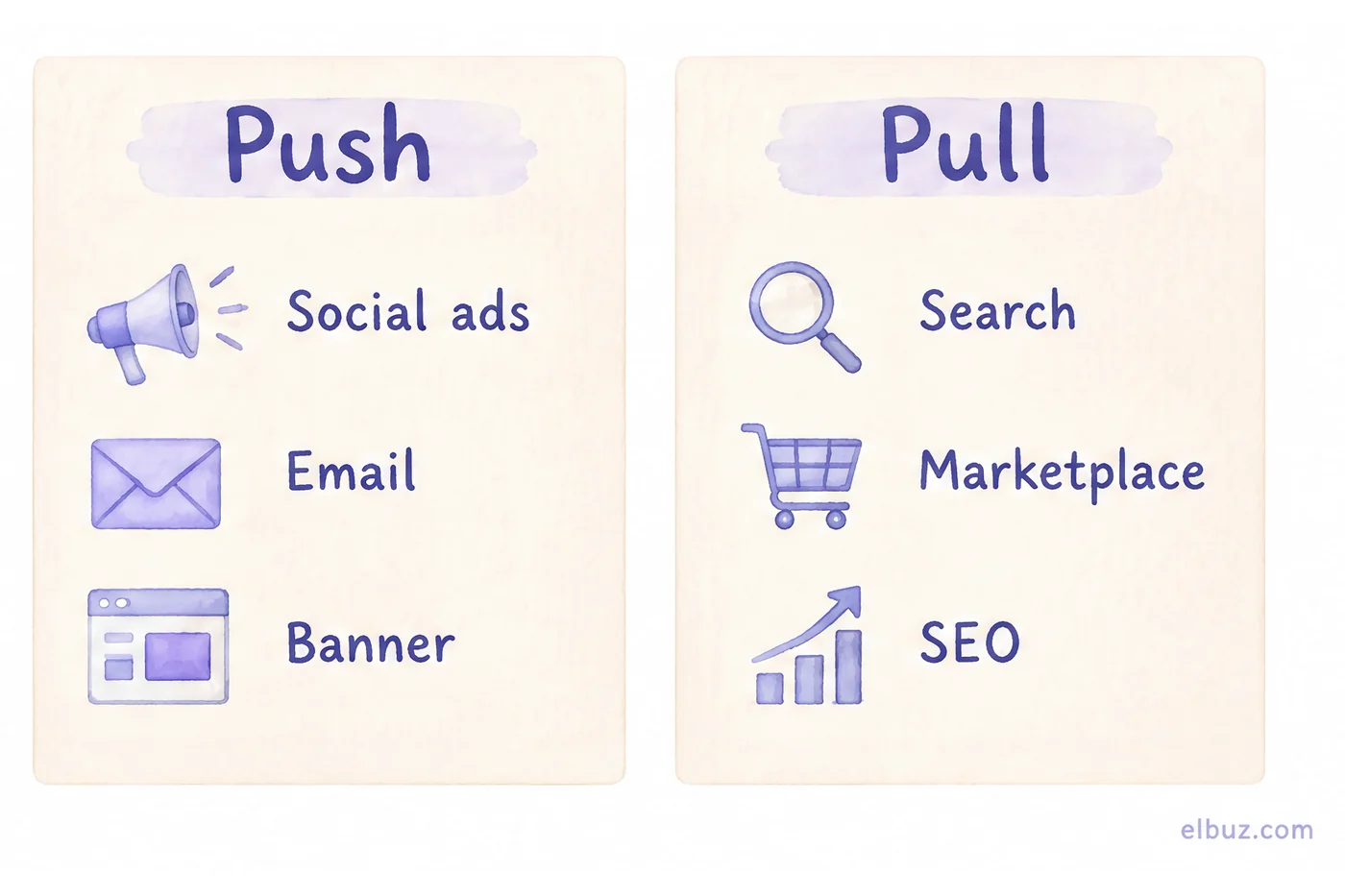
- The store's push: social media ads, display banners, email, SMS and messenger campaigns, promotions and promo codes, website push notifications. You show the product to people who did not search for it.
- The store's pull: Google search ads, Google Shopping, marketplace listings, SEO for category and product pages, reviews. You appear where the person is already looking for the product.
The line between them is not the channel but the shopper's intent. A sponsored listing in marketplace search results for a query is pull; the same marketplace advertising as a banner on its home page is push. An email to people who have already bought from you is push, but the cheapest kind: the contact is yours, and you don't pay for impressions.
Push or pull: a calculation on one budget
Compare the strategies by cost per order and by how much of the order you keep. The main limit of pull is demand: once everyone searching for your product already sees your ad, there is nowhere left to put the money.
Illustrative example for the arithmetic, not market averages. The store's average order is €150. After the cost of goods and shipping, €45 is left from an order: that is the most you can give to ads per order without a loss. The budget is €1,000 a month.
- Pull, search ads. A click costs €1, 3% of visitors buy. But your search terms only offer 600 clicks a month: 600 × 1 = €600, 600 × 3% = 18 orders.
- Push, social ads. 1,000 impressions cost €10, 1% click, 1% of those who click buy. €1,000 buys 100,000 impressions, 1,000 clicks and 10 orders.
| Strategy | Spend, € | Orders | Per order, € | Result, € |
|---|---|---|---|---|
| Pull | 600 | 18 | 33.33 | +210 |
| Push | 1,000 | 10 | 100 | −550 |
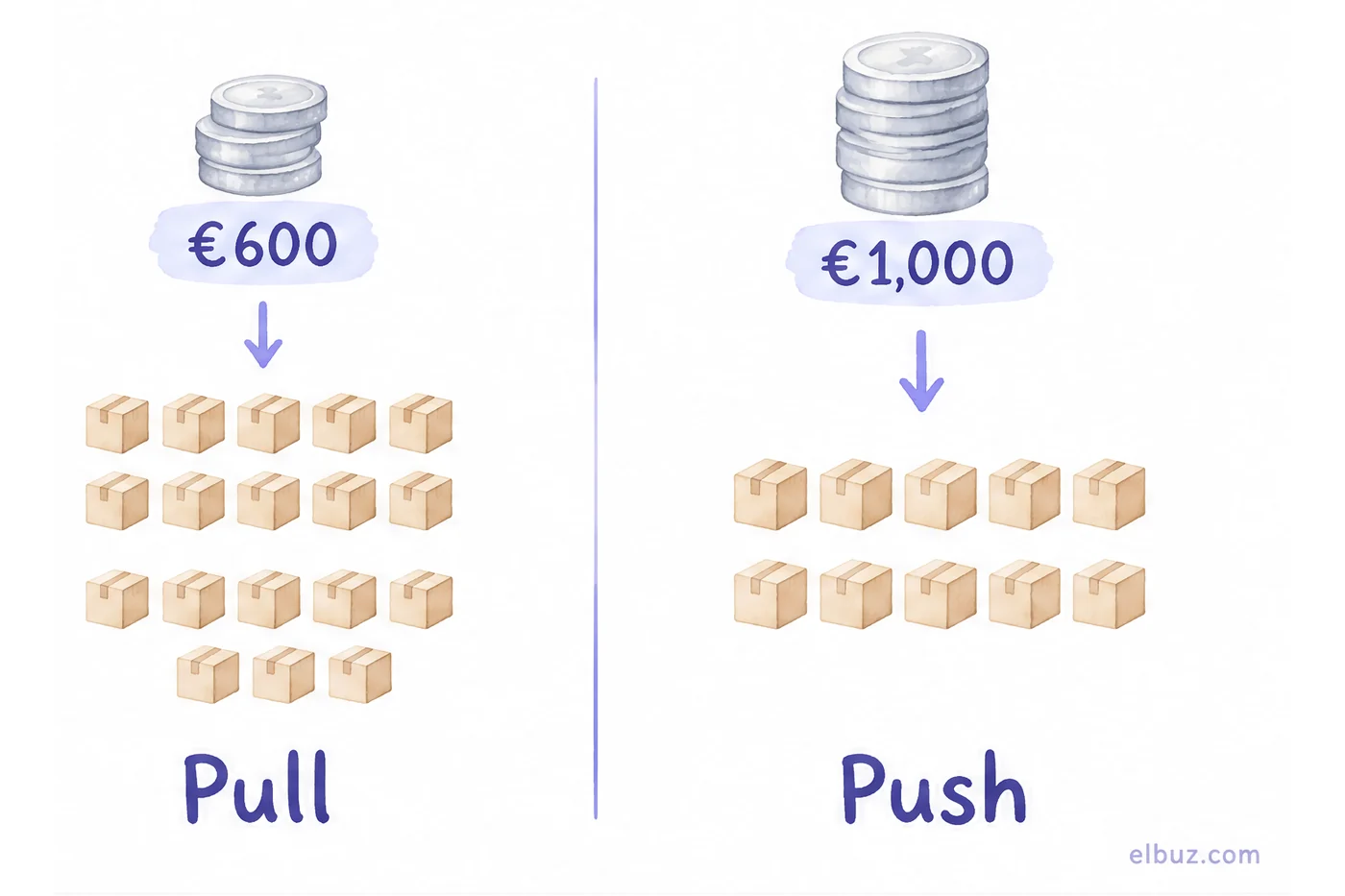
How the result was calculated: pull — 18 × 45 − 600 = €210, push — 10 × 45 − 1,000 = −€550. Pull pays better, but it only spent €600: the remaining €400 has nowhere to go in search. Put it into push, and you get 4 more orders and −€220 on the first purchases.
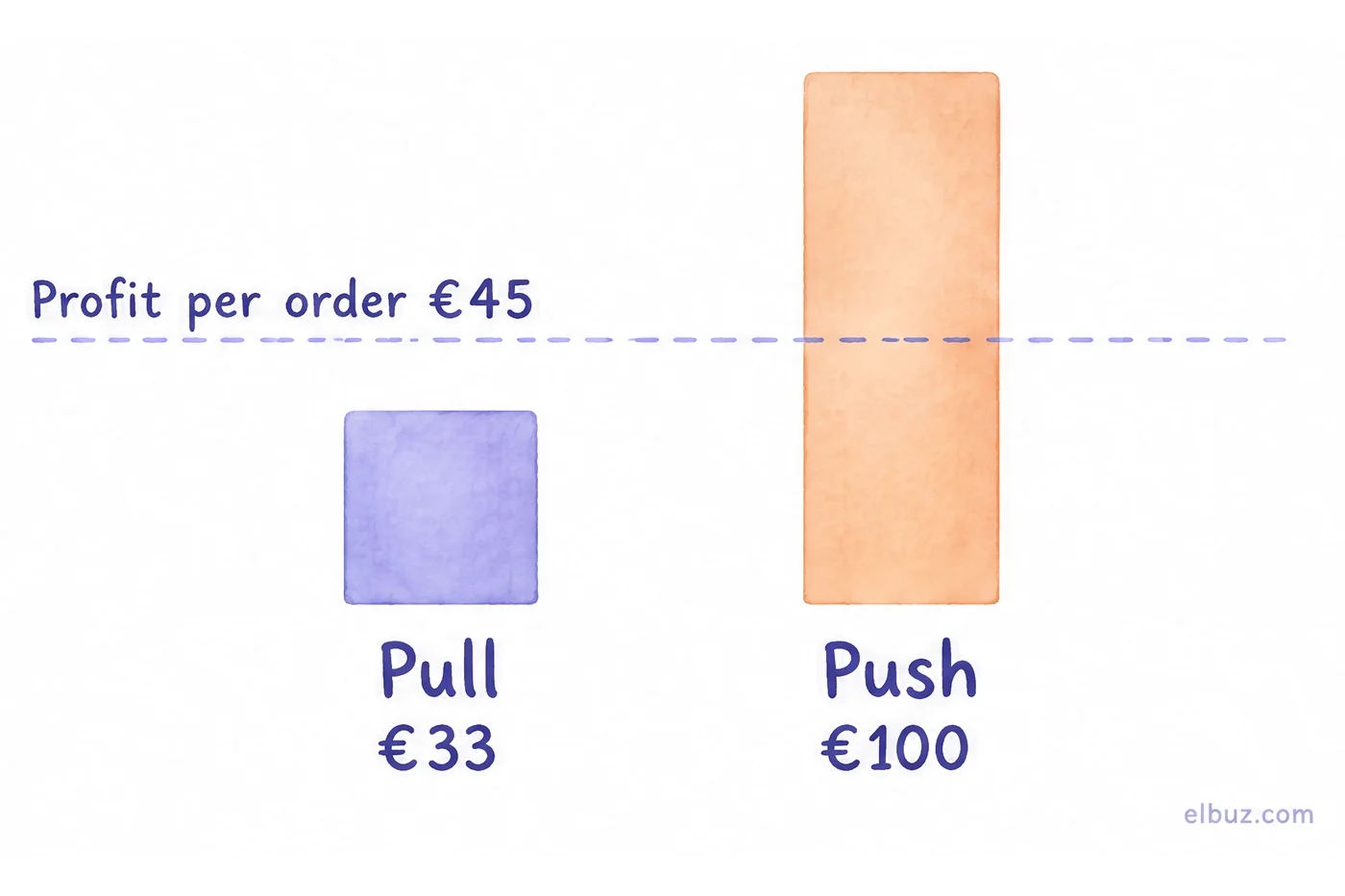
So push to a cold audience pays back not with the first order but with repeat orders that you no longer pay ads for. A customer acquired for €100 breaks even after 100 ÷ 45 ≈ 2.2 orders. If people come back for your product (consumables, cosmetics, pet supplies), push makes sense. If they buy once every few years, use pull only, or push with a cheaper order. How to calculate customer acquisition cost on your own numbers — in CAC and unit economics for an online store.
How to combine push and pull: the order of steps
Start with pull, then add push to your own customer list, and only after that push to new people. Step by step:
- Capture existing demand. Search ads, Google Shopping and marketplaces, with current prices and stock, because that is exactly what shoppers compare.
- Find the limit of pull. When extra money in search ads stops bringing new orders and only makes clicks more expensive, demand is exhausted.
- Add push to your own list. An email to people who have bought or left a cart costs pennies per contact and brings repeat orders that improve the payback of all your ads.
- Launch cold push for products with repeat purchases or with a high profit per order, where the limit from the calculation above is larger.
- Check whether pull grows after push. A good sign of push is more searches for your store or product name a few weeks later. If there are none, push only buys one-off orders.
Promotions are a special case: they are push that easily eats profit, because the discount also goes to people who would have bought without it. How to calculate a promotion before launch — in how to run promotions in an online store.
Where stores go wrong with push and pull
- Judging push by the first order. The channel is switched off as unprofitable, although customers from it come back. Or the opposite — a losing push is kept for a product people buy once.
- Raising the pull budget past the demand limit. Bids grow, orders stay the same: you overpay for the same customers.
- Sending pull traffic to an outdated product page. The shopper found the product in search, and the website shows a different price or "out of stock" — the click is paid for, the shopper is lost.
- Sending everyone the same message. Push to your list without segmenting by purchases annoys people and leads to unsubscribes, and the cheapest channel gets spoiled.
When to automate campaigns to your own customer list
When your customer list has grown to hundreds or thousands of contacts and campaigns are still put together by hand from a spreadsheet. Then the cheapest push — messages to people who have already bought — either does not go out on time or goes to everyone.
In Elbuz, campaigns go to the store's own customer base in the ecommerce CRM: email, SMS and Telegram campaigns pick recipients by purchases, order total, city or group and are sent only to those who gave consent. Post-order messages go out on the event, not on a schedule; in a store on Elbuz CMS, abandoned cart reminders are sent by a CMS module. SMS go through the SMS provider you already use.
Who does not need it yet: if your list is a few dozen customers and you write to them once a month, any email service will do. Come back to automation when you want to send different emails to different customers.
Customer base and campaigns in ElbuzEmail, SMS and Telegram by purchase history, 14 days free
Frequently asked questions
What is the push and pull method in marketing?
They are two ways to promote a product. Push: the seller takes the product to people who were not looking for it — ads, email campaigns, promotions, incentives for intermediaries. Pull: the shopper looks for the product, and the seller shows up where people search — search engines, marketplaces, SEO, reviews.
What is the difference between push and pull marketing?
Who takes the first step. In push, the seller does, so an order costs more, but volume is limited only by budget. In pull, the shopper does, so an order costs less, but there are no more orders than people searching for the product.
What are examples of a push strategy?
Social media ads, banners, email and SMS campaigns, website push notifications, promotions and promo codes. For a manufacturer — discounts and incentives to distributors and retailers for sales volume.
What are examples of a pull strategy?
Google search ads, Google Shopping, marketplace listings, SEO for product and category pages, reviews, useful content and a recognizable brand that people search for by name.
Which strategy is better for an online store?
It depends on demand and repeat purchases. Start with pull, because orders are cheaper; add push when search demand is exhausted and a customer pays back through repeat orders. How to calculate it — in the calculation above.
Can you combine push and pull?
Yes, and almost every store does: pull captures existing demand, push to your own list brings repeat sales, and cold push creates new demand that later arrives through search.


